Train and deploy XGBoost models on Google Cloud C4A Axion VM
Introduction
Understand XGBoost and Google Axion C4A for machine learning
Create Google Cloud firewall rules for XGBoost
Create a Google Axion C4A virtual machine for XGBoost
Install XGBoost and train machine learning models
Deploy and access an XGBoost inference API
Next Steps
Train and deploy XGBoost models on Google Cloud C4A Axion VM
Allow inbound access to the XGBoost inference API
Create a firewall rule in Google Cloud console to expose the required port for the XGBoost inference API and browser-based access.
For help with Google Cloud Platform setup, see the Learning Path Getting started with Google Cloud Platform .
Configure the firewall rule in Google Cloud Console
To configure a firewall rule for the XGBoost inference API:
- Navigate to the Google Cloud console .
- Go to VPC Network > Firewall, then select Create firewall rule.
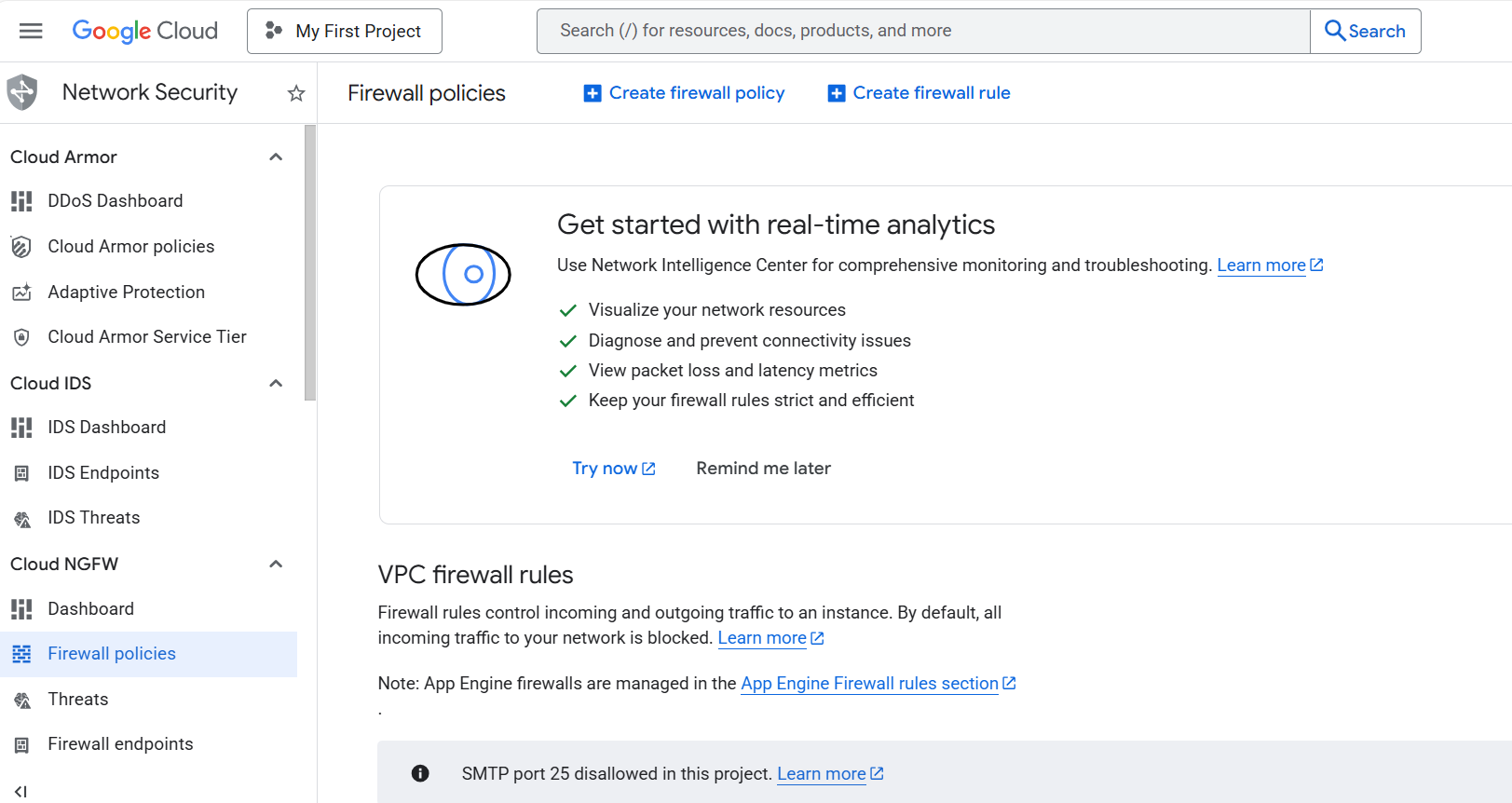 Create a firewall rule in Google Cloud Console
Set Name to
allow-xgboost-8080, then select the network you want to bind to your virtual machine.Set Direction of traffic to Ingress and Action on match to Allow.
Set Targets to Specified target tags and enter
allow-xgboost-8080in the Target tags field. You’ll use this tag when you create a virtual machine in the next section.Set Source IPv4 ranges to your current machine’s public IP address. Run the following command in a terminal on your local machine to find it:
curl -4 ifconfig.me
Take the returned address and append /32 to convert it to CIDR notation, for example 203.0.113.42/32. Restricting access to your own IP prevents port 8080 from being exposed to the public internet.
0.0.0.0/0 opens the port to all traffic and is not recommended.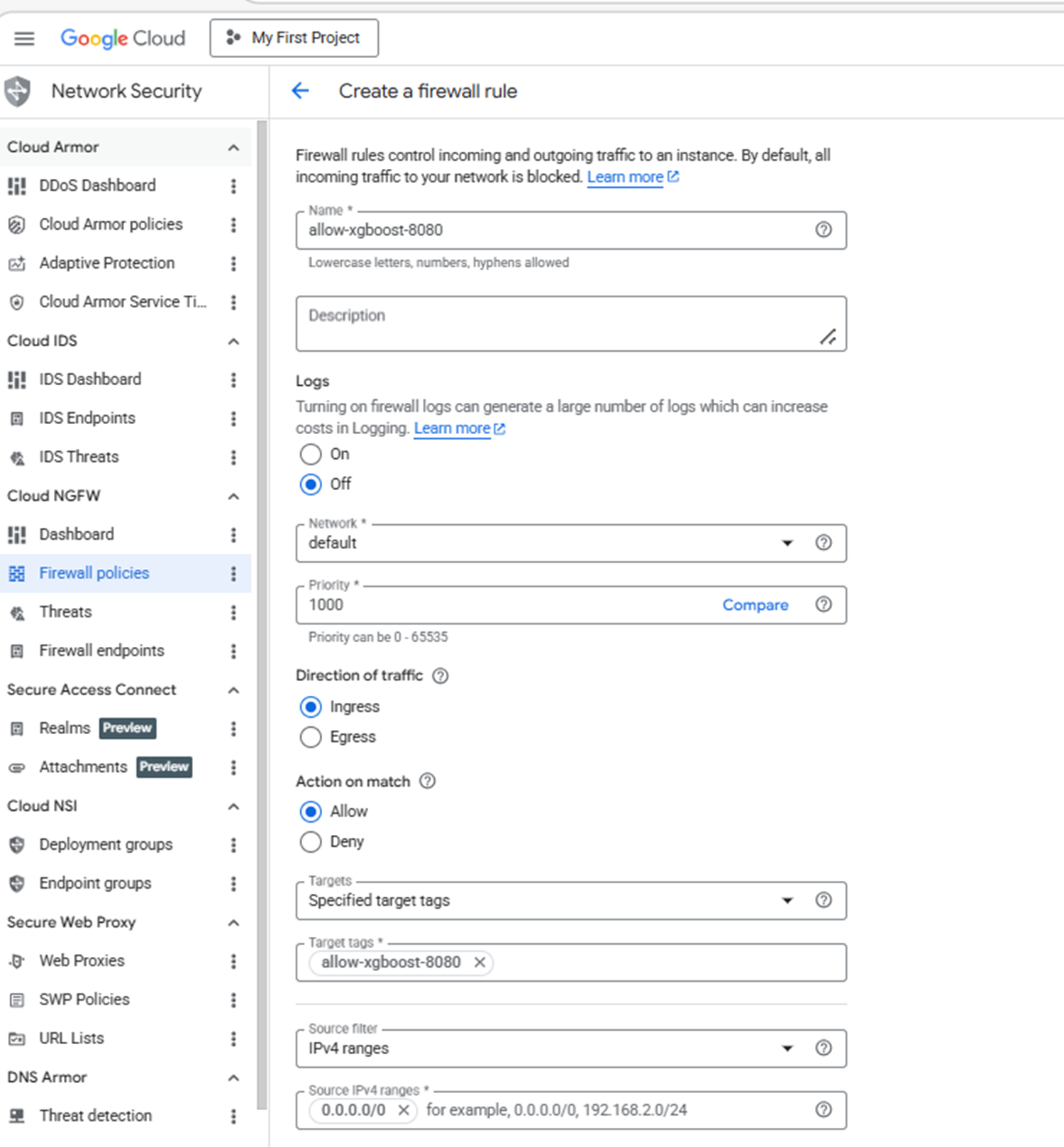 Configuring the allow-xgboost-8080 firewall rule
- Under Protocols and ports, select Specified protocols and ports.
- Select the TCP checkbox and enter:
8080
Port 8080 is used by the XGBoost inference API for browser-based validation and remote REST requests.
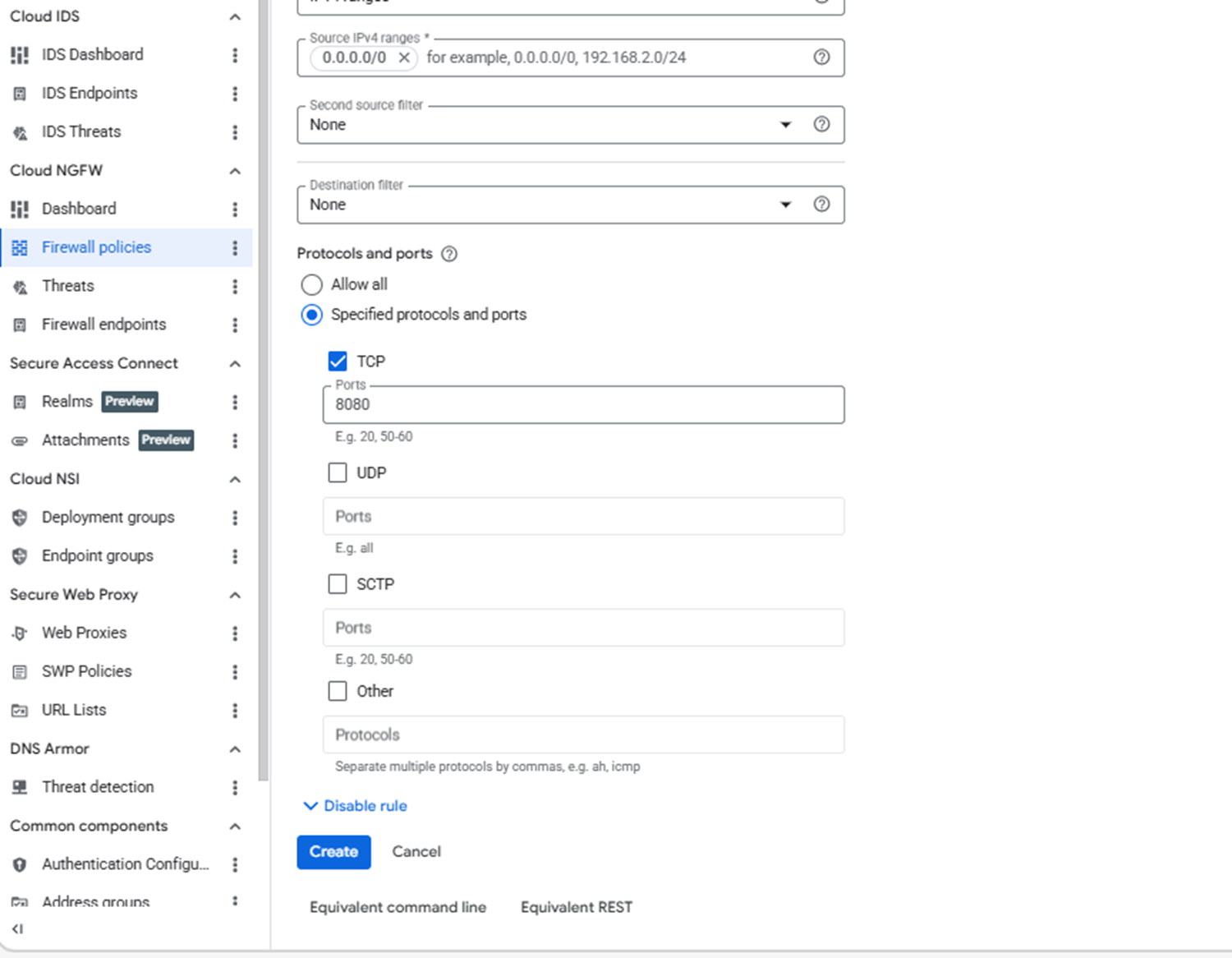 Setting XGBoost ports in the firewall rule
- Select Create.
What you’ve accomplished and what’s next
You’ve now created a firewall rule to expose the XGBoost inference API to your public IP address. You’ve also enabled browser access and remote API connectivity for inference testing.
Next, you’ll create a Google Axion C4A Arm virtual machine and attach it to this firewall rule.