Train and deploy XGBoost models on Google Cloud C4A Axion VM
Introduction
Understand XGBoost and Google Axion C4A for machine learning
Create Google Cloud firewall rules for XGBoost
Create a Google Axion C4A virtual machine for XGBoost
Install XGBoost and train machine learning models
Deploy and access an XGBoost inference API
Next Steps
Train and deploy XGBoost models on Google Cloud C4A Axion VM
Run the XGBoost inference API on SUSE Linux
In this section, you’ll deploy the trained XGBoost model as a Flask-based inference API on the Google Axion Arm64 VM and test it with a sample prediction request.
If you’re continuing in the same SSH session from the previous section, the xgb-env virtual environment is already active and your working directory is ~/xgboost-learning-path. If you’ve opened a new session, re-activate the environment and navigate to the project directory:
cd ~/xgboost-learning-path
source xgb-env/bin/activate
Install Flask
Flask is a lightweight Python web framework used to serve the XGBoost model over HTTP. Add it to the requirements file and install it:
cat > requirements.txt <<'EOF'
xgboost
numpy
pandas
scikit-learn
matplotlib
joblib
flask
EOF
Install all dependencies including Flask inside the Python virtual environment.
pip install -r requirements.txt
Verify that Flask is installed successfully.
pip list | grep Flask
The output is similar to:
Flask 3.1.3
Create the inference API
Create a Flask application that loads the trained XGBoost model and exposes two endpoints: a GET / route for browser health checks, and a POST /predict route that accepts a JSON array of features and returns a prediction. The model is loaded once at startup using joblib so it doesn’t need to be reloaded on every request:
cat > inference_api.py <<'EOF'
from flask import Flask, request, jsonify
import numpy as np
import joblib

app = Flask(__name__)

model = joblib.load("xgboost-model.pkl")

@app.route("/", methods=["GET"])
def home():
    return """
    <h1>XGBoost API Running on GCP Axion Arm64</h1>
    <p>Inference API Status : Active</p>
    <p>Use POST /predict endpoint for predictions.</p>
    """

@app.route("/predict", methods=["POST"])
def predict():

    try:
        data = request.json["features"]

        prediction = model.predict(np.array([data]))

        return jsonify({
            "prediction": int(prediction[0])
        })

    except Exception as e:
        return jsonify({
            "error": str(e)
        })

if __name__ == "__main__":
    app.run(host="0.0.0.0", port=8080)
EOF
Start the inference API
Start the Flask server in the background so you can continue using the same terminal for testing:
python inference_api.py &
The output is similar to:
         * Running on all addresses (0.0.0.0)
 * Running on http://127.0.0.1:8080
 * Running on http://10.128.15.209:8080
The server is now listening on all network interfaces, including the VM’s external IP on port 8080.
Access the API from a browser
Open your browser and navigate to the VM public IP on port 8080:
http://<VM-PUBLIC-IP>:8080
Example:
http://35.xxx.xxx.xxx:8080
The page displays the HTML response from the / route, confirming the API is running:
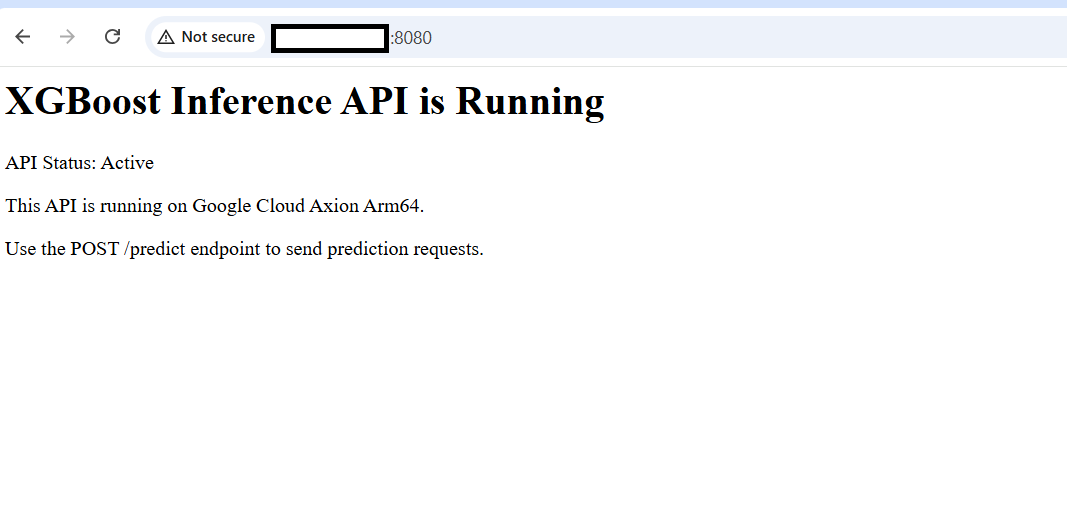 XGBoost inference API running on Google Cloud Axion Arm64
Test inference
Send a prediction request to the /predict endpoint using curl. The input data is a 30-feature vector from the breast cancer dataset — the same format used during training. The features array must contain exactly 30 values to match the model’s expected input shape. For example:
curl -X POST http://127.0.0.1:8080/predict \
-H "Content-Type: application/json" \
-d '{"features":[17.99,10.38,122.8,1001.0,0.1184,0.2776,0.3001,0.1471,0.2419,0.07871,1.095,0.9053,8.589,153.4,0.006399,0.04904,0.05373,0.01587,0.03003,0.006193,25.38,17.33,184.6,2019.0,0.1622,0.6656,0.7119,0.2654,0.4601,0.1189]}'
The output is similar to:
{"prediction":0}
A prediction of 0 corresponds to a malignant classification in the breast cancer dataset, and a prediction of 1 corresponds to a benign classification. The model received the feature array, ran inference, and returned the result through the REST API.
What you’ve accomplished
You’ve successfully deployed a trained XGBoost model as a Flask REST API on a Google Axion Arm64 VM, confirmed browser access through the external IP, and validated inference with a live prediction request.