Deploy a live sensor dashboard with TimescaleDB and Grafana on Google Cloud C4A
Introduction
Get started with TimescaleDB on Google Axion C4A
Create a firewall rule for Grafana/TimescaleDB
Create a Google Axion C4A Arm virtual machine on GCP
Set up TimescaleDB on Arm64
Ingest real-time sensor data on Arm64
Install Grafana and configure the TimescaleDB data source
Build a live sensor temperature dashboard
Next Steps
Deploy a live sensor dashboard with TimescaleDB and Grafana on Google Cloud C4A
Introduction
Get started with TimescaleDB on Google Axion C4A
Create a firewall rule for Grafana/TimescaleDB
Create a Google Axion C4A Arm virtual machine on GCP
Set up TimescaleDB on Arm64
Ingest real-time sensor data on Arm64
Install Grafana and configure the TimescaleDB data source
Build a live sensor temperature dashboard
Next Steps
Create a firewall rule in Google Cloud Console to expose TCP port 3000 for the TimescaleDB (Grafana) management interface.
For help with GCP setup, see the Learning Path Getting started with Google Cloud Platform .
Configure the firewall rule
Navigate to the Google Cloud Console , go to VPC Network > Firewall, and select Create firewall rule.
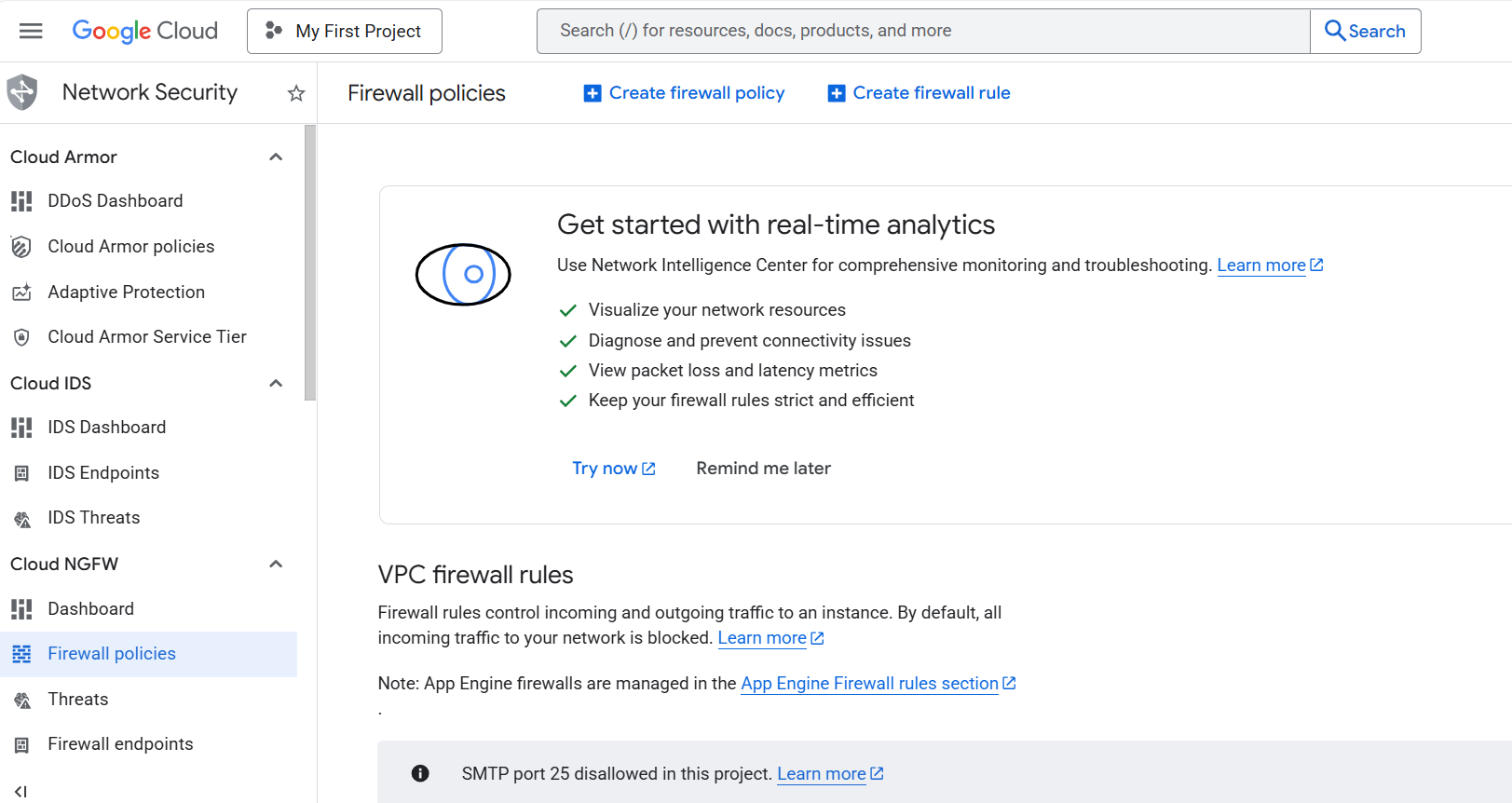 Create a firewall rule in Google Cloud Console
Next, create the firewall rule that exposes TCP port 3000. Set the Name of the new rule to “allow-tcp-3000”. Select your network that you intend to bind to your VM (default is “autoscaling-net” but your organization might have others).
Set Direction of traffic to “Ingress”. Set Allow on match to “Allow” and Targets to “Specified target tags”. Enter “allow-tcp-3000” in the Target tags text field. Set Source IPv4 ranges to “0.0.0.0/0”.
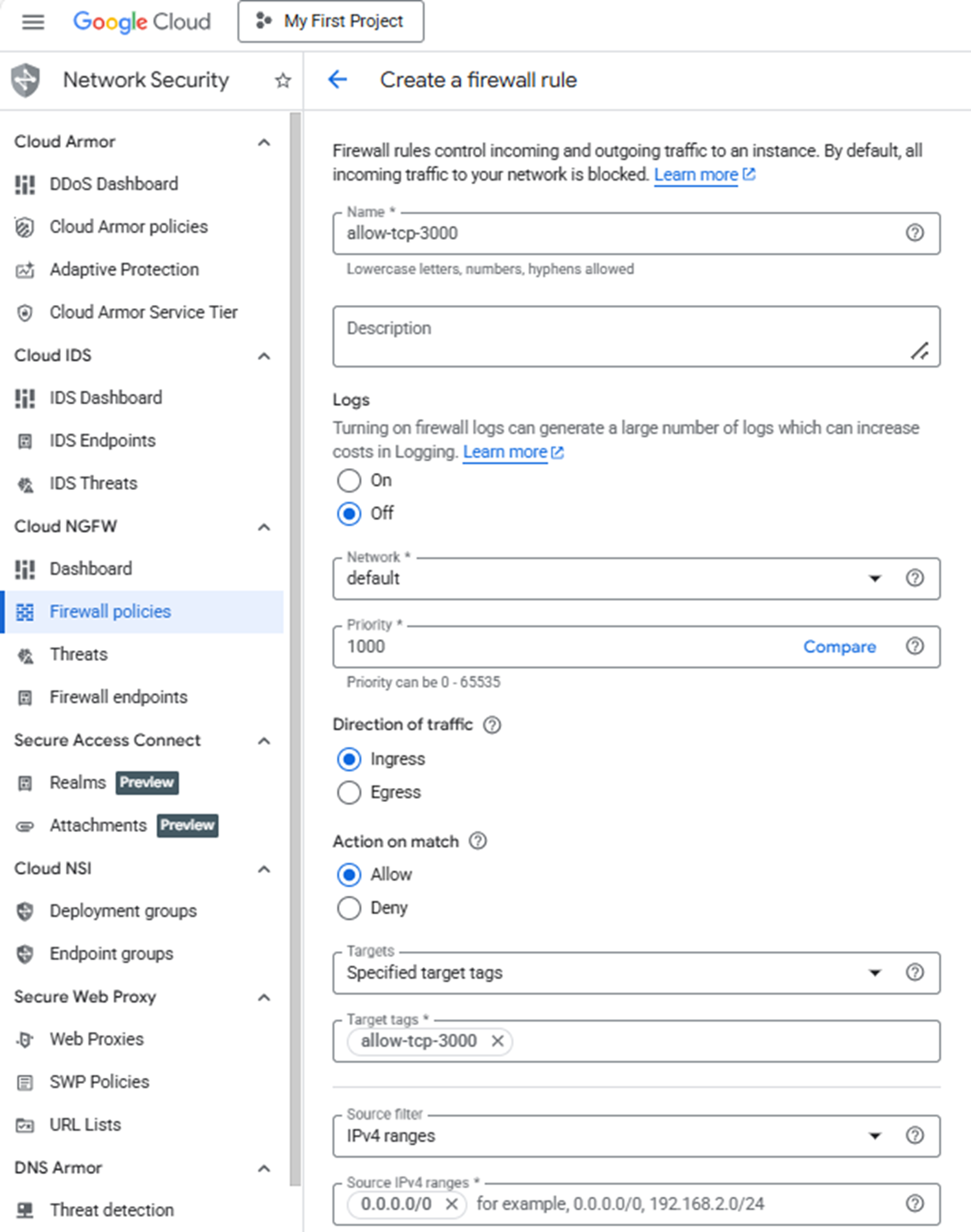 Configuring the allow-tcp-3000 firewall rule
Finally, select Specified protocols and ports under the Protocols and ports section. Select the TCP checkbox, enter “3000” in the Ports text field, and select Create.
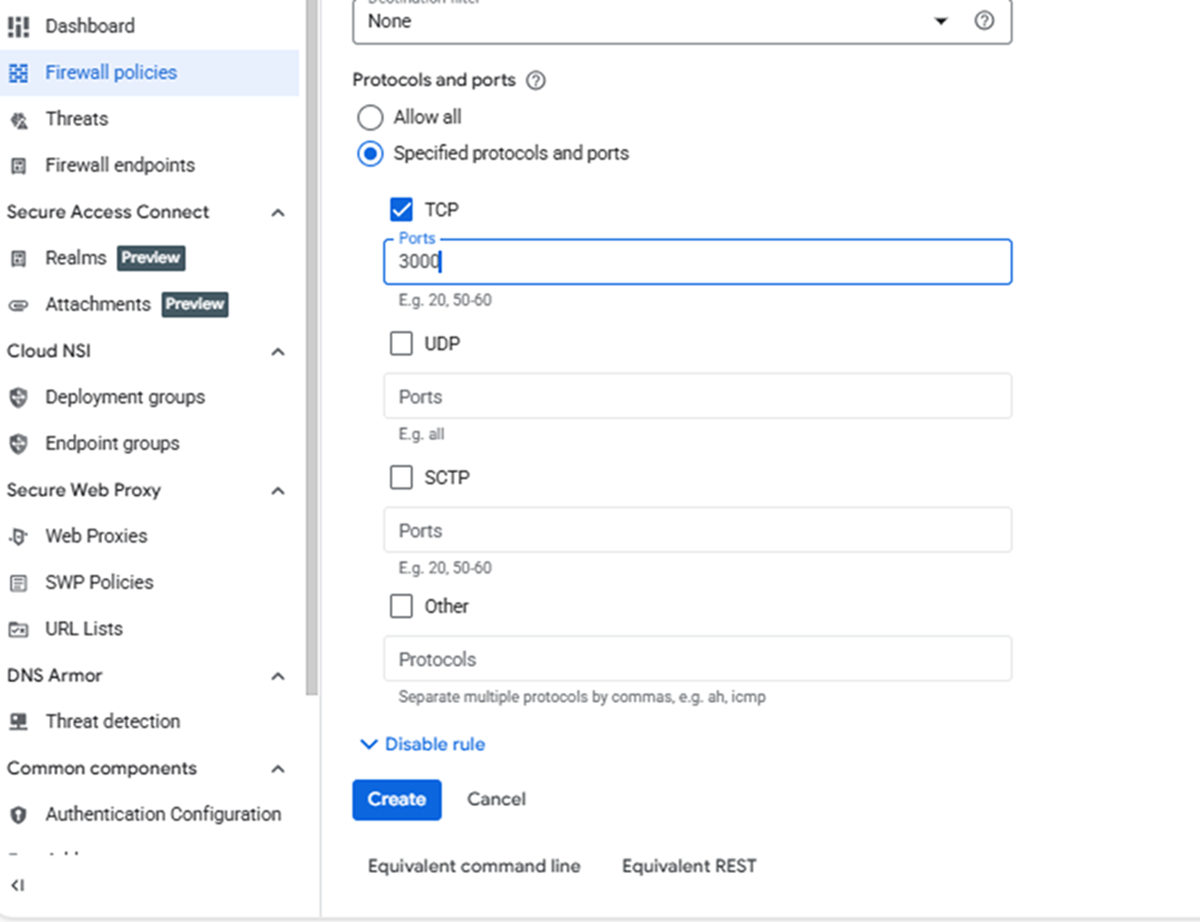 Setting TCP port 3000 in the firewall rule
What you’ve accomplished and what’s next
In this section, you:
- Created a firewall rule to expose TCP port 3000 for Grafana web interface access
- Configured network ingress rules to allow remote connections from any source IP
Next, you’ll provision a Google Axion C4A Arm virtual machine and apply this firewall rule to enable external access to Grafana.