Scale AI workloads with Ray on Google Cloud C4A Axion VM
Introduction
Get started with Ray on Google Axion C4A
Create a firewall rule for Ray Dashboard and Serve
Create a Google Axion C4A Arm virtual machine on GCP
Deploy Ray on GCP SUSE Arm64
Run Distributed Workloads with Ray
Ray Tune, Serve, and Benchmarking
Next Steps
Scale AI workloads with Ray on Google Cloud C4A Axion VM
Run distributed workloads with Ray
This section demonstrates how to execute parallel tasks and distributed training workloads using Ray on Arm.
You’ll run distributed functions and then scale to multi-worker training using Ray.
Run distributed tasks
Create a Python script to execute parallel tasks:
vi ray_test.py
import ray
ray.init()

@ray.remote
def square(x):
    return x * x

results = ray.get([square.remote(i) for i in range(10)])
print("Results:", results)
Code explanation
ray.init()→ connects to the running Ray cluster@ray.remote→ converts a function into a distributed tasksquare.remote(i)→ submits tasks asynchronouslyray.get()→ collects results from all workers
Execute the script
python3 ray_test.py
The output is similar to:
Results: [0, 1, 4, 9, 16, 25, 36, 49, 64, 81]
This confirms parallel execution across CPU cores.
Run distributed training
Create a script for distributed model training:
vi ray_train.py
import ray
from ray.train.torch import TorchTrainer
from ray.train import ScalingConfig
import torch

def train_func():
    x = torch.randn(100, 10)
    y = torch.randn(100, 1)

    model = torch.nn.Linear(10, 1)
    loss_fn = torch.nn.MSELoss()
    optimizer = torch.optim.Adam(model.parameters(), lr=0.01)

    for epoch in range(5):
        optimizer.zero_grad()
        loss = loss_fn(model(x), y)
        loss.backward()
        optimizer.step()
        print(f"Loss: {loss.item()}")

trainer = TorchTrainer(
    train_func,
    scaling_config=ScalingConfig(
        num_workers=2,
        use_gpu=False
    )
)

trainer.fit()
Run the training script
python3 ray_train.py
The output is similar to:
        (TrainController pid=5522) Attempting to start training worker group of size 2 with the following resources: [{'CPU': 1}] * 2
(TrainController pid=5522) Started training worker group of size 2:
(TrainController pid=5522) - (ip=10.0.0.19, pid=5563) world_rank=0, local_rank=0, node_rank=0
(TrainController pid=5522) - (ip=10.0.0.19, pid=5564) world_rank=1, local_rank=1, node_rank=0
(RayTrainWorker pid=5563) Setting up process group for: env:// [rank=0, world_size=2]
(RayTrainWorker pid=5563) Loss: 0.9711737036705017
(RayTrainWorker pid=5563) Loss: 0.9491967558860779
(RayTrainWorker pid=5563) Loss: 0.9295402765274048
(RayTrainWorker pid=5563) Loss: 0.911673903465271
(RayTrainWorker pid=5563) Loss: 0.895072340965271
(RayTrainWorker pid=5564) Loss: 1.635019063949585 [repeated 5x across cluster] (Ray deduplicates logs by default. Set RAY_DEDUP_LOGS=0 to disable log deduplication, or see https://docs.ray.io/en/master/ray-observability/user-guides/configure-logging.html#log-deduplication for more options.)
This confirms distributed training across multiple workers.
Training code explanation
TorchTrainer→ handles distributed training executionScalingConfig(num_workers=2)→ runs training on 2 workers- Each worker executes training in parallel
- Logs can appear from multiple processes
Ray Jobs view (tasks and training)
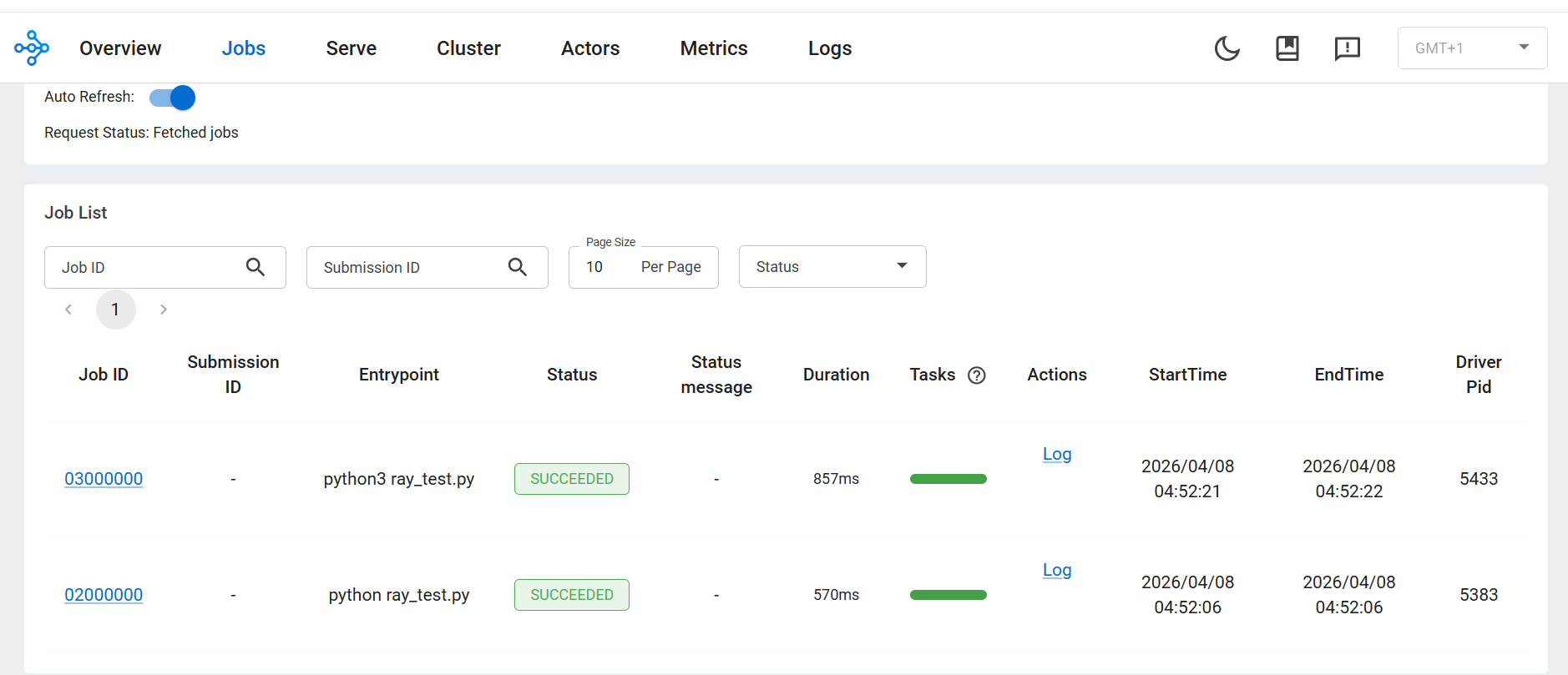 Ray Jobs tab showing distributed tasks and training execution status
- Each script execution appears as a job
- Status shows SUCCEEDED
- Confirms correct distributed execution
What you’ve learned and what’s next
You have successfully:
- Executed parallel tasks using Ray Core
- Converted functions into distributed workloads
- Performed distributed training using multiple workers
- Observed execution in the Ray Dashboard
Next, you’ll perform hyperparameter tuning, deploy models, and benchmark performance.