Optimize application performance using Arm Performix CPU microarchitecture analysis
Introduction
Set up the target environment and compile the application
Identify application bottlenecks with the CPU Microarchitecture recipe
Analyze SIMD utilization with the Instruction Mix recipe
Next Steps
Optimize application performance using Arm Performix CPU microarchitecture analysis
Run the Instruction Mix recipe
The previous CPU Microarchitecture analysis showed that the sample application used no single instruction, multiple data (SIMD) operations, which points to an optimization opportunity. Run the Instruction Mix recipe to learn more. The Instruction Mix launch panel is similar to CPU Microarchitecture, but it doesn’t include options to choose metrics. Again, enter the full path to the workload.
Select Dynamic for the Analysis Mode.
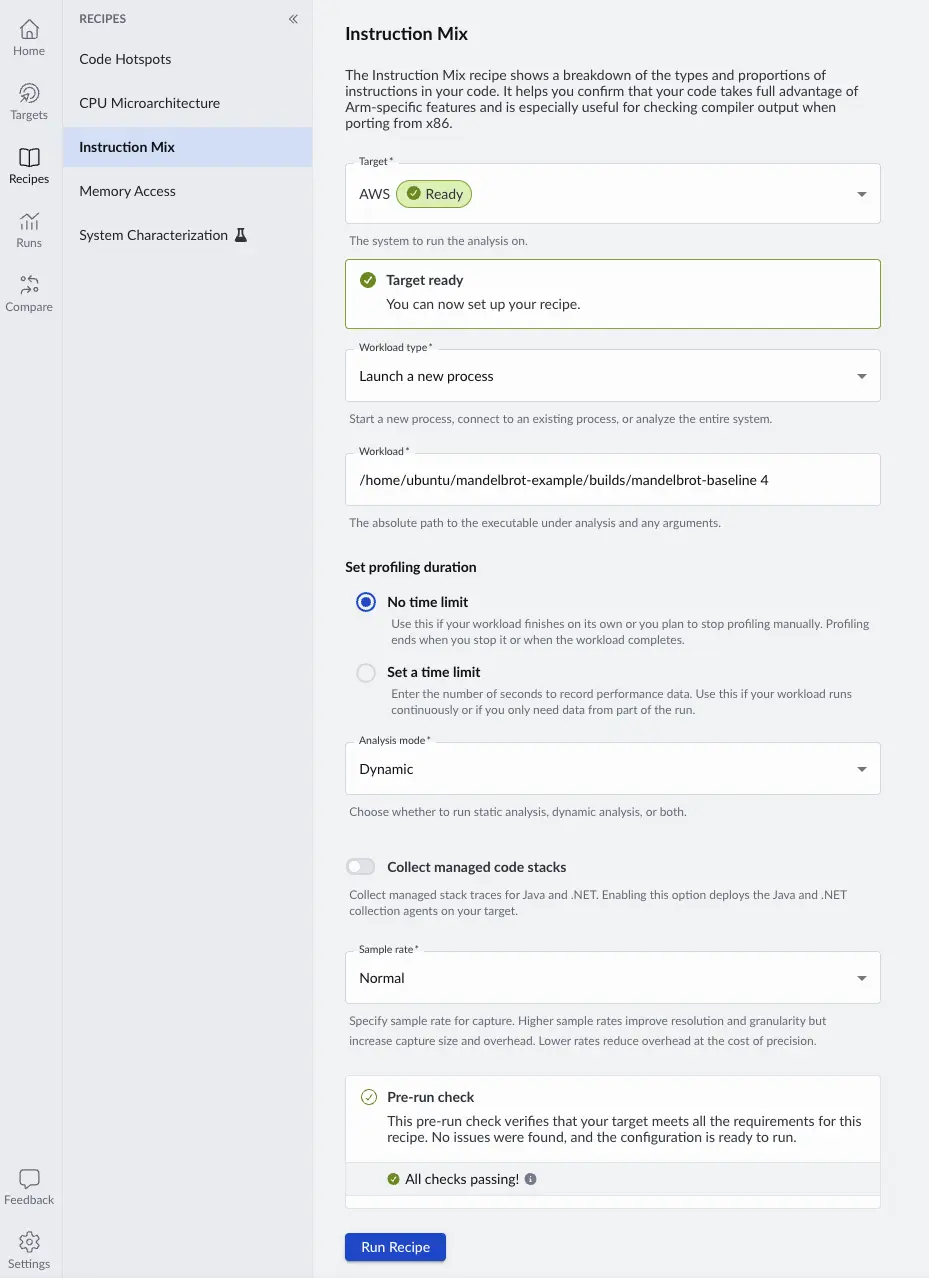 Instruction Mix Configuration
The results below confirm a high number of integer and floating-point operations, with no SIMD operations. The Insights panel suggests vectorization as a path forward, lists possible root causes, and links to related Learning Paths.
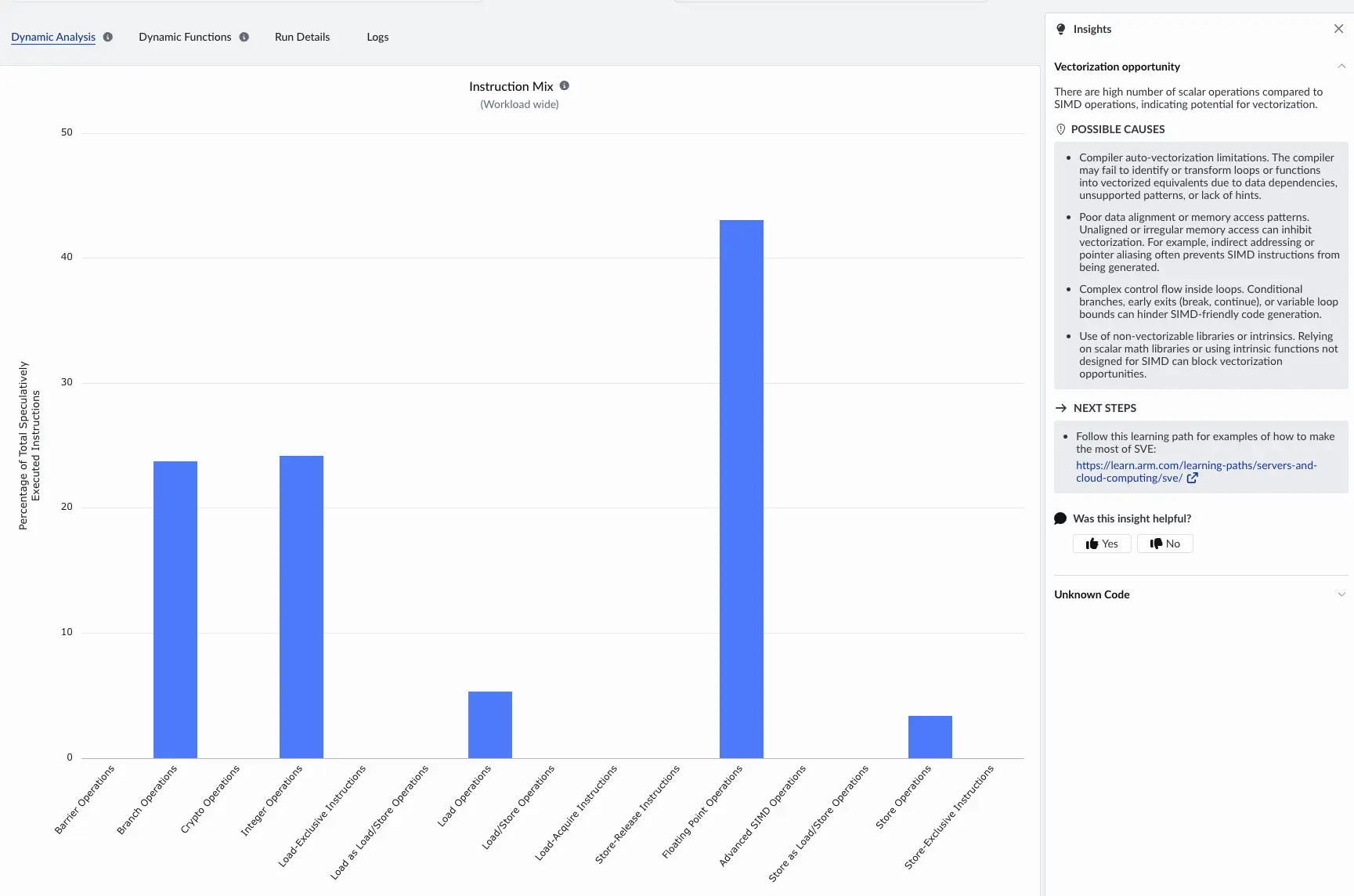 Instruction Mix Results
Vectorize the application
To address the lack of SIMD operations, you can vectorize the application’s most intensive functions using Neon. For the Mandelbrot application, Mandelbrot::draw and its inner Mandelbrot::getIterations function consume most of the runtime.
You can build a vectorized version which uses Neon operations and will run on any Neoverse system. Your system might support alternatives such as SVE or SVE2 which can also be used, but only Neon is explained here to make sure you can run it on any Arm Linux system.
Connect to your target machine using SSH and navigate to your project directory.
Build the Neon version:
cd $HOME/mandelbrot-example
./build.sh neon
The Neon executable is builds/mandelbrot-neon
Run the Instruction Mix recipe again with the Neon executable. Integer and floating-point operations are greatly reduced and replaced by a smaller set of SIMD instructions.
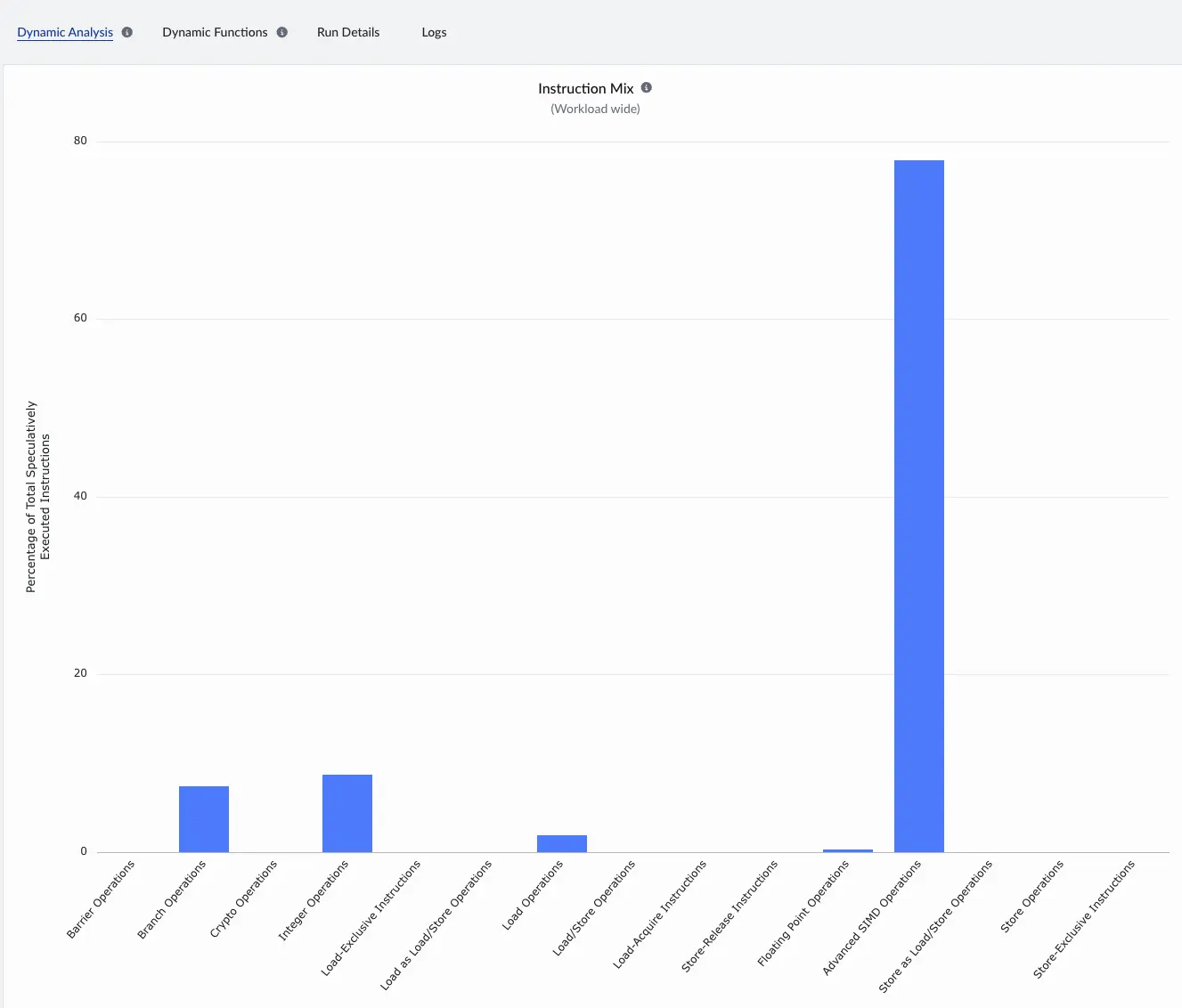 SIMD Instruction Mix Results
Assess the performance improvements
Because you are running multiple experiments, give each run a meaningful nickname to keep results organized.
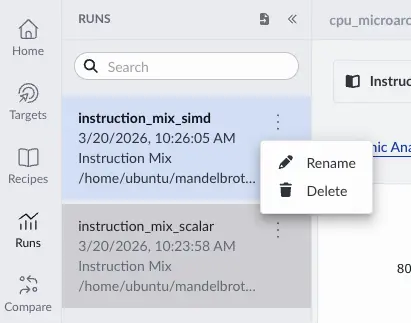 Rename Run
Use the Compare feature at the top right of an entry in the Runs view to select another run of the same recipe for comparison.
 Compare Runs
After you select two runs, Arm Performix overlays them so you can review category changes in one view. In the new run, you see Advanced SIMD Operations increase dramatically and Floating Point Operations shrink.
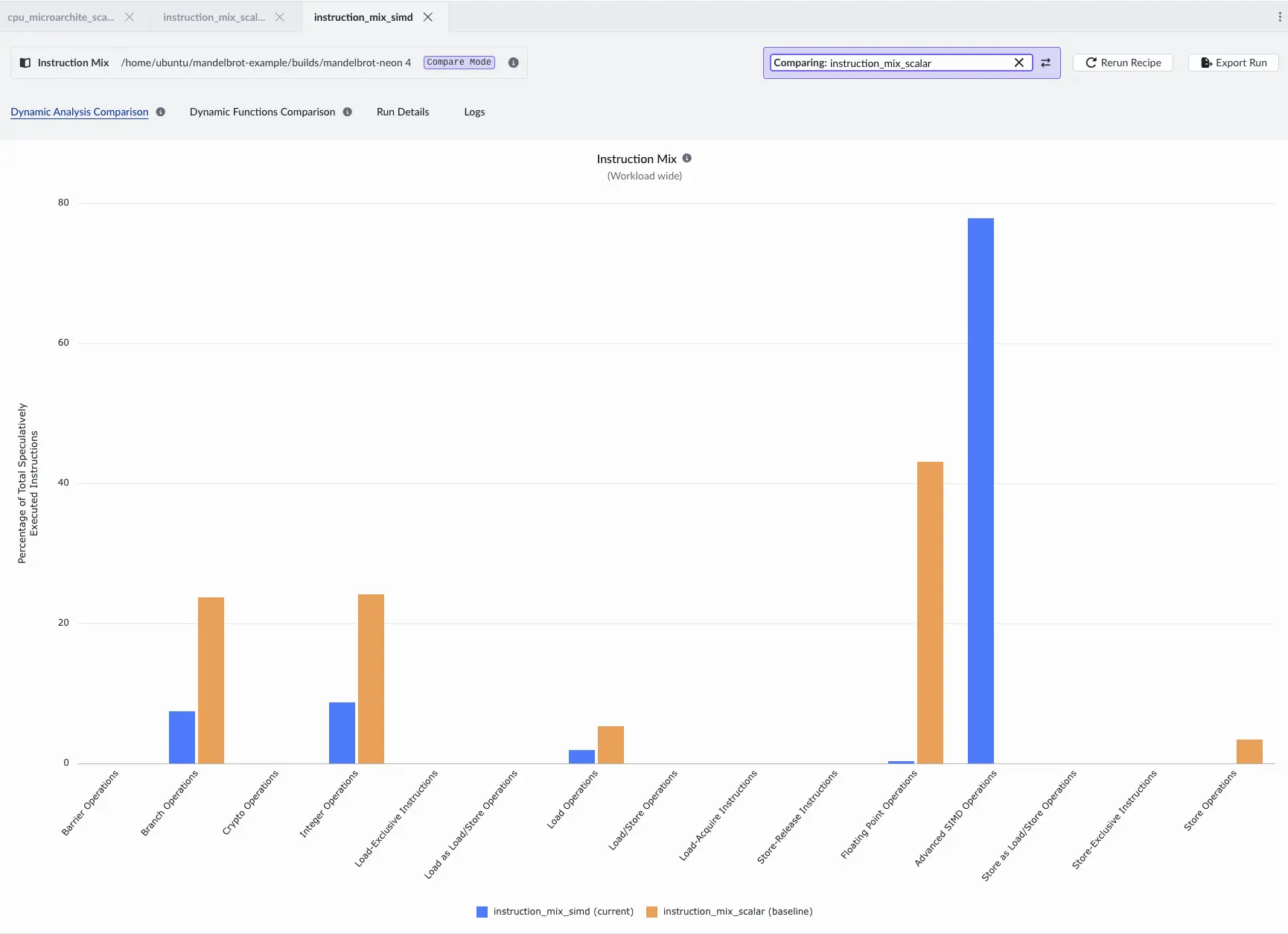 Instruction Mix Comparison
Compared to the baseline, floating-point operations, branch operations, and some integer operations have been traded for loads, stores, and SIMD operations.
Instruction Mix Comparison
Compared to the baseline, floating-point operations, branch operations, and some integer operations have been traded for loads, stores, and SIMD operations.
Execution time also improves significantly. You can confirm by running each version with the Linux time command.
Run the baseline version:
time builds/mandelbrot-baseline 4
Your output will differ depending on the system you are using, but the output is similar to:
        Number of Threads = 4

real	0m1.575s
user	0m5.958s
sys	0m0.018s
Run the Neon version:
time builds/mandelbrot-neon 4
The Neon output shows a significant performance improvement:
        Number of Threads = 4

real	0m0.240s
user	0m0.798s
sys	0m0.027s
Compare the CPU Microarchitecture results
The CPU Microarchitecture recipe also supports a Compare view that shows percentage-point changes in each stage and instruction type.
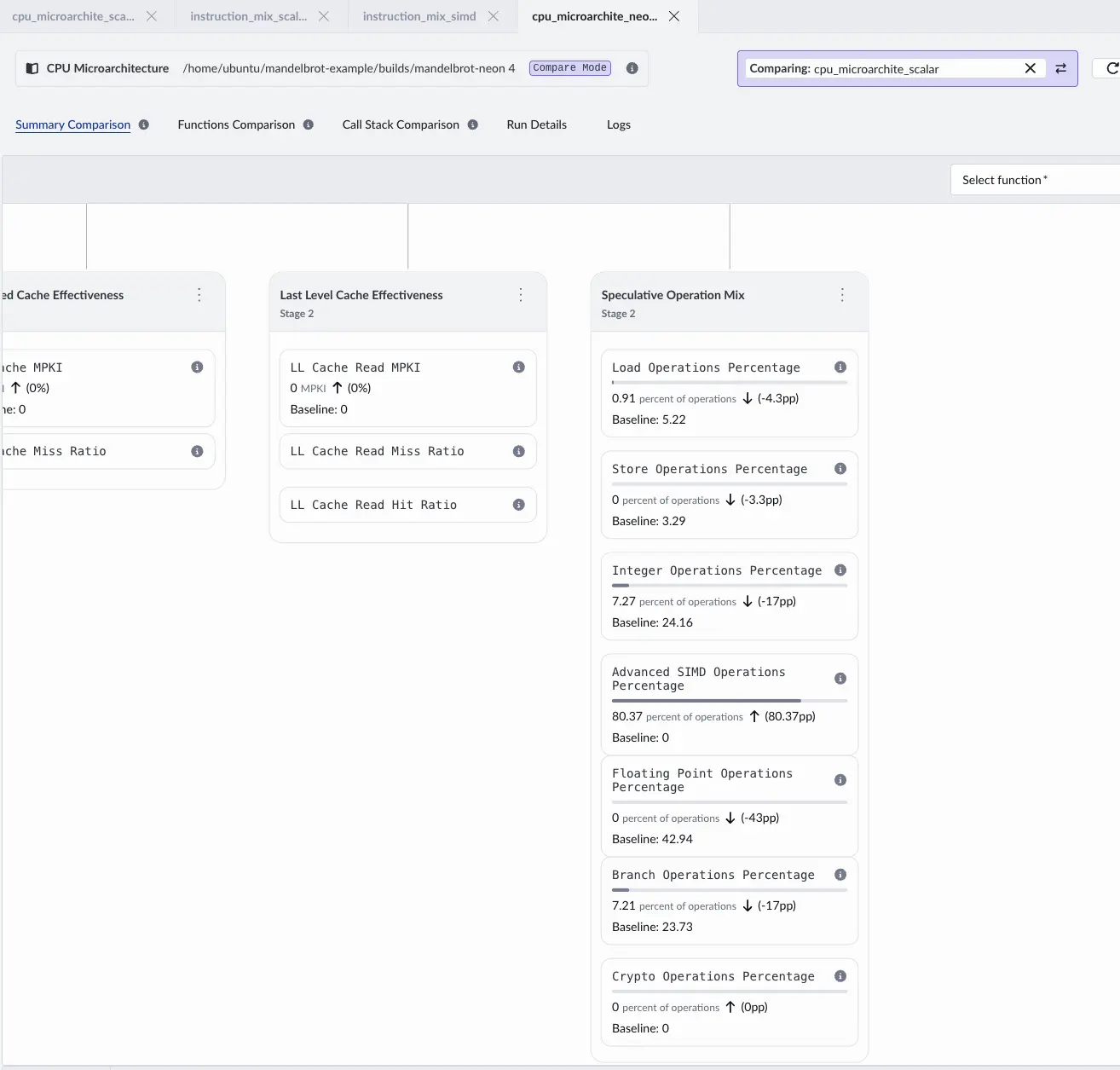 CPU Microarchitecture Difference View
You can see the relative differences in backend stalls between the baseline version and the Neon version. The Insights panel offers additional explanation.
In this section:
- You used the Instruction Mix recipe to confirm a lack of SIMD operations.
- You vectorized the sample application and verified the shift toward SIMD execution.
You’re now ready to analyze and optimize your own native C/C++ applications on Arm Neoverse using Arm Performix. Review the next steps to continue your learning journey.