Deploy OpenTelemetry on Google Cloud C4A Axion processors
Introduction
Get started with OpenTelemetry on Google Axion C4A
Create firewall rules on GCP for Flask and observability components
Create a Google Axion C4A Arm virtual machine on GCP
Set up OpenTelemetry environment and application on Arm64
Deploy the OpenTelemetry observability stack on Arm64
Next Steps
Deploy OpenTelemetry on Google Cloud C4A Axion processors
Introduction
Get started with OpenTelemetry on Google Axion C4A
Create firewall rules on GCP for Flask and observability components
Create a Google Axion C4A Arm virtual machine on GCP
Set up OpenTelemetry environment and application on Arm64
Deploy the OpenTelemetry observability stack on Arm64
Next Steps
Configure GCP firewall for OpenTelemetry
To allow inbound traffic for the Flask application and observability components, you must create a firewall rule in the Google Cloud Console.
For more information about GCP setup, see Getting started with Google Cloud Platform .
Required ports
| Service | Port | Purpose |
|---|---|---|
| Flask Application | 8080 | Application traffic |
| Jaeger UI | 16686 | Trace visualization |
| Prometheus UI | 9090 | Metrics dashboard |
| OTLP gRPC | 4317 | Telemetry ingestion |
| OTLP HTTP | 4318 | Telemetry ingestion |
| Collector Metrics | 8889 | Prometheus scrape endpoint |
Create a firewall rule in GCP
To expose the TCP ports listed above, create a firewall rule.
Navigate to the Google Cloud Console , go to VPC Network > Firewall, and select Create firewall rule.
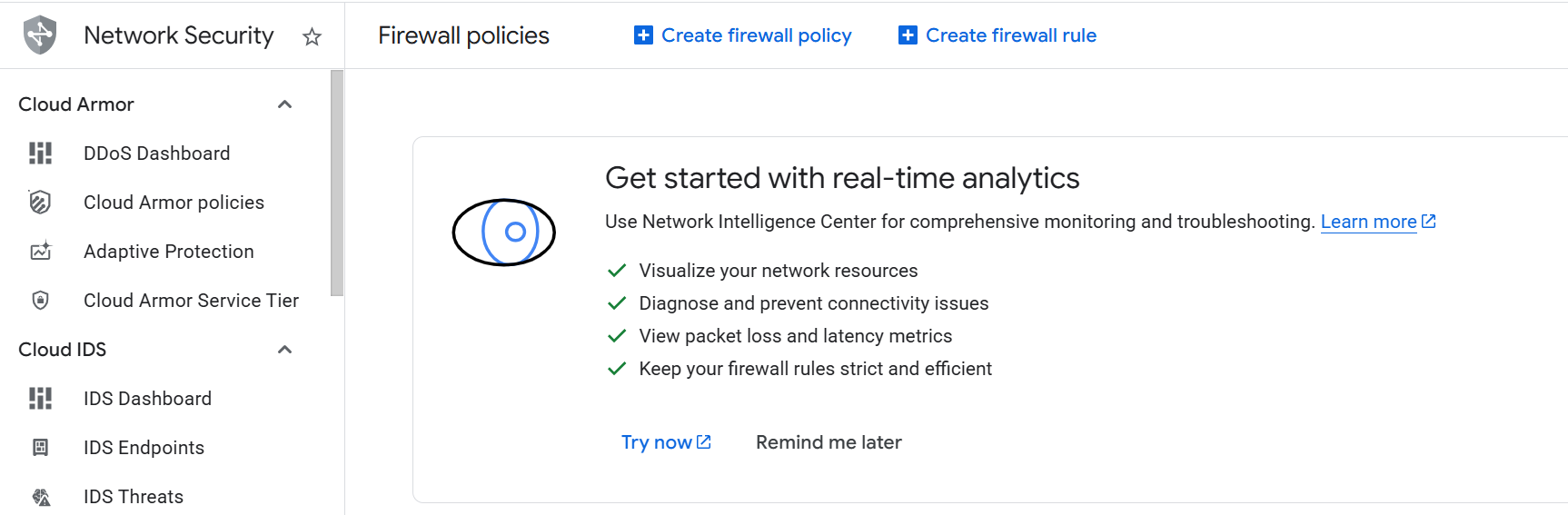 Create a firewall rule
Next, create the firewall rule that exposes the TCP ports.
Set the Name of the new rule to allow-all-opentelemetry. Select the network you intend to bind to your VM (the default is default, but your organization may use a different one).
Set Direction of traffic to “Ingress”. Set Allow on match to “Allow” and Targets to “Specified target tags”.
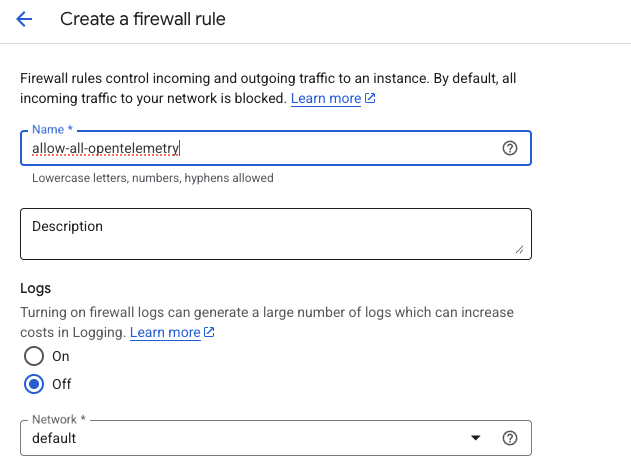 Creating opentelemetry firewall rule
Next, enter allow-all-opentelemetry in the Target tags field. Set Source IPv4 ranges to 0.0.0.0/0.
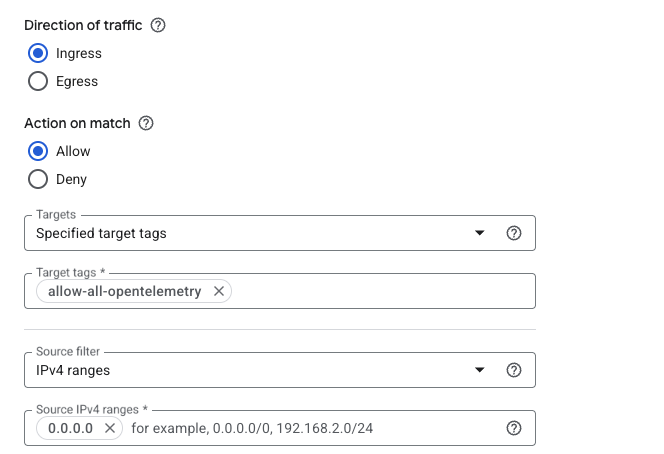 Creating the Opentelemetry firewall rule
Finally, select Specified protocols and ports under the Protocols and ports section. Select the TCP checkbox, enter 8080,16686,9090,4317,4318,8889 in the Ports field, and select Create.
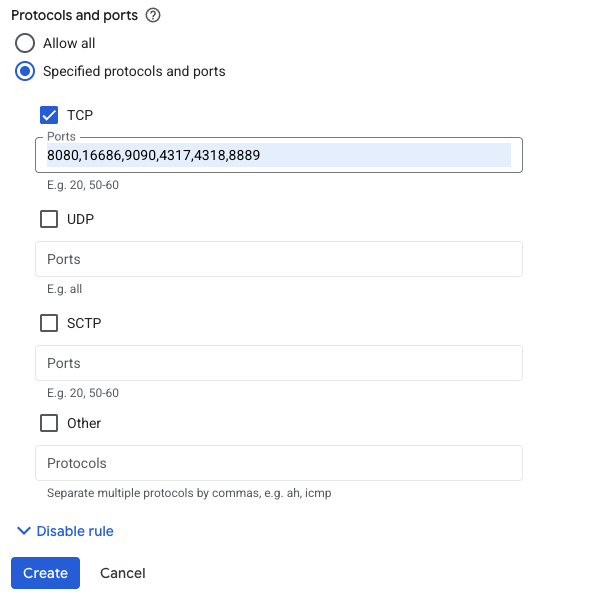 Specifying TCP ports for OpenTelemetry
What you’ve accomplished and what’s next
You’ve successfully:
- Created firewall rules in Google Cloud to expose ports for the Flask application and observability components
- Configured network access for Jaeger, Prometheus, and OpenTelemetry Collector endpoints
- Set up secure ingress rules for telemetry data collection
Next, you’ll provision a Google Axion C4A Arm virtual machine and apply these firewall rules to enable external access to your observability stack.