Build computer vision pipelines with OpenCV on a Google Cloud C4A Axion VM
Introduction
Understand OpenCV on Google Axion C4A
Create a firewall rule for OpenCV browser visualization
Create a Google Axion C4A Arm virtual machine
Build OpenCV pipelines on Google Axion
Use machine learning models with OpenCV on Google Axion
Next Steps
Build computer vision pipelines with OpenCV on a Google Cloud C4A Axion VM
Integrate a machine learning model with an OpenCV pipeline
In this section, you’ll integrate a machine learning model with an OpenCV pipeline. You’ll train a simple ML model, load it inside an OpenCV-based Python script, generate a visual prediction output, and view the result in your browser.
Before you begin
Make sure you have:
- A running Google Axion Arm-based VM with SUSE Linux
- Python 3.11 installed
- The OpenCV project directory at
~/opencv-projectwith thecv-envvirtual environment created and OpenCV installed - Port
8000open in the GCP firewall
Navigate to the project directory and activate the virtual environment:
cd ~/opencv-project
source cv-env/bin/activate
Verify Python is version 3.11:
python --version
The output is similar to:
Python 3.11.10
Verify OpenCV is installed:
python - <<'PYEOF'
import cv2
print("OpenCV version:", cv2.__version__)
PYEOF
The output is similar to:
OpenCV version: 4.13.0
Install machine learning dependencies
scikit-learn provides the machine learning algorithms and datasets used in this section. joblib handles serialization, saving the trained model to disk so it can be loaded later without retraining:
pip install scikit-learn joblib
Verify the installation:
python - <<'PYEOF'
import sklearn
import joblib
print("scikit-learn version:", sklearn.__version__)
print("joblib imported successfully")
PYEOF
The output is similar to:
        scikit-learn version: 1.8.0
joblib imported successfully
Train an ML model
The training script uses the Iris dataset — a standard benchmark dataset with 150 samples across three flower species — and trains a random forest classifier. The trained model and label names are saved to disk with joblib so the OpenCV pipeline can load them without retraining.
cat > train_ml_model.py <<'EOF'
from sklearn.datasets import load_iris
from sklearn.ensemble import RandomForestClassifier
from sklearn.metrics import accuracy_score
from sklearn.model_selection import train_test_split
import joblib

iris = load_iris()
X = iris.data
y = iris.target

X_train, X_test, y_train, y_test = train_test_split(
    X,
    y,
    test_size=0.2,
    random_state=42
)

model = RandomForestClassifier(
    n_estimators=100,
    random_state=42
)

model.fit(X_train, y_train)

predictions = model.predict(X_test)
accuracy = accuracy_score(y_test, predictions)

joblib.dump(model, "iris_model.joblib")
joblib.dump(iris.target_names, "iris_labels.joblib")

print("ML model trained successfully")
print("Model file: iris_model.joblib")
print("Label file: iris_labels.joblib")
print(f"Accuracy: {accuracy:.2f}")
EOF
Run the training script:
python train_ml_model.py
The output is similar to:
        ML model trained successfully
Model file: iris_model.joblib
Label file: iris_labels.joblib
Accuracy: 1.00
Verify that both model files were created:
ls -lh iris_model.joblib iris_labels.joblib
Create the OpenCV and ML pipeline
The pipeline loads the trained model and label names, and runs a prediction on a fixed sample input. It then uses OpenCV to render the input features and prediction result as text on an output image. The image is saved as ml_output.jpg for the HTTP server to serve.
cat > opencv_ml_pipeline.py <<'EOF'
import cv2
import numpy as np
import joblib

model = joblib.load("iris_model.joblib")
labels = joblib.load("iris_labels.joblib")

# Sample input format:
# [sepal length, sepal width, petal length, petal width]
sample = np.array([[5.1, 3.5, 1.4, 0.2]])

prediction = model.predict(sample)[0]
predicted_label = labels[prediction]

img = np.zeros((500, 900, 3), dtype=np.uint8)

cv2.putText(
    img,
    "OpenCV + ML Pipeline on GCP Axion",
    (50, 80),
    cv2.FONT_HERSHEY_SIMPLEX,
    1,
    (0, 255, 0),
    2
)

cv2.putText(
    img,
    "Platform: Arm64",
    (50, 150),
    cv2.FONT_HERSHEY_SIMPLEX,
    0.8,
    (255, 255, 255),
    2
)

cv2.putText(
    img,
    f"Input Features: {sample.tolist()[0]}",
    (50, 230),
    cv2.FONT_HERSHEY_SIMPLEX,
    0.75,
    (255, 255, 255),
    2
)

cv2.putText(
    img,
    f"Prediction: {predicted_label}",
    (50, 320),
    cv2.FONT_HERSHEY_SIMPLEX,
    1,
    (255, 255, 0),
    2
)

cv2.putText(
    img,
    "ML model executed successfully with OpenCV visualization",
    (50, 410),
    cv2.FONT_HERSHEY_SIMPLEX,
    0.7,
    (0, 200, 255),
    2
)

cv2.imwrite("ml_output.jpg", img)

print("OpenCV + ML pipeline completed")
print("Prediction:", predicted_label)
print("Output image saved as ml_output.jpg")
EOF
Run the pipeline:
python opencv_ml_pipeline.py
The output is similar to:
        OpenCV + ML pipeline completed
Prediction: setosa
Output image saved as ml_output.jpg
Verify the output image was created:
ls -lh ml_output.jpg
View the pipeline output in your browser
If the HTTP server from the previous section is no longer running, restart it:
cd ~/opencv-project
source cv-env/bin/activate
python -m http.server 8000 &
Open the following URL in your browser, replacing <VM-PUBLIC-IP> with the external IP address of your Google Axion VM:
http://<VM-PUBLIC-IP>:8000/ml_output.jpg
You should see an image showing the pipeline title, the Arm64 platform label, the input feature values, and the predicted Iris species.
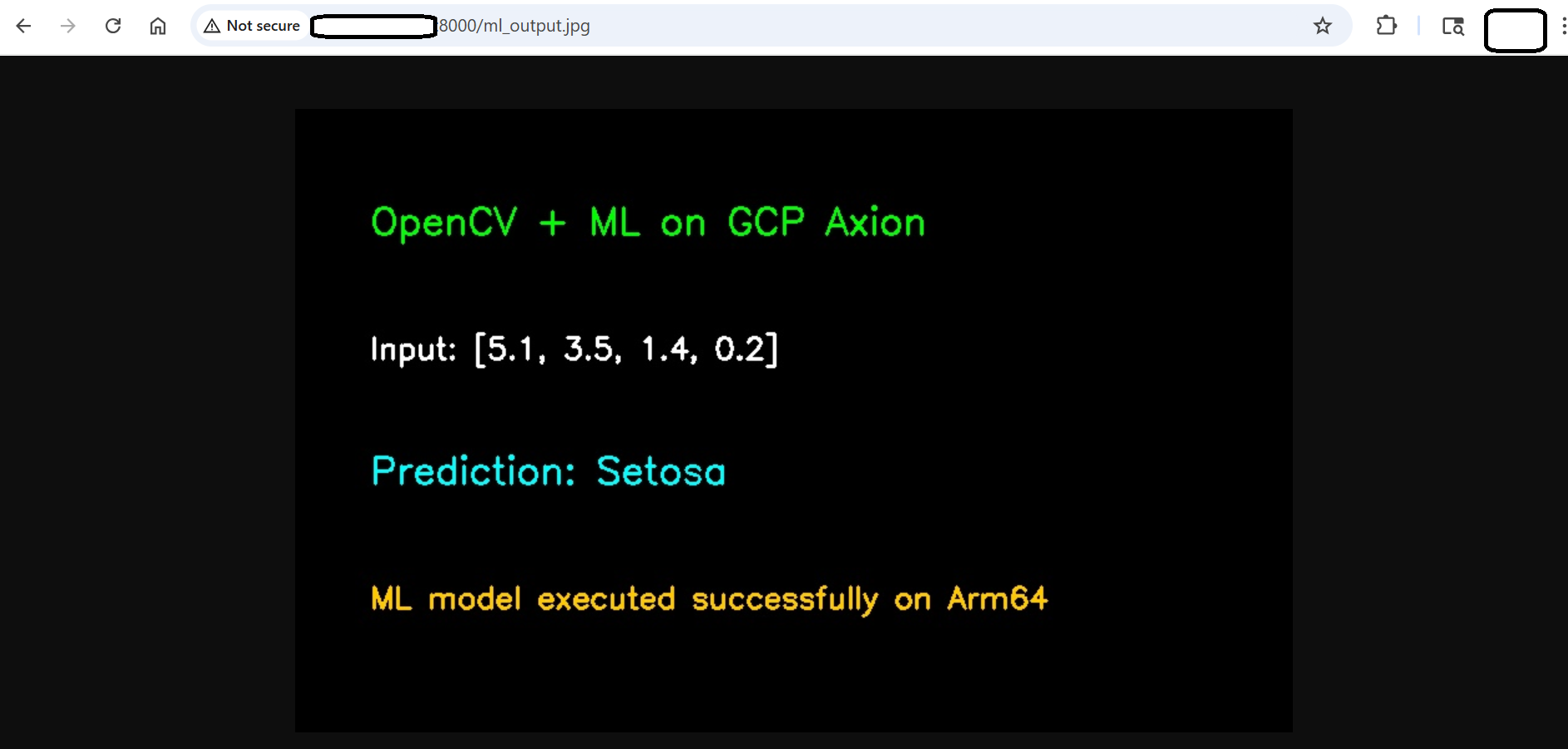 OpenCV ML pipeline output
Troubleshoot integration issues
ModuleNotFoundError: No module named ‘sklearn’
Make sure the virtual environment is activated and reinstall the dependency:
cd ~/opencv-project
source cv-env/bin/activate
pip install scikit-learn joblib
iris_model.joblib not found
Run the training script before running the ML pipeline:
python train_ml_model.py
Browser cannot access the output image
Check that the HTTP server is running:
python -m http.server 8000 &
Also make sure port 8000 is allowed in the Google Cloud Platform firewall.
Output image does not update
Run the pipeline again after changing the sample input, then refresh the browser:
python opencv_ml_pipeline.py
Clean up generated files
Use this only if you want to remove generated ML and output files.
rm -f iris_model.joblib iris_labels.joblib ml_output.jpg
What you’ve accomplished
You’ve trained a random forest classifier on the Iris dataset, saved it with joblib, and loaded it inside an OpenCV pipeline to generate a browser-viewable prediction image on a Google Axion Arm64 VM. This pattern — train offline, load at inference time, render output with OpenCV — mirrors production vision pipelines, where models are updated independently of the display layer.