Deploy Phi-4-mini model with ONNX Runtime on Azure Cobalt 100
Introduction
Demo
Build ONNX Runtime and set up the Phi-4-mini Model
Run the Chatbot Server
Interact with the Phi-4-mini Chatbot
Next Steps
Deploy Phi-4-mini model with ONNX Runtime on Azure Cobalt 100
Overview
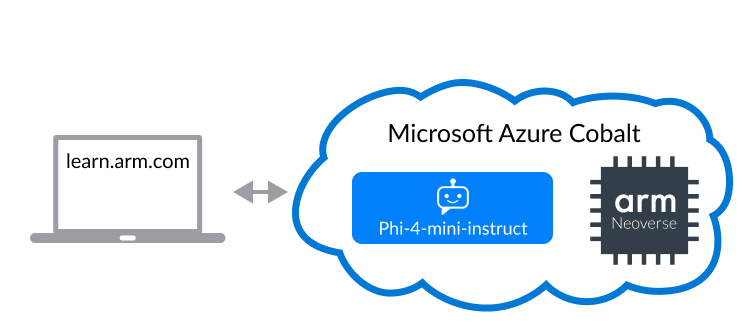
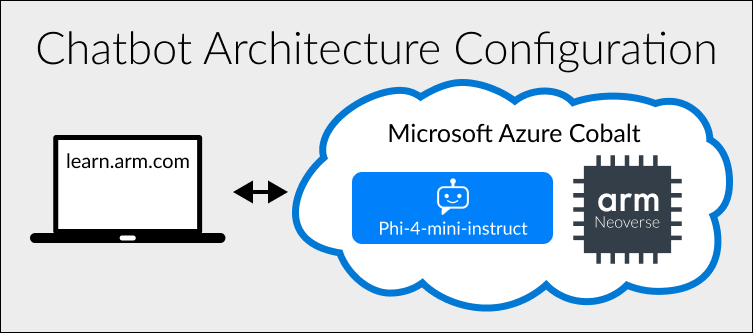
This Learning Path shows you how to use a 32-core Azure Dpls_v6 instance powered by an Arm Neoverse N2 CPU to build a simple chatbot that you can use to serve a small number of concurrent users.
This architecture is suitable for deploying the latest Generative AI technologies with RAG capabilities using their existing CPU compute capacity and deployment pipelines.
The demo uses the ONNX runtime, which Arm has integrated with KleidiAI. Further optimizations are achieved by using the smaller Phi-4-mini model, which has been optimized at INT4 quantization to minimize memory usage.
Chat with the LLM below to see the performance for yourself, and then follow the Learning Path to build your own Generative AI service on Arm Neoverse.
Running the Demo
- Type and send a message to the chatbot.
- Receive the chatbot’s reply.
- View performance statistics demonstrating how well Azure Cobalt 100 instances run LLMs.
Phi-4-mini Chatbot Demo
Stats
Type a message to the chatbot to view metrics.
Avg Tokens per Second (TPS)
Last Message:
# seconds to display # tokens at a rate of # tokens per second.