Migrate MySQL from on-premises x64 to Arm-based Azure virtual machines
Introduction
Understand Azure Cobalt 100 VMs and MySQL migration strategy
Create an Azure x64 virtual machine as an on-premises simulator
Prepare the on-premises source instance
Perform the lift-and-shift migration into Azure cloud
Benchmark MySQL performance on Azure Cobalt 100
Next Steps
Migrate MySQL from on-premises x64 to Arm-based Azure virtual machines
Configure the virtual machine
Use the Azure portal to create a virtual machine (VM) with an x64 processor architecture. This VM acts as your simulated on-premises x64 MySQL server.
To create an Azure virtual machine:
- Launch the Azure portal and navigate to Virtual Machines.
- Select Create, and select Virtual Machine from the drop-down list.
- Inside the Basic tab, fill in the instance details such as Virtual machine name and Region.
- Select the image for your virtual machine (for example, Ubuntu Pro 24.04 LTS) and select x64 as the VM architecture.
- In the Size field, select See all sizes and select the D-Series v6 family of virtual machines.
- Select D4ads_v6 from the list as shown in the following screenshot:
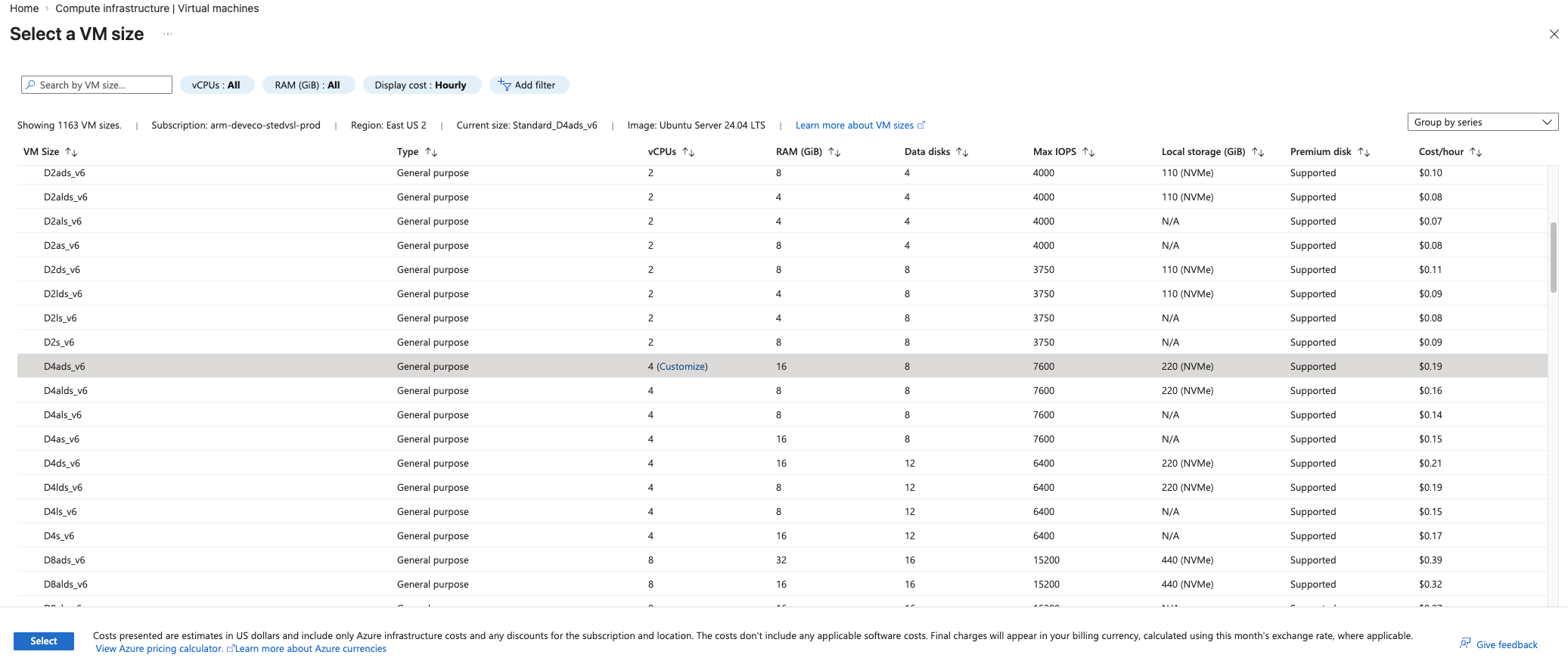 Select D4ads_v6 from the D-Series v6 x64 family
- For Authentication type, select SSH public key.
Azure can generate an SSH key pair for you and lets you save it for future use.
- Fill in the Administrator username for your VM.
- Select Generate new key pair, and select RSA SSH Format as the SSH Key Type.
RSA offers better security with keys longer than 3072 bits.
- Give your SSH key a key pair name.
- In the Inbound port rules, select HTTP (80) and SSH (22) as the inbound ports, as shown in the following screenshot:
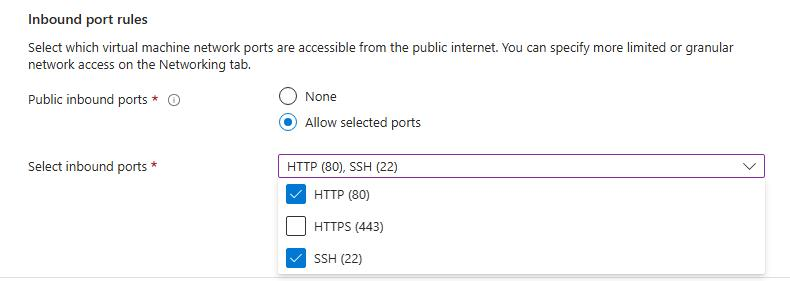 Configure inbound port rules for HTTP and SSH access
- Select the Review + Create tab and review the configuration for your virtual machine. It should look like the following:
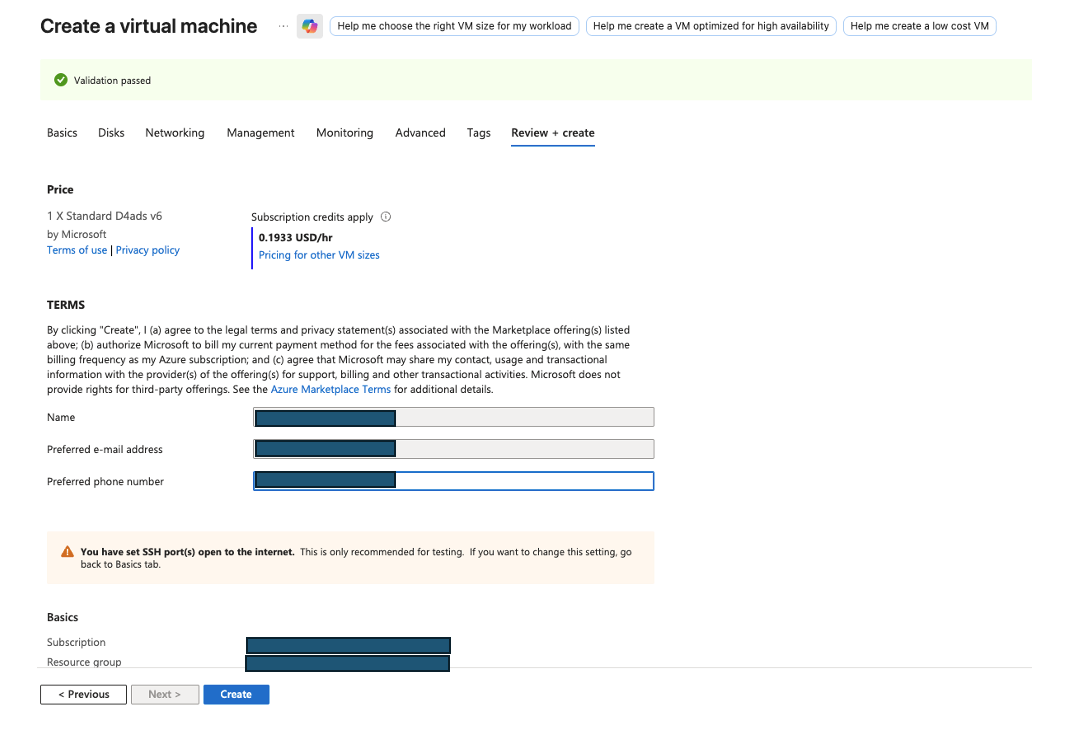 Review VM configuration before creation
- After reviewing your configuration, select the Create button and then Download Private key and Create Resource.
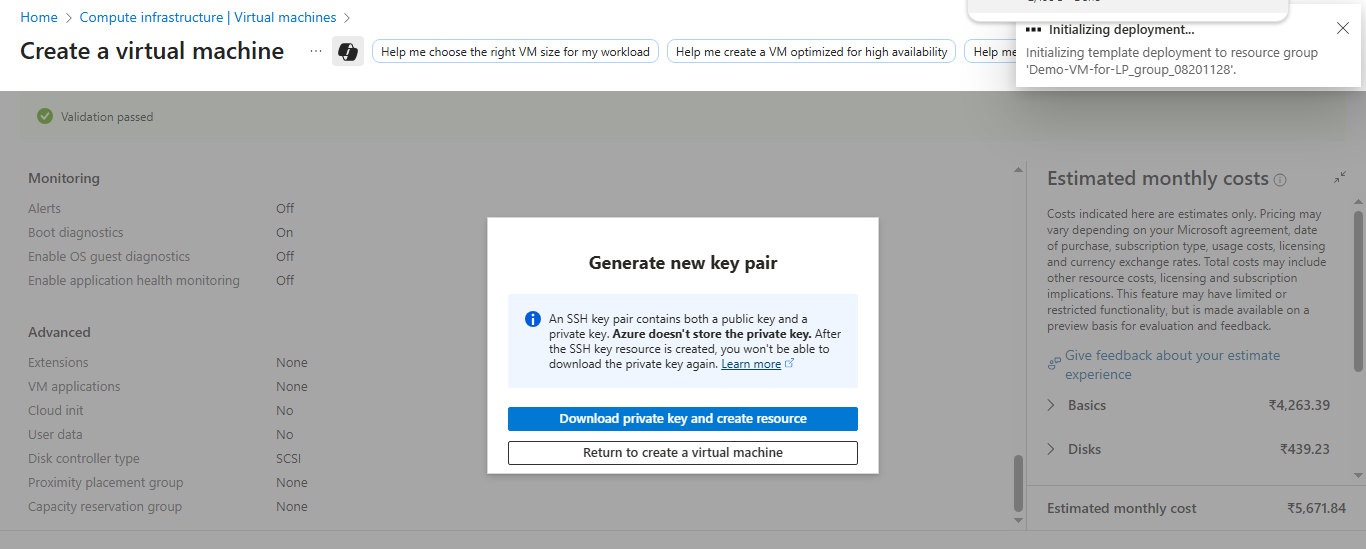 Download SSH key and create the virtual machine
Your virtual machine should be ready and running in a few minutes. You can SSH into the virtual machine using the private key, along with the public IP details.
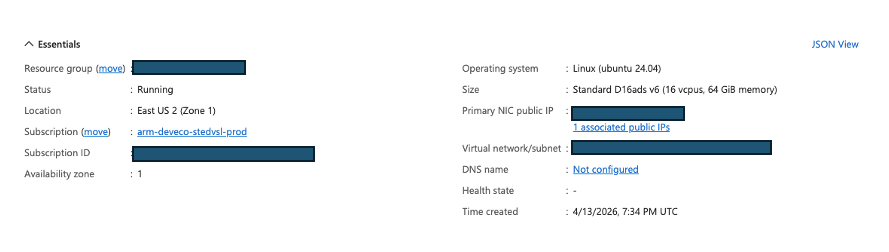 Successful VM deployment confirmation
To learn more about virtual machines in Azure, see “Getting Started with Microsoft Azure” in Get started with cloud instances .
What you’ve accomplished and what’s next
You’ve now created an Azure x64 virtual machine running Ubuntu 24.04 LTS with SSH authentication configured. The virtual machine is now ready to act as your simulated on-premises environment for this Learning Path.
Next, you will prepare this environment by installing MySQL and loading a sample database for migration.