Build RAG applications with LlamaIndex on a Google Cloud C4A virtual machine
Introduction
Learn about LlamaIndex and Google Cloud C4A for RAG applications
Configure Google Cloud firewall rules for LlamaIndex
Create a Google Cloud C4A virtual machine for LlamaIndex
Install and configure LlamaIndex on a Google Cloud C4A virtual machine
Build and test a browser-based RAG application with LlamaIndex
Next Steps
Build RAG applications with LlamaIndex on a Google Cloud C4A virtual machine
Introduction
Learn about LlamaIndex and Google Cloud C4A for RAG applications
Configure Google Cloud firewall rules for LlamaIndex
Create a Google Cloud C4A virtual machine for LlamaIndex
Install and configure LlamaIndex on a Google Cloud C4A virtual machine
Build and test a browser-based RAG application with LlamaIndex
Next Steps
Build a browser-based RAG application
In this section, you’ll build and test a browser-based Retrieval-Augmented Generation (RAG) application using LlamaIndex.
You’ll:
- Create sample documents
- Build a LlamaIndex RAG engine
- Store embeddings in ChromaDB
- Create a browser UI
- Create a FastAPI backend
- Query documents directly from a web browser
Application architecture
The following flow shows how the application components interact. A request from the browser reaches FastAPI, which calls LlamaIndex to retrieve relevant chunks from ChromaDB and passes them to the Ollama local LLM for answer generation:
Browser UI
    ↓
FastAPI
    ↓
LlamaIndex
    ↓
ChromaDB vector store
    ↓
Ollama local LLM
    ↓
Documents
Activate the Python environment
Activate the Python virtual environment:
cd ~/llamaindex-rag
source rag-env/bin/activate
Create sample documents
Create the first document:
cat > data/arm_cloud.txt <<'EOF'
Google Cloud Axion is a family of Arm-based processors optimized for AI, cloud-native workloads, and scalable infrastructure.
EOF
Create the second document:
cat > data/rag.txt <<'EOF'
Retrieval-Augmented Generation combines vector search and large language models to generate grounded responses from custom data.
EOF
Create the third document:
cat > data/llamaindex.txt <<'EOF'
LlamaIndex is a framework for building context-aware LLM applications using indexing, retrieval, query engines, and vector databases.
EOF
Create the RAG engine
Create the main LlamaIndex application:
cat > rag_app.py <<'EOF'
import chromadb

from llama_index.core import (
    VectorStoreIndex,
    SimpleDirectoryReader,
    StorageContext,
    Settings
)

from llama_index.core.node_parser import SentenceSplitter
from llama_index.llms.ollama import Ollama
from llama_index.embeddings.huggingface import HuggingFaceEmbedding
from llama_index.vector_stores.chroma import ChromaVectorStore


DATA_DIR = "./data"
CHROMA_DIR = "./chroma_db"
COLLECTION_NAME = "llamaindex_demo"


def build_query_engine():

    llm = Ollama(
        model="llama3.2:1b",
        request_timeout=120.0
    )

    embed_model = HuggingFaceEmbedding(
        model_name="BAAI/bge-small-en-v1.5"
    )

    Settings.llm = llm
    Settings.embed_model = embed_model

    Settings.node_parser = SentenceSplitter(
        chunk_size=512,
        chunk_overlap=50
    )

    documents = SimpleDirectoryReader(
        DATA_DIR
    ).load_data()

    chroma_client = chromadb.PersistentClient(
        path=CHROMA_DIR
    )

    chroma_collection = chroma_client.get_or_create_collection(
        COLLECTION_NAME
    )

    vector_store = ChromaVectorStore(
        chroma_collection=chroma_collection
    )

    storage_context = StorageContext.from_defaults(
        vector_store=vector_store
    )

    index = VectorStoreIndex.from_documents(
        documents,
        storage_context=storage_context
    )

    query_engine = index.as_query_engine(
        similarity_top_k=3,
        response_mode="compact"
    )

    return query_engine
EOF
Create browser UI
Create a browser-based interface for asking questions:
cat > index.html <<'EOF'
<!DOCTYPE html>
<html>
<head>
    <title>LlamaIndex Browser RAG</title>

    <style>
        body {
            font-family: Arial;
            background: #f4f4f4;
            margin: 40px;
        }

        .container {
            max-width: 900px;
            margin: auto;
            background: white;
            padding: 30px;
            border-radius: 10px;
        }

        textarea {
            width: 100%;
            height: 120px;
            padding: 10px;
            font-size: 16px;
        }

        button {
            margin-top: 10px;
            padding: 12px 20px;
            background: #0078d4;
            color: white;
            border: none;
            cursor: pointer;
            font-size: 16px;
        }

        #answer {
            margin-top: 20px;
            padding: 20px;
            background: #eef6ff;
            border-radius: 10px;
            white-space: pre-wrap;
        }
    </style>
</head>

<body>

<div class="container">

    <h2>LlamaIndex Browser-Based RAG</h2>

    <textarea
        id="question"
        placeholder="Ask your question here..."
    ></textarea>

    <br>

    <button onclick="askQuestion()">
        Submit
    </button>

    <h3>Answer:</h3>

    <div id="answer">
        Your answer will appear here.
    </div>

</div>

<script>

async function askQuestion() {

    const question =
        document.getElementById("question").value;

    const answerBox =
        document.getElementById("answer");

    answerBox.innerText =
        "Generating answer...";

    const response = await fetch("/query", {

        method: "POST",

        headers: {
            "Content-Type": "application/json"
        },

        body: JSON.stringify({
            question: question
        })
    });

    const data = await response.json();

    answerBox.innerText =
        data.answer;
}

</script>

</body>
</html>
EOF
Create FastAPI backend
Create the FastAPI backend application:
cat > api.py <<'EOF'
from fastapi import FastAPI
from fastapi.responses import FileResponse
from pydantic import BaseModel

from rag_app import build_query_engine


app = FastAPI(
    title="LlamaIndex Browser RAG"
)

query_engine = build_query_engine()


class QueryRequest(BaseModel):
    question: str


@app.get("/")
def home():
    return FileResponse("index.html")


@app.post("/query")
def query_rag(request: QueryRequest):

    response = query_engine.query(
        request.question
    )

    return {
        "question": request.question,
        "answer": str(response)
    }
EOF
Start the browser-based RAG application
Verify that Ollama is still running before starting the application:
sudo systemctl status ollama
Activate the virtual environment and navigate to the project directory:
cd ~/llamaindex-rag
source rag-env/bin/activate
Start FastAPI:
uvicorn api:app --host 0.0.0.0 --port 8000
The output is similar to:
        INFO:     Started server process [18452]
INFO:     Waiting for application startup.
INFO:     Application startup complete.
INFO:     Uvicorn running on http://0.0.0.0:8000
Keep the terminal open for testing the application.
Test the browser-based RAG application
After starting the application, test it by opening the UI and asking a few questions.
Open browser application UI
Open a browser and navigate to:
http://<VM-EXTERNAL-IP>:8000
This opens the browser-based RAG application UI.
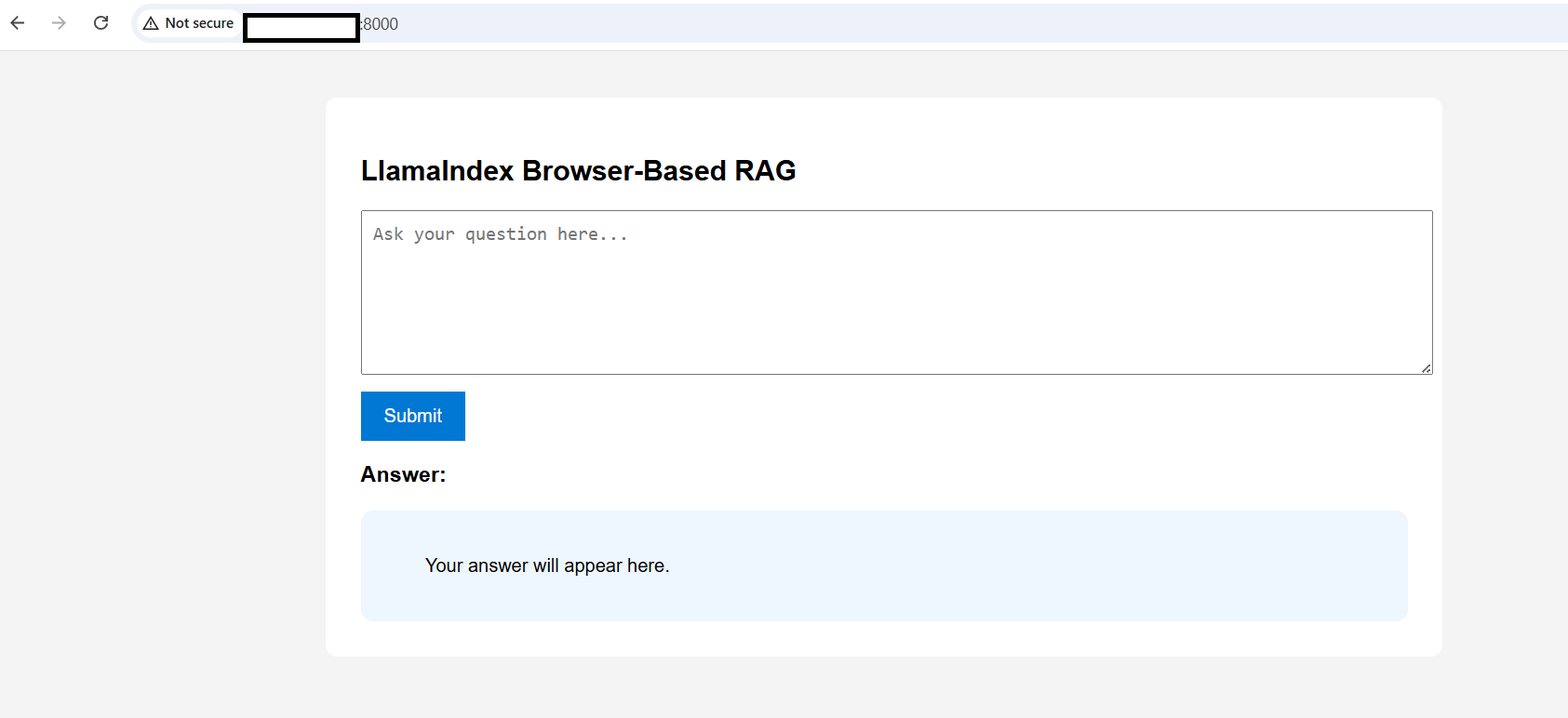 Browser-based LlamaIndex RAG application
Test browser-based Q&A
Ask the following questions in the browser UI:
What is RAG?
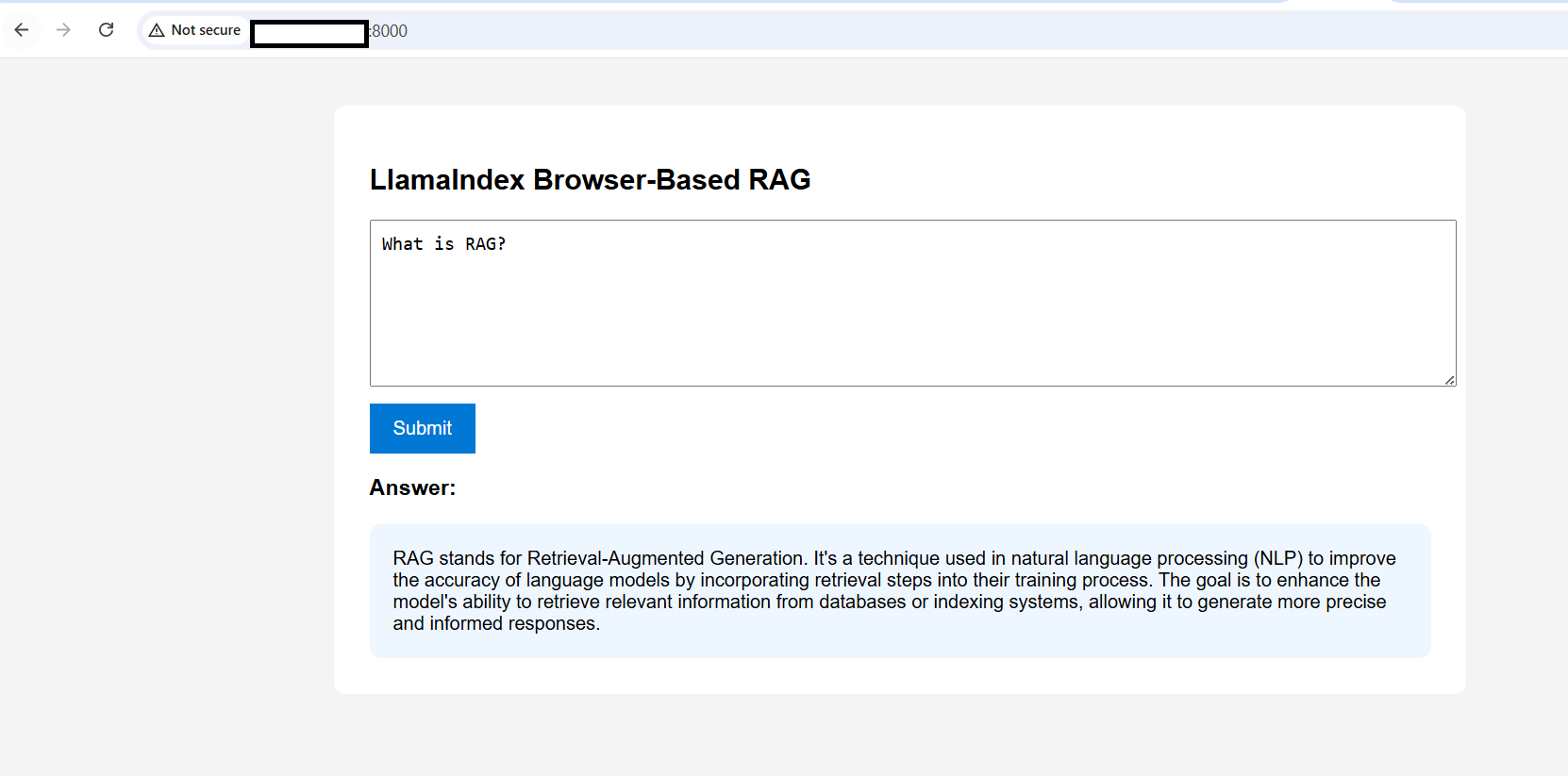 RAG question response
What is LlamaIndex?
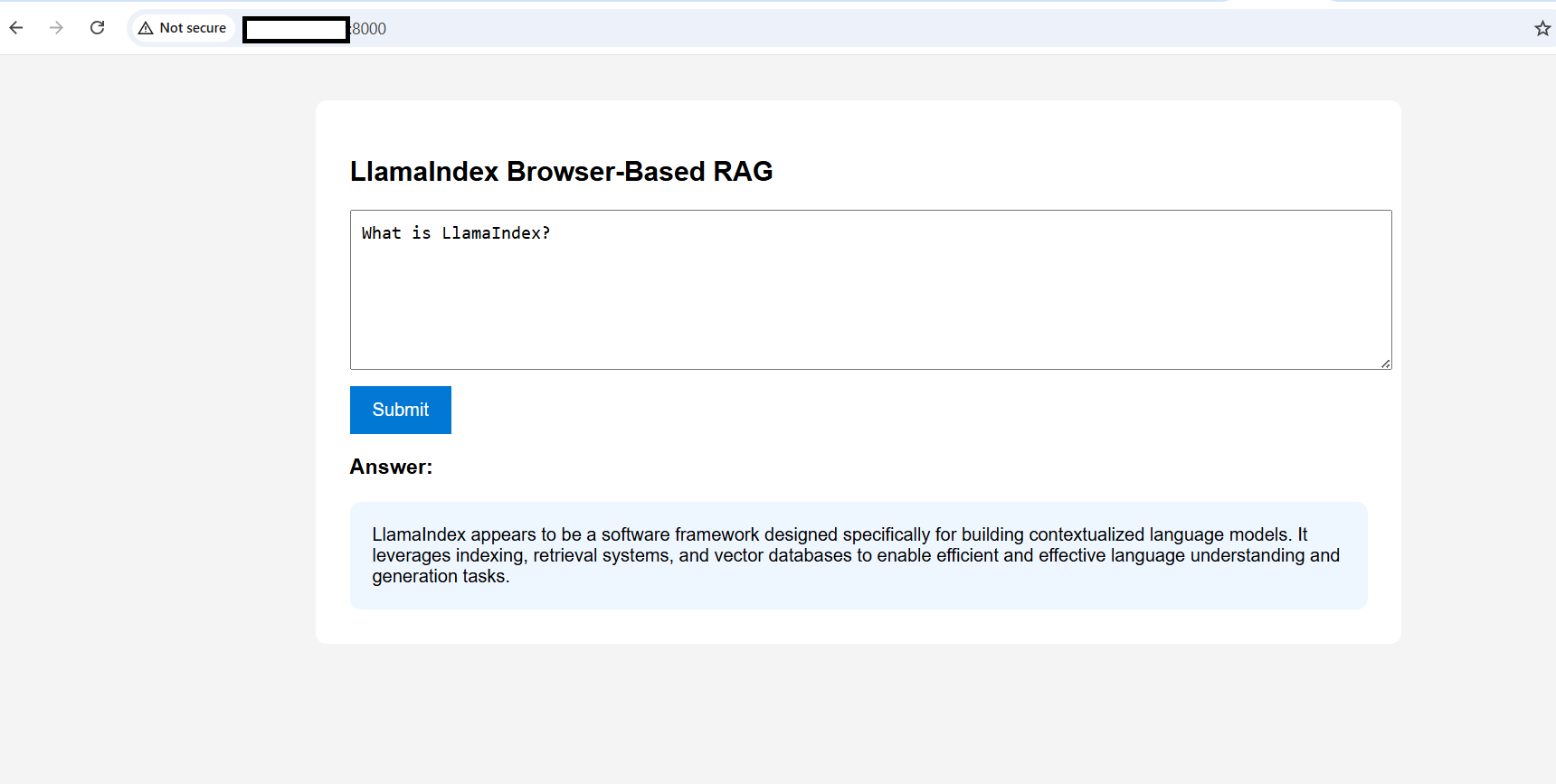 LlamaIndex question response
What is Google Cloud Axion?
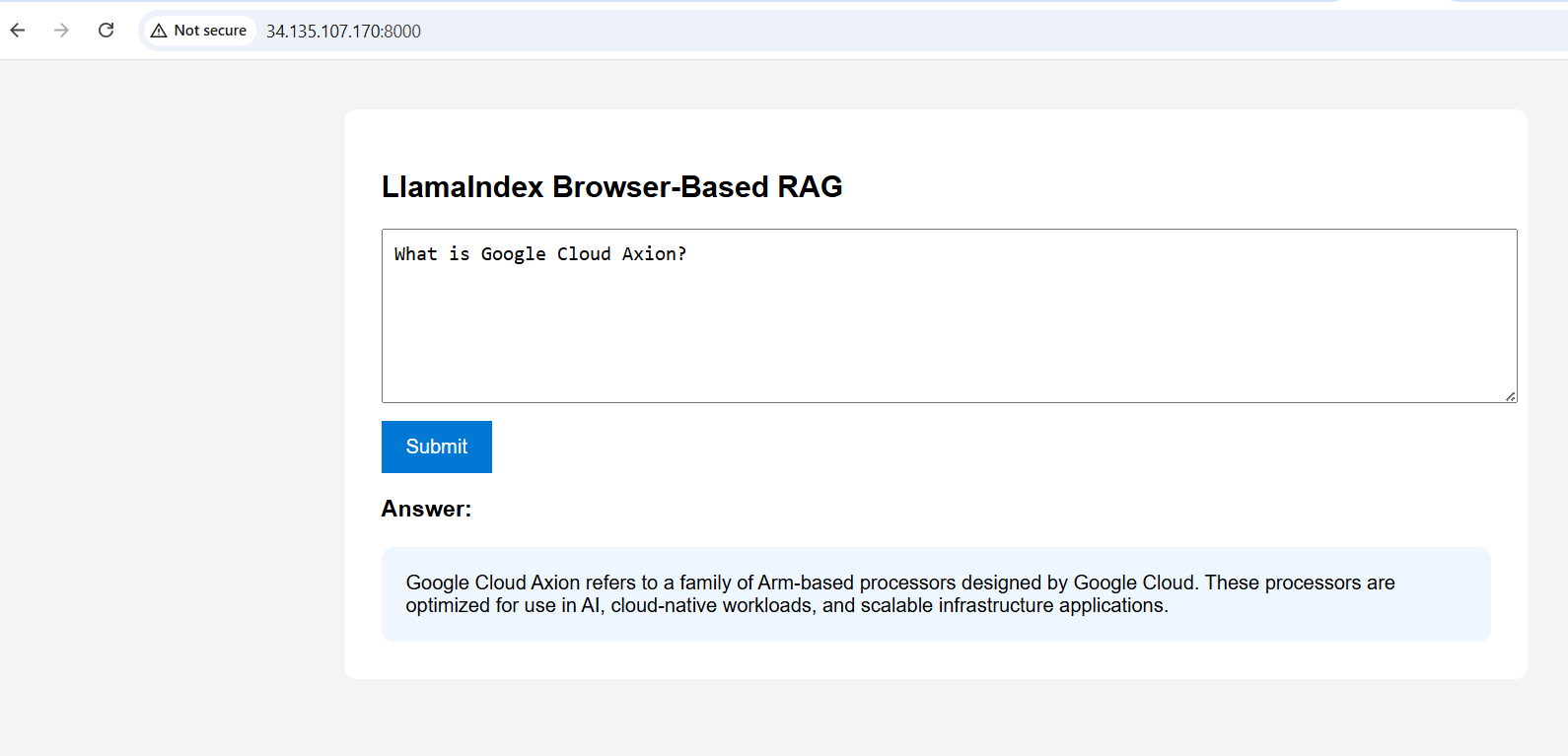 Google Cloud Axion question response
The answers will appear directly in the browser interface.
(Optional) Add your own documents
After confirming that the application works, you can try adding your own documents.
Copy your own files into the data directory. For example:
cp yourfile.txt ~/llamaindex-rag/data/
Stop the running FastAPI server by pressing Ctrl + C in the terminal where Uvicorn is running. Then restart it:
uvicorn api:app --host 0.0.0.0 --port 8000
The build_query_engine() function runs on startup and reads all documents from the data/ directory each time the server starts. Restarting the server causes LlamaIndex to ingest the new file, generate its embeddings, and store them in ChromaDB, making the new document searchable through the browser UI.
What you’ve accomplished
You’ve now built a browser-based RAG application using LlamaIndex on an Arm-based Google Cloud C4A VM. You created sample documents, generated embeddings using Hugging Face models, stored vectors in ChromaDB, exposed the backend using FastAPI, and queried custom documents directly from a browser using Ollama.
You can extend this workflow for your own LlamaIndex RAG applications on Arm-based cloud infrastructure.