Deploy and validate Jenkins on Arm cloud servers
Introduction
Technology stack overview
Create an Arm-based virtual machine using Microsoft Cobalt 100
Create a firewall rule on Azure
Install Jenkins on Azure Ubuntu Arm64 virtual machine
Create a firewall rule on GCP
Create a Google Axion C4A virtual machine
Install Jenkins on GCP SUSE Arm64 virtual machine
Validate Jenkins installation
Build an Arm-native Go CI pipeline on Jenkins (GCP SUSE Arm64)
Build a Docker-based CI pipeline on Arm64
Next Steps
Deploy and validate Jenkins on Arm cloud servers
Introduction
Technology stack overview
Create an Arm-based virtual machine using Microsoft Cobalt 100
Create a firewall rule on Azure
Install Jenkins on Azure Ubuntu Arm64 virtual machine
Create a firewall rule on GCP
Create a Google Axion C4A virtual machine
Install Jenkins on GCP SUSE Arm64 virtual machine
Validate Jenkins installation
Build an Arm-native Go CI pipeline on Jenkins (GCP SUSE Arm64)
Build a Docker-based CI pipeline on Arm64
Next Steps
Build a Docker-based CI pipeline on Arm64
You can use Jenkins on a GCP SUSE Arm64 virtual machine to build and run a Docker container natively on Arm64. Validate Docker installation, Jenkins–Docker integration, and Arm-native container execution.
Prerequisites
Before starting, ensure the following components are available:
- Jenkins installed and running on a GCP SUSE Arm64 virtual machine
- Jenkins web UI accessible
- Docker installed on the virtual machine
- Jenkins user added to Docker group
Install Docker on the GCP SUSE Arm64 virtual machine
If not already installed, install Docker using the SUSE package manager:
sudo zypper refresh
sudo zypper install -y docker
Enable and start the Docker service:
sudo systemctl enable docker
sudo systemctl start docker
Allow Jenkins to use Docker
By default, Jenkins doesn’t have permission to access Docker. Grant Docker access to the Jenkins user.
Add the Jenkins user to the Docker group:
sudo usermod -aG docker jenkins
Restart services
Restart services to ensure the new permissions take effect:
sudo systemctl restart docker
sudo systemctl restart jenkins
Verify Docker access as Jenkins
Confirm that Jenkins can successfully run Docker commands:
sudo -u jenkins docker version
The output is similar to:
        Client:
 Version:           28.3.3-ce
 API version:       1.51
 Go version:        go1.24.5
 Git commit:        bea959c7b
 Built:             Tue Jul 29 12:00:00 2025
 OS/Arch:           linux/arm64
 Context:           default

Server:
 Engine:
  Version:          28.3.3-ce
  API version:      1.51 (minimum version 1.24)
  Go version:       go1.24.5
  Git commit:       bea959c7b
  Built:            Tue Jul 29 12:00:00 2025
  OS/Arch:          linux/arm64
  Experimental:     false
 containerd:
  Version:          v1.7.27
  GitCommit:        05044ec0a9a75232cad458027ca83437aae3f4da
 runc:
  Version:          1.2.6
  GitCommit:        v1.2.6-0-ge89a29929c77
 docker-init:
  Version:          0.2.0_catatonit
  GitCommit:
Create a Docker demo directory
Create a directory to hold the Dockerfile:
mkdir ~/docker-demo
cd docker-demo
pwd
Create an Arm64 Dockerfile
Create a Dockerfile that uses an Arm64-native base image:
cat <<EOF > Dockerfile
FROM arm64v8/alpine:latest
CMD ["echo", "Hello from Arm64 Docker container"]
EOF
Create a Jenkins pipeline job
Configure Jenkins to build and run the Docker container automatically.
Open the Jenkins UI
http://<VM_PUBLIC_IP>:8080
Create a new pipeline job
- Open the Jenkins UI
- Click New Item
- Job name:
docker-arm-ci - Select Pipeline
- Select OK
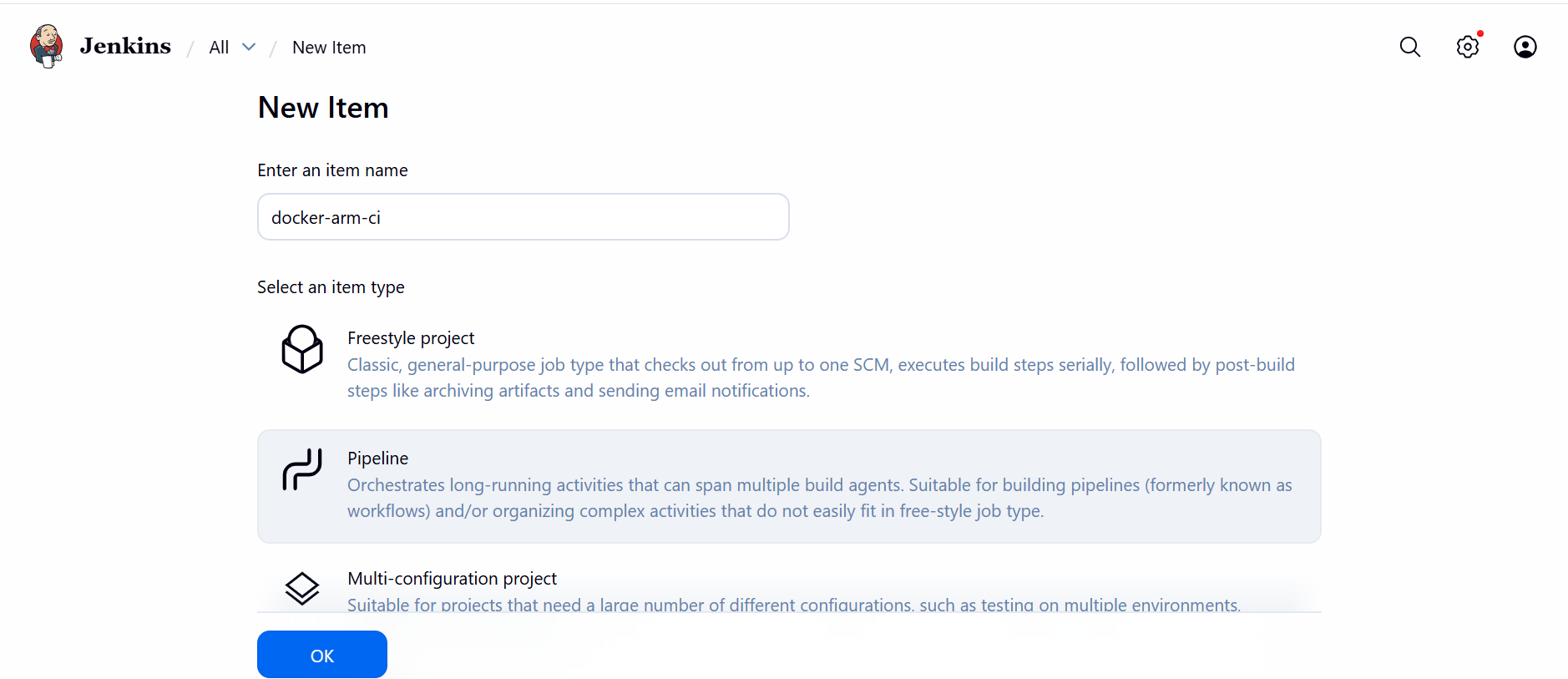 Create new item
Add the pipeline script
Scroll to the Pipeline section:
- Definition: Pipeline script
Paste the following into the Pipeline script section:
Update “/home/gcpuser/docker-demo” in the script to reflect the actual location of your docker-demo directory.
pipeline {
  agent any

  stages {
    stage('Environment Check') {
      steps {
        sh 'uname -m'
        sh 'docker version'
      }
    }

    stage('Build Docker Image') {
      steps {
        sh '''
          cd $WORKSPACE
          cp -r /home/gcpuser/docker-demo .
          cd docker-demo
          docker build -t arm64-docker-test .
        '''
      }
    }

    stage('Run Docker Container') {
      steps {
        sh '''
          docker run --rm arm64-docker-test
        '''
      }
    }
  }
}
Select Save.
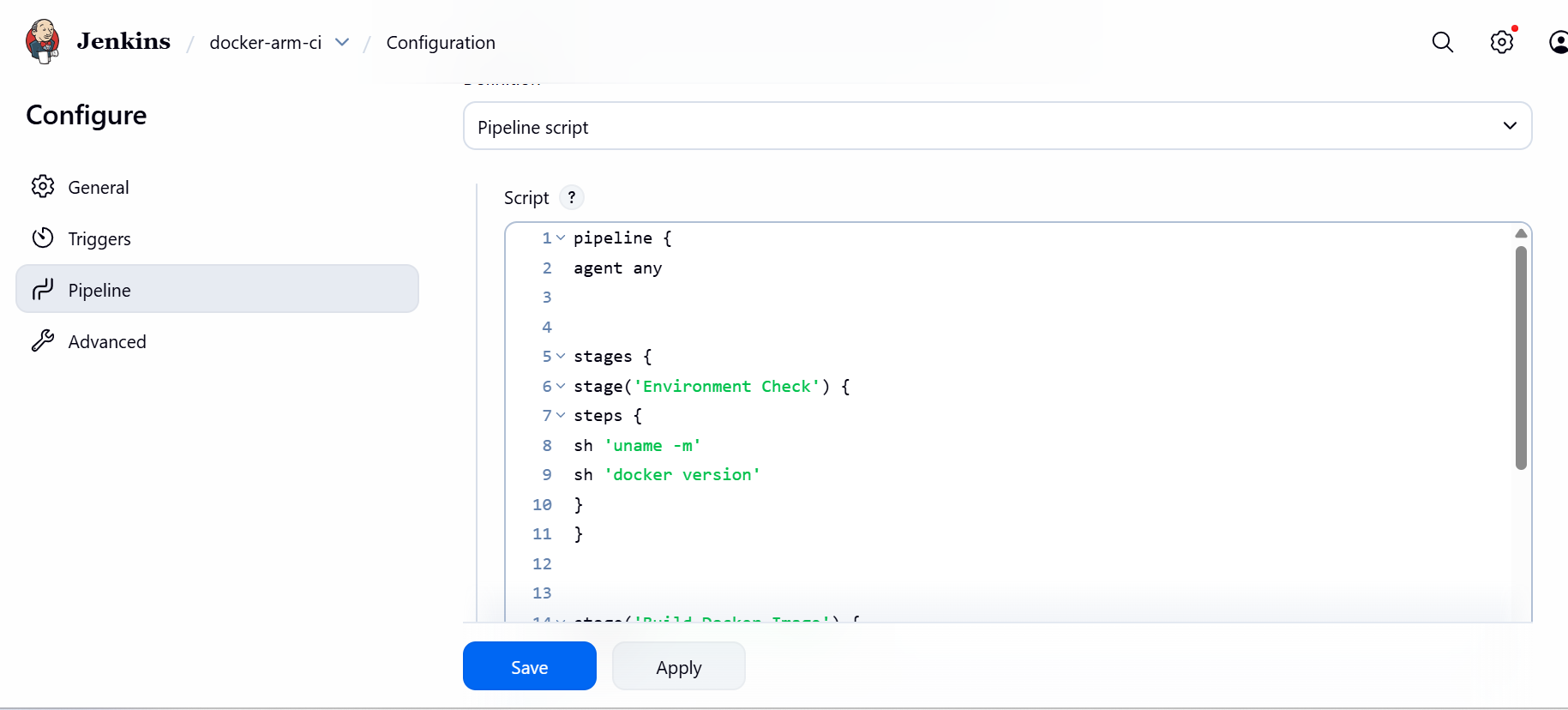 Create pipeline
Execute the pipeline
Run the pipeline to verify Docker-based CI execution on Arm64:
- On the job page, select Build Now
- Select the build number
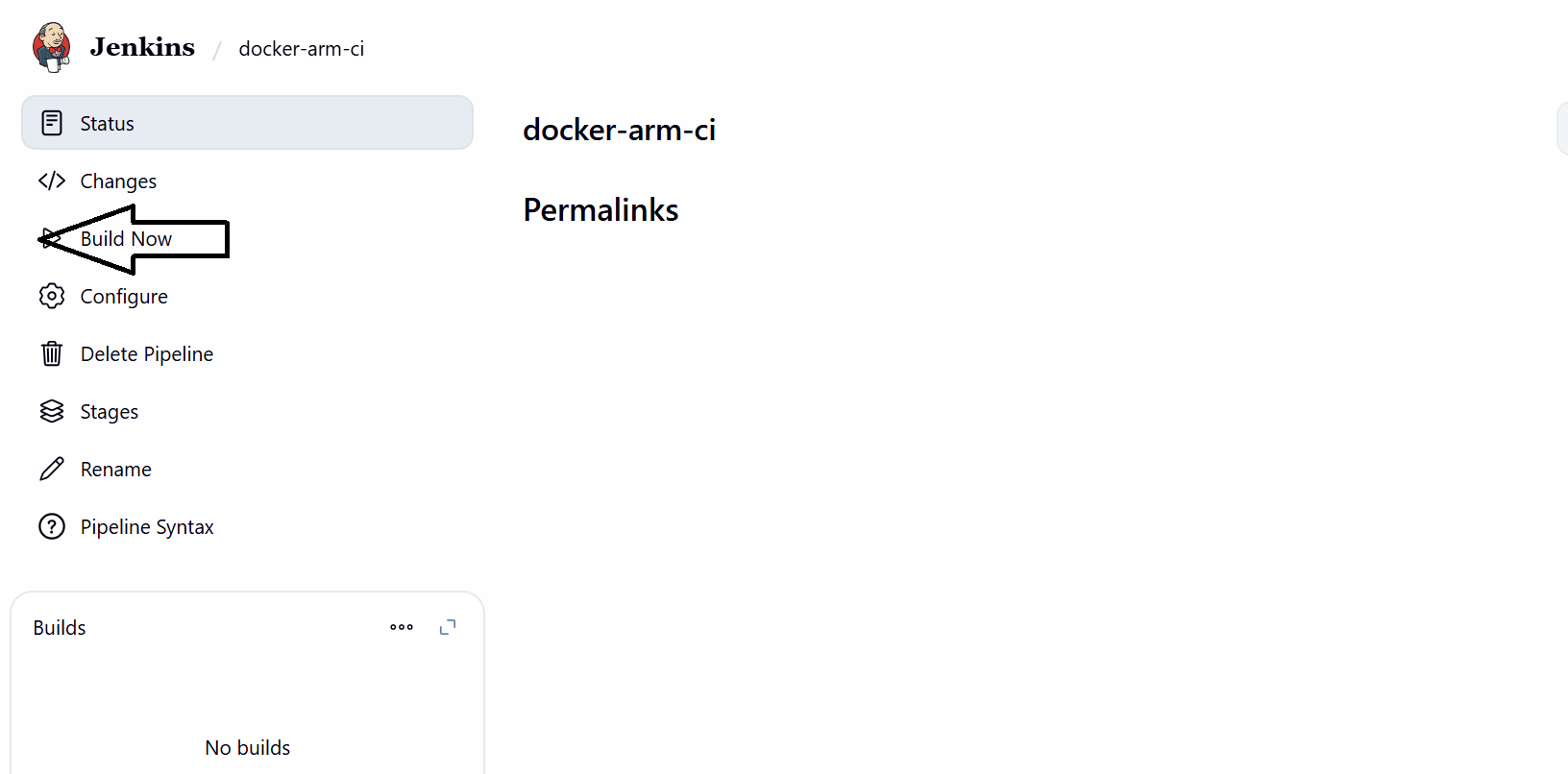 Execute pipeline
View console output
Review the logs to confirm that each pipeline stage completed successfully:
- Select the build number (for example,
#1) - Select Console Output
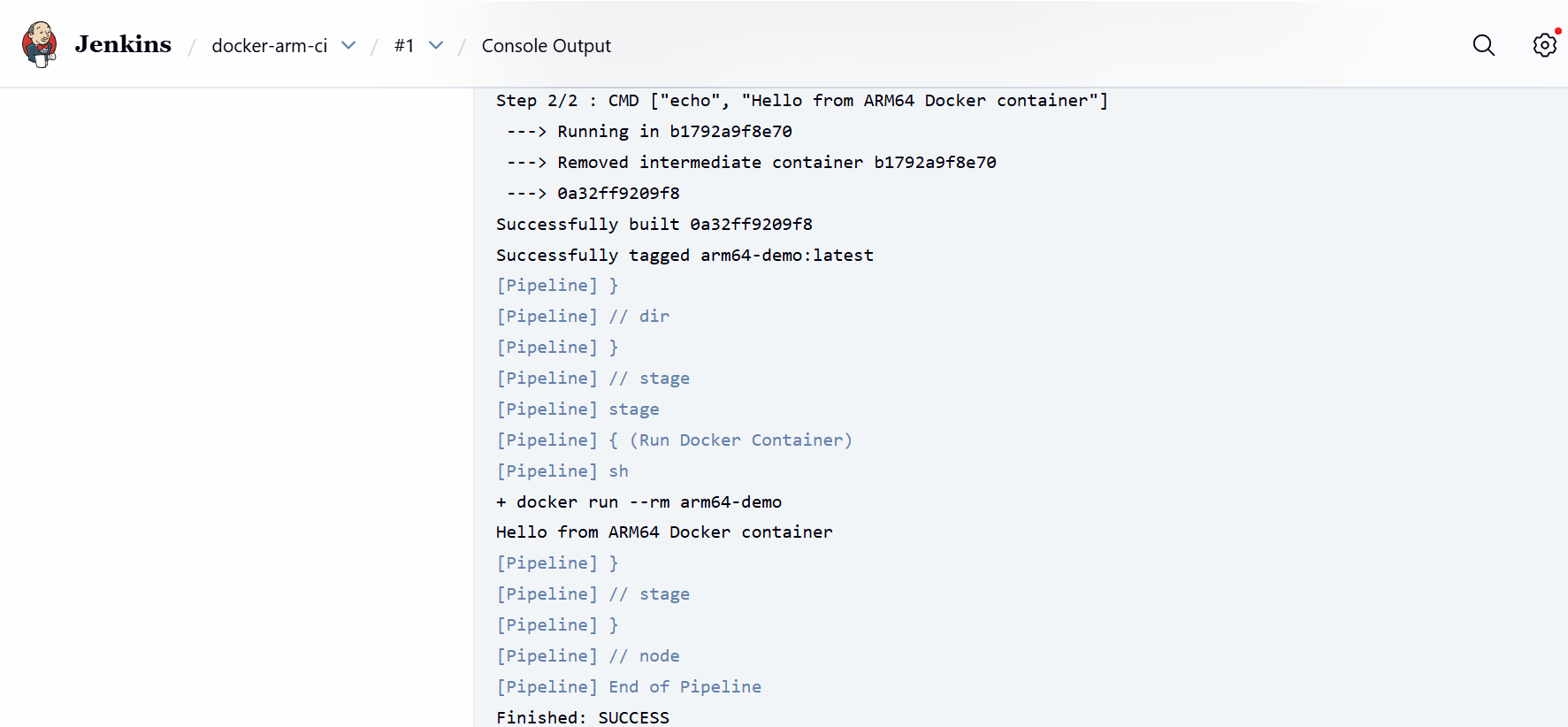 Console output
What you’ve accomplished and what’s next
You’ve successfully validated Docker-based CI pipelines using Jenkins on your GCP SUSE Arm64 virtual machine. The output confirms:
- Jenkins is running on Arm64
- Docker is Arm-native
- Jenkins can build and run containers
- End-to-end Docker CI works on Arm
Your system is now ready for Arm-native containerized CI/CD workloads.