Deploy and validate Jenkins on Arm cloud servers
Introduction
Technology stack overview
Create an Arm-based virtual machine using Microsoft Cobalt 100
Create a firewall rule on Azure
Install Jenkins on Azure Ubuntu Arm64 virtual machine
Create a firewall rule on GCP
Create a Google Axion C4A virtual machine
Install Jenkins on GCP SUSE Arm64 virtual machine
Validate Jenkins installation
Build an Arm-native Go CI pipeline on Jenkins (GCP SUSE Arm64)
Build a Docker-based CI pipeline on Arm64
Next Steps
Deploy and validate Jenkins on Arm cloud servers
Introduction
Technology stack overview
Create an Arm-based virtual machine using Microsoft Cobalt 100
Create a firewall rule on Azure
Install Jenkins on Azure Ubuntu Arm64 virtual machine
Create a firewall rule on GCP
Create a Google Axion C4A virtual machine
Install Jenkins on GCP SUSE Arm64 virtual machine
Validate Jenkins installation
Build an Arm-native Go CI pipeline on Jenkins (GCP SUSE Arm64)
Build a Docker-based CI pipeline on Arm64
Next Steps
Configure GCP firewall for Jenkins
To allow inbound TCP traffic on port 8080, create a firewall rule in the Google Cloud Console.
For more information about GCP setup, see Getting started with Google Cloud Platform .
Create a firewall rule in GCP
To expose the TCP port 8080, create a firewall rule.
Navigate to the Google Cloud Console , go to VPC Network > Firewall, and select Create firewall rule.
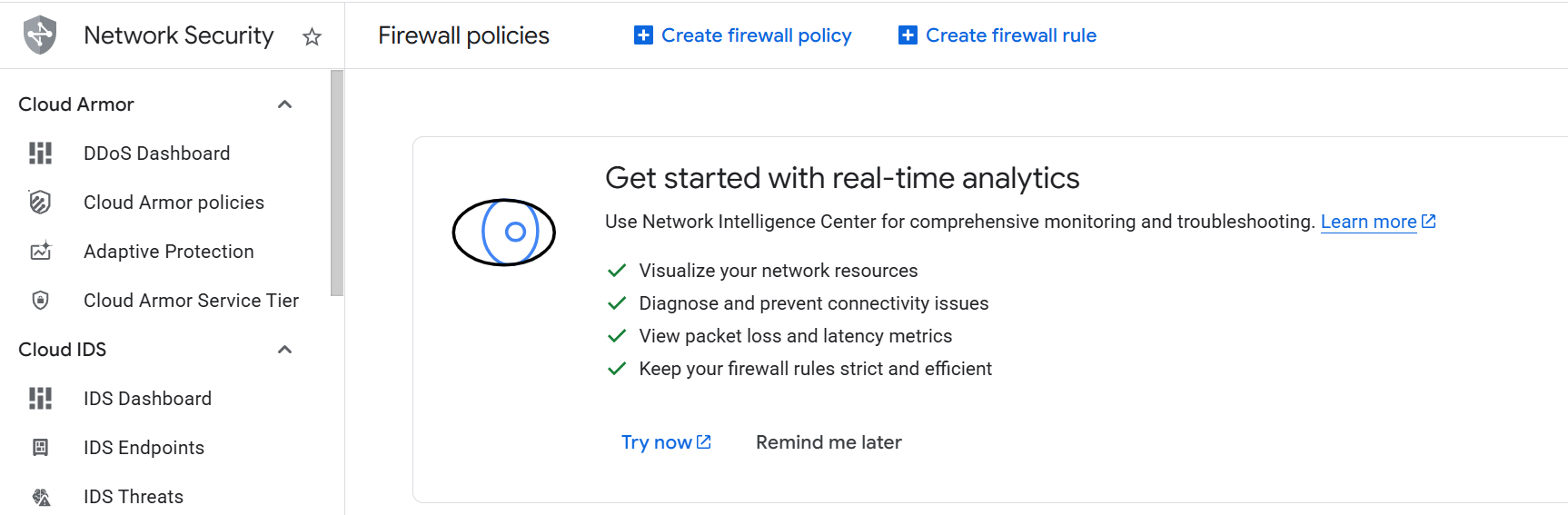 Create a firewall rule
Next, create the firewall rule that exposes the TCP port 8080. Set the Name of the new rule to “allow-tcp-8080”. Select your network that you intend to bind to your VM (default is “autoscaling-net”, but your organization might have others).
Set Direction of traffic to “Ingress”. Set Allow on match to “Allow” and Targets to “Specified target tags”.
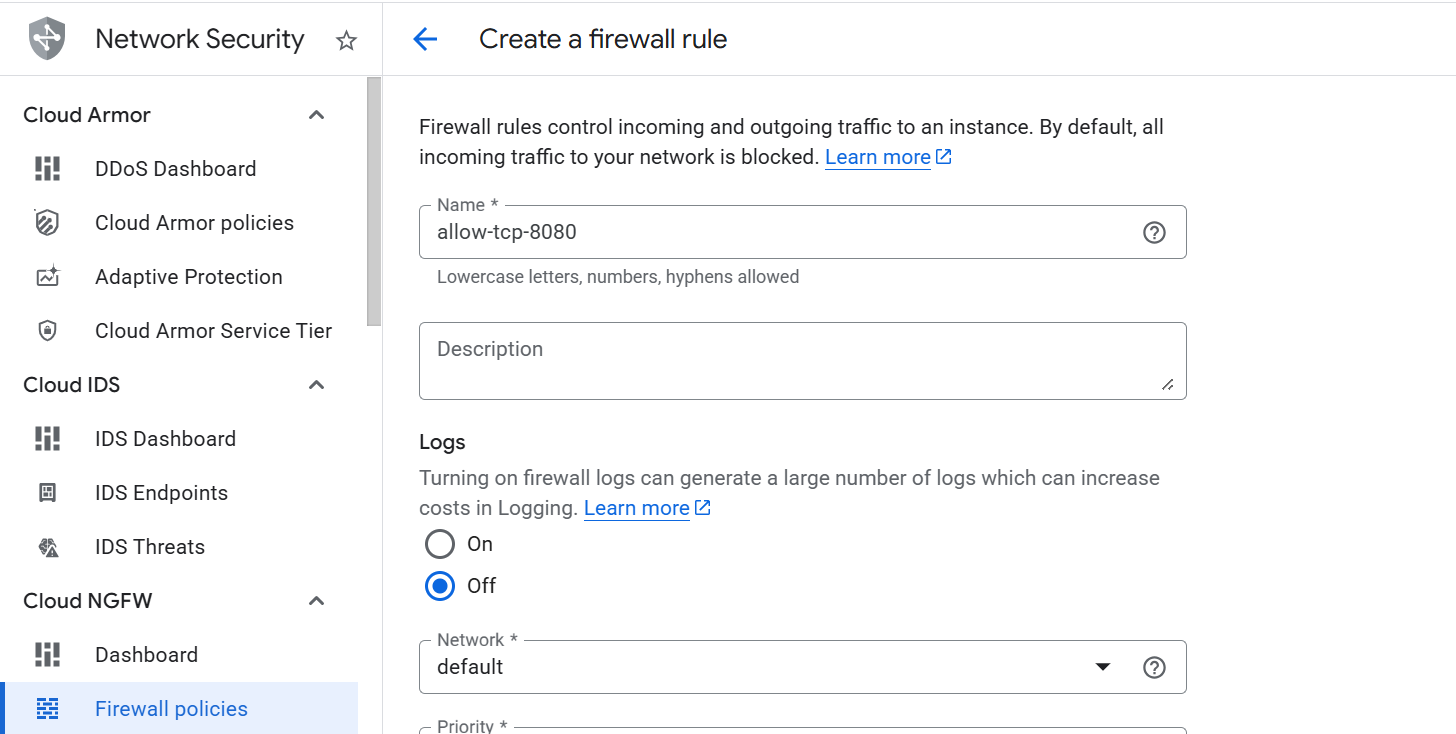 Creating the TCP/8080 firewall rule
Next, enter “allow-tcp-8080” in the Target tags text field. Set Source IPv4 ranges to “0.0.0.0/0”.
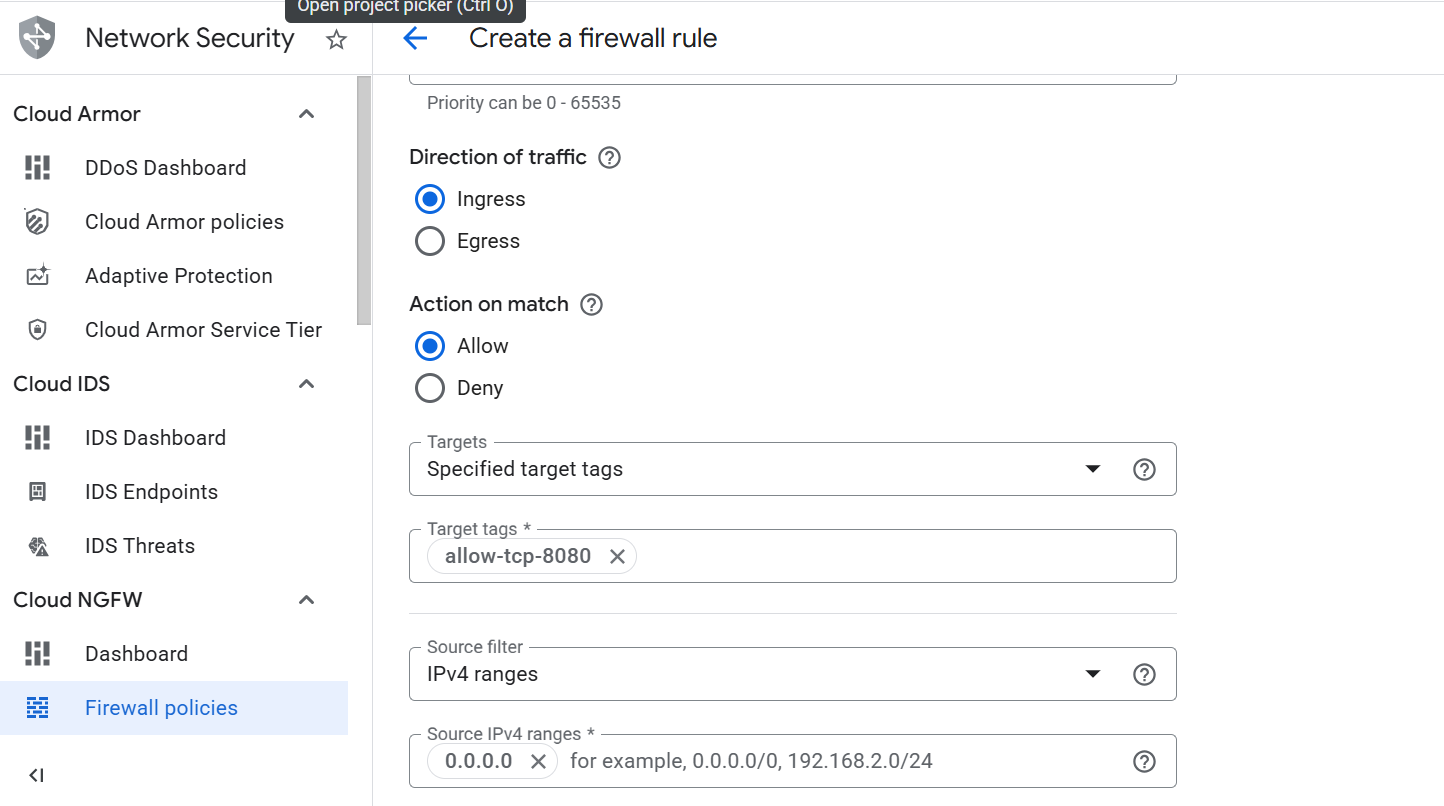 Creating the TCP/8080 firewall rule
Finally, select Specified protocols and ports under the Protocols and ports section. Select the TCP checkbox, enter “8080” in the **Ports" text field, and select Create.
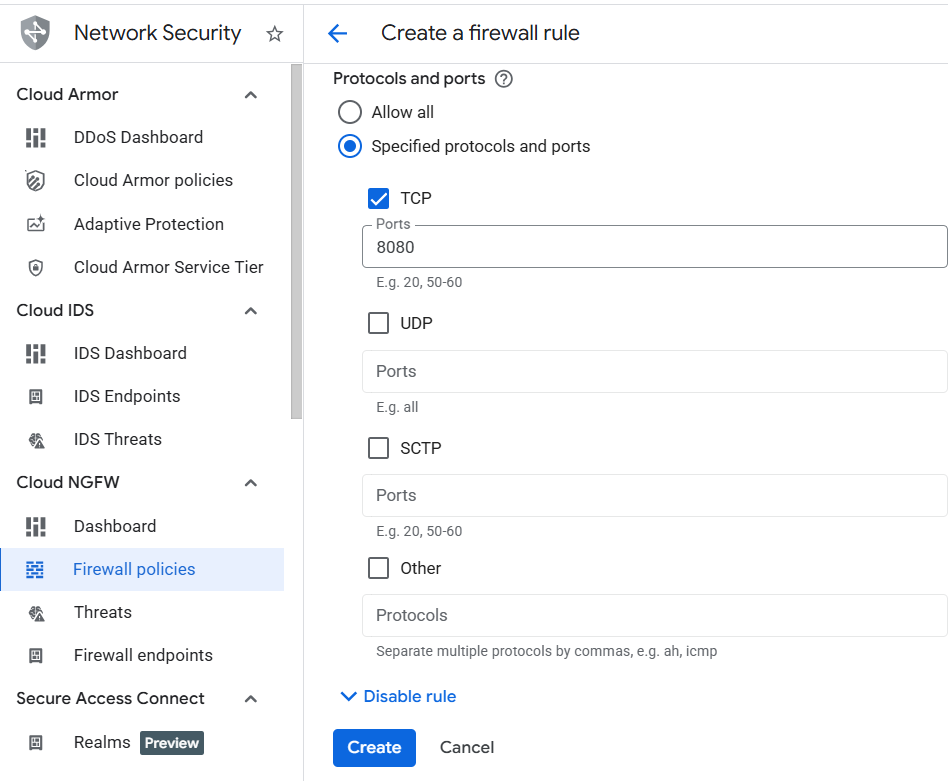 Specifying the TCP port to expose
The network firewall rule is now created, and you can continue with the VM creation.