Deploy Gerrit on a Google Cloud C4A instance
Introduction
About Gerrit and Google Axion C4A
Make your Gerrit deployment accessible on Google Cloud Platform
Provision a virtual machine on Google Cloud Platform to deploy Gerrit
Install and configure Gerrit on a Google Axion C4A virtual machine
Benchmark Gerrit on your Google Cloud Axion C4A virtual machine
Next Steps
Deploy Gerrit on a Google Cloud C4A instance
Introduction
About Gerrit and Google Axion C4A
Make your Gerrit deployment accessible on Google Cloud Platform
Provision a virtual machine on Google Cloud Platform to deploy Gerrit
Install and configure Gerrit on a Google Axion C4A virtual machine
Benchmark Gerrit on your Google Cloud Axion C4A virtual machine
Next Steps
Create a Google Cloud C4A Arm-based virtual machine
Provision a C4A Arm-based virtual machine (VM) on Google Cloud Platform (GCP) using the c4a-standard-4 machine type (4 vCPUs, 16 GB memory) in the Google Cloud console.
For support on GCP setup, see the Learning Path Getting started with Google Cloud Platform .
Use the Google Cloud console to create a C4A Arm virtual machine
To create a VM based on the C4A instance type:
- Navigate to the Google Cloud console .
- Go to Compute Engine > VM Instances and select Create Instance.
- Under Machine configuration:
- Populate fields such as Instance name, Region, and Zone.
- Set Series to
C4A. - Select
c4a-standard-4for machine type.
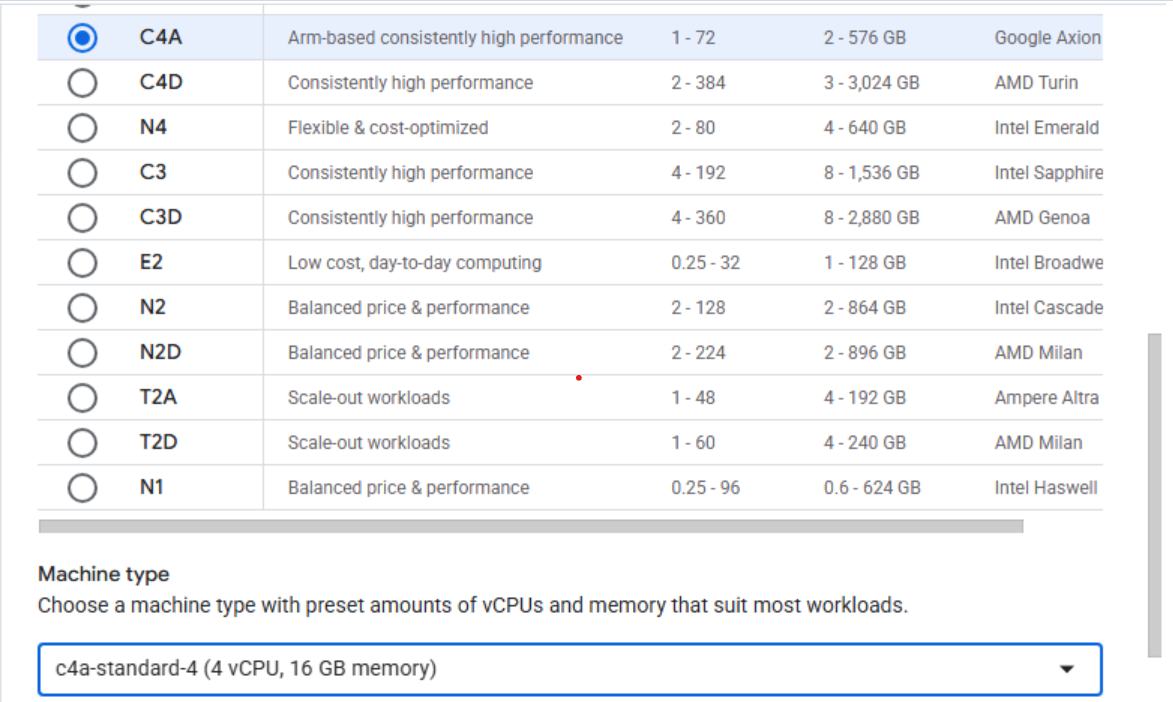 Creating a C4A Arm-based virtual machine in Google Cloud console
- Under OS and Storage, select Change. Choose an Arm64-based OS image. For this Learning Path, select Ubuntu 24.04 LTS.
- Change the size of the primary disk from 10 GB to 100 GB
- Choose Select to confirm your OS choice.
- Under Networking, enable Allow HTTP traffic and Allow HTTPS traffic.
- In the Network tags field, add
allow-tcp-8080to allow Gerrit dashboard traffic.
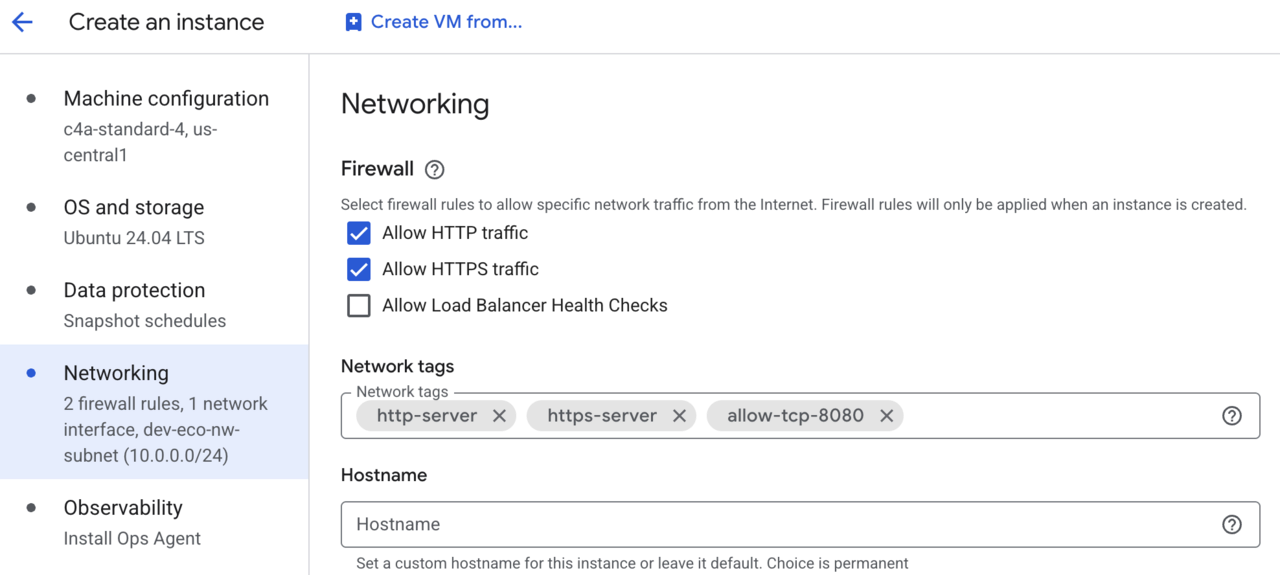 Adding the TCP/8080 firewall rule to our VM
- Select Create to launch your VM instance.
After the VM is ready, you’ll see an SSH button next to your instance in the VM list. The public IP address for your VM also appears here. Copy the public IP address — you’ll need it later to connect to Gerrit.
Select SSH to open a shell session directly in your browser.
 Invoke a SSH session into your running VM instance
A window from your browser will come up and you’ll now see a shell into your VM instance:
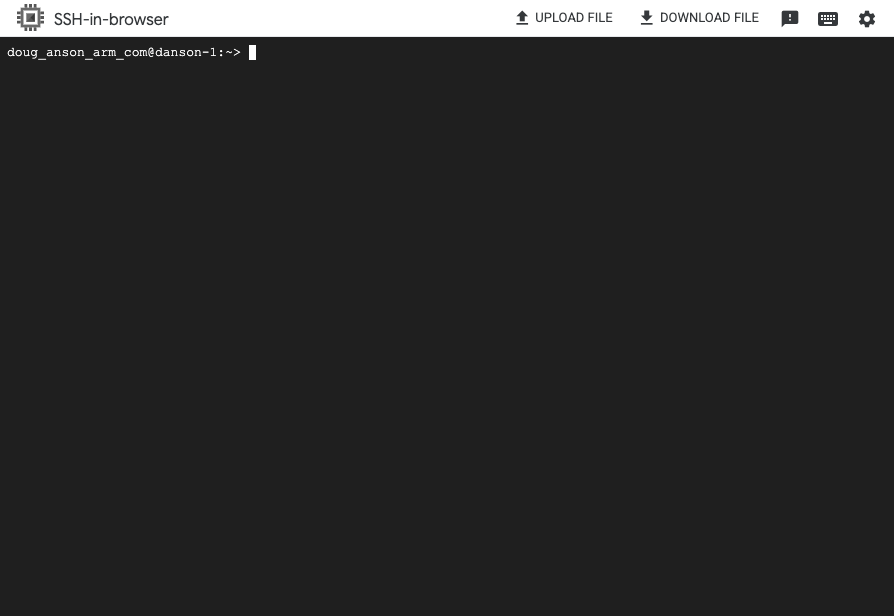 Terminal shell in your VM instance
What you’ve accomplished and what’s next
You’ve now created an Arm-based Google Axion C4A VM instance that you’ll use to deploy Gerrit. You’ve also opened a shell session into the instance.
Next, you’ll install Gerrit on the VM instance.