Deploy Gerrit on a Google Cloud C4A instance
Introduction
About Gerrit and Google Axion C4A
Make your Gerrit deployment accessible on Google Cloud Platform
Provision a virtual machine on Google Cloud Platform to deploy Gerrit
Install and configure Gerrit on a Google Axion C4A virtual machine
Benchmark Gerrit on your Google Cloud Axion C4A virtual machine
Next Steps
Deploy Gerrit on a Google Cloud C4A instance
Introduction
About Gerrit and Google Axion C4A
Make your Gerrit deployment accessible on Google Cloud Platform
Provision a virtual machine on Google Cloud Platform to deploy Gerrit
Install and configure Gerrit on a Google Axion C4A virtual machine
Benchmark Gerrit on your Google Cloud Axion C4A virtual machine
Next Steps
Create a firewall rule on Google Cloud Platform
Create a firewall rule in Google Cloud console to allow incoming TCP traffic on port 8080 and make your Gerrit deployment accessible.
If you need help setting up Google Cloud Platform (GCP), see the Learning Path Getting started with Google Cloud Platform .
Use the Google Cloud console to create a firewall rule
To expose TCP port 8080 for Gerrit, start by creating a new firewall rule in Google Cloud console:
- Open the Google Cloud console .
- In the navigation menu, select VPC network > Firewall.
- Select Create firewall rule.
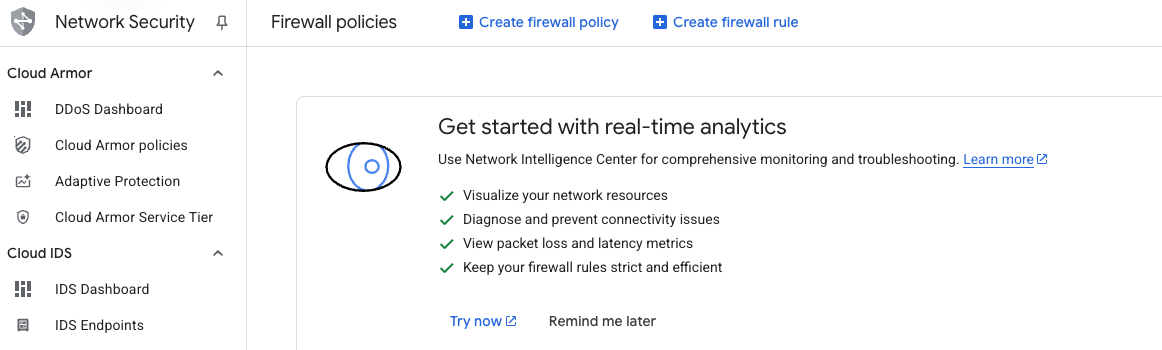 Create a firewall rule
- Set Name to
allow-tcp-8080. - Select the network you want to use for your VM. The default is
autoscaling-net, but your organization might use a different network. - Set Direction of traffic to Ingress.
- Set Action on match to Allow.
- For Targets, select Specified target tags and enter
allow-tcp-8080in the Target tags field. - In Source IPv4 ranges, enter
0.0.0.0/0.
This configuration allows incoming TCP traffic on port 8080 from any IPv4 address.
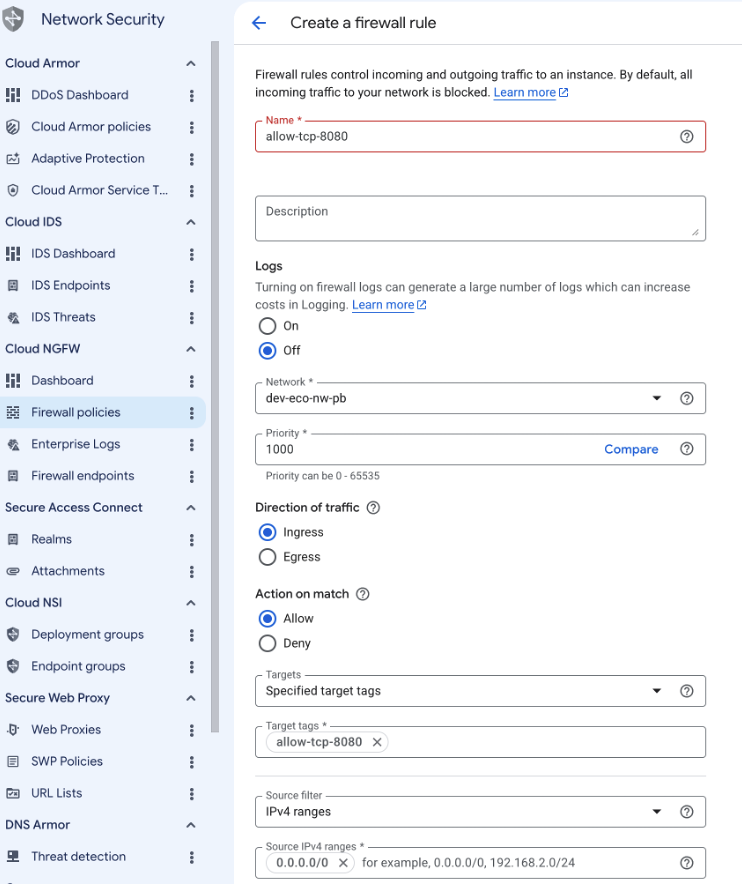 Creating the TCP/8080 firewall rule
Next, configure the protocols and ports for your firewall rule:
- Under Protocols and ports, select Specified protocols and ports.
- Check the TCP box.
- In the Ports field, enter
8080. - Select Create to finish adding the firewall rule.
This step ensures that only TCP traffic on port 8080 is allowed through the firewall.
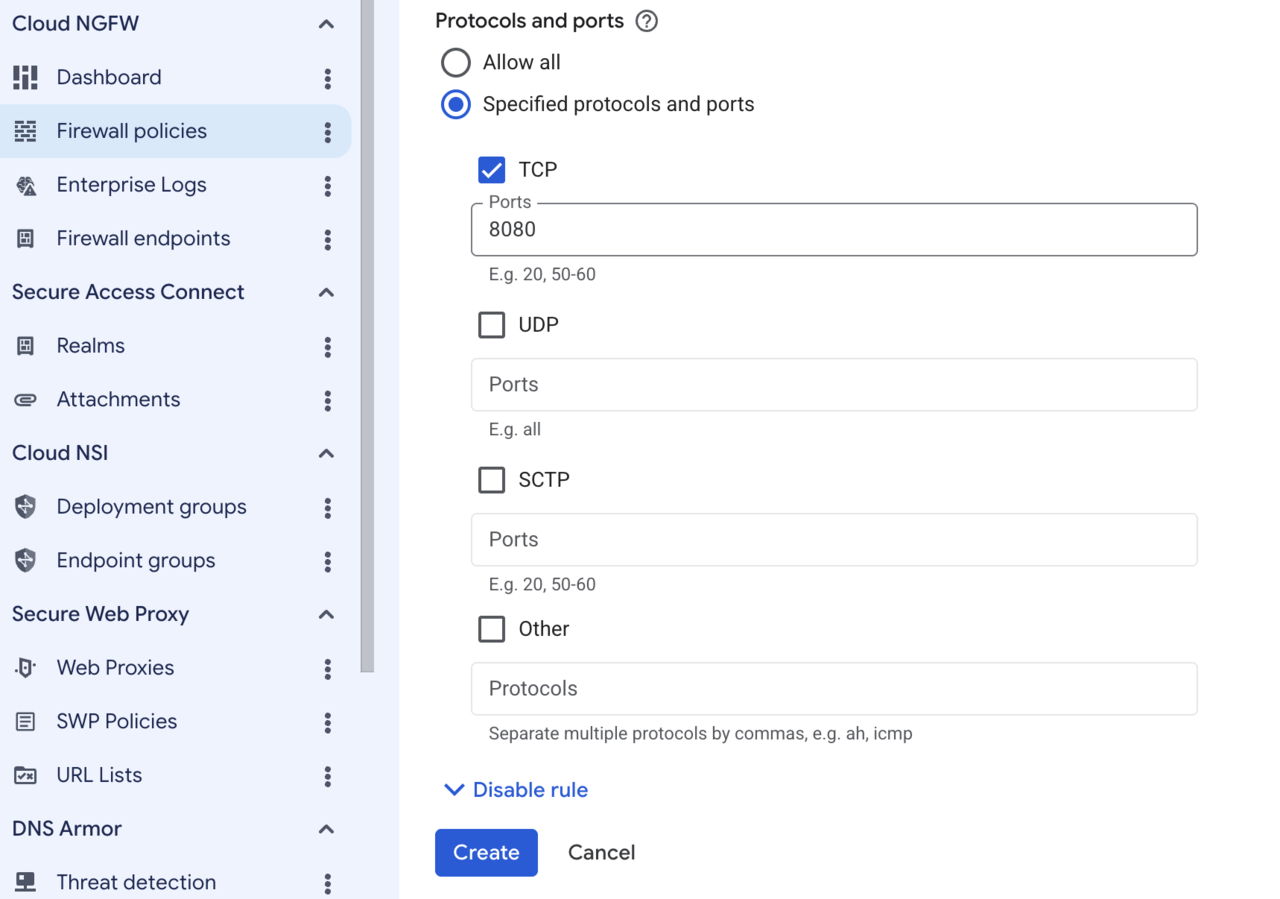 Specifying the TCP port to expose
What you’ve accomplished and what’s next
You’ve now created a network firewall rule to allow access to your Gerrit deployment.
Next, you’ll create a Google Axion C4A virtual machine for deploying Gerrit.