Run Code Hotspots recipe
As shown in the src/main_single_thread.cpp file below, the program generates a 1920×1080 bitmap image of the fractal. To identify performance bottlenecks, run the Code Hotspots recipe in Arm Performix. It uses sampling to estimate where the CPU spends most of its time, highlighting the hottest functions—especially useful in larger applications where it isn’t obvious ahead of time which functions will dominate runtime.
The myplot.draw() call uses a relative path (./images/green.bmp). When Arm Performix launches the binary, it runs it from a temporary location, so the image would be written there rather than to your project directory. To ensure the output is saved where you expect it, update the first string argument in src/main_single_thread.cpp to the absolute path of the output file, for example /home/ec2-user/Mandelbrot-Example/images/green.bmp.
#include "Mandelbrot.h"
#include <iostream>

using namespace std;

int main(int argc, char* argv[]){

    const int NUM_THREADS = 1;
    std::cout << "Number of Threads = " << NUM_THREADS << std::endl;

    Mandelbrot::Mandelbrot myplot(1920, 1080, NUM_THREADS);
    myplot.draw("/home/ec2-user/Mandelbrot-Example/images/green.bmp", Mandelbrot::Mandelbrot::GREEN);

    return 0;
}
Rebuild the application before continuing:
make clean
make single_thread DEBUG=1
Open Arm Performix from the host machine. Select the Code Hotspot recipe. If this is the first time running the recipe on this target machine you might need to select the install tools button.
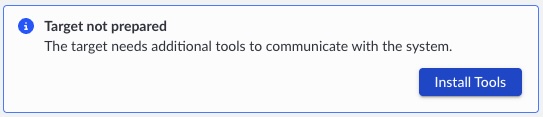 Selecting the Code Hotspots recipe
Configure the recipe to launch a new process. Arm Performix will automatically start collecting metrics when the program starts and stop when the program exits.
Provide the absolute path to the binary built in the previous step: /home/ec2-user/Mandelbrot-Example/build/mandelbrot_single_thread_debug.
Use the default sampling rate of Normal. If your application is short-running, consider a higher sample rate, at the cost of more data to store and process.
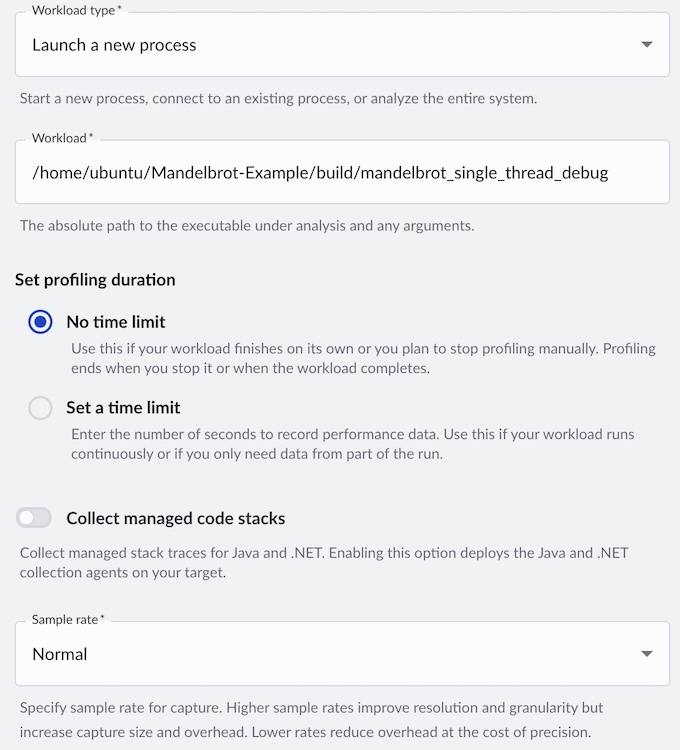 Code Hotspots recipe configuration
Analyze results
A flame graph is generated once the run completes. The default color mode labels the hottest functions—those using CPU most frequently—in the darkest shade. In this example, the __complex_abs__ function is present in approximately 65% of samples, and it calls the __hypot symbol in libm.so.
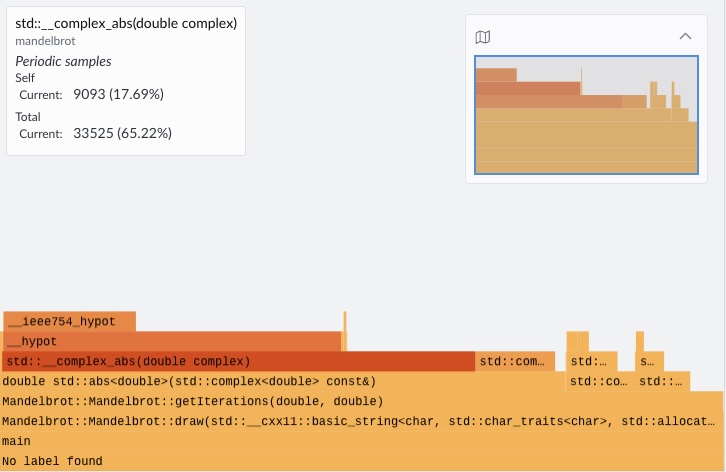 Single-threaded flame graph showing __complex_abs__ as the hottest function
To investigate further, you can map source code lines to the functions in the flame graph. Right-click on a specific function and select View Source Code. You may need to copy the source code onto your host machine to use this feature.
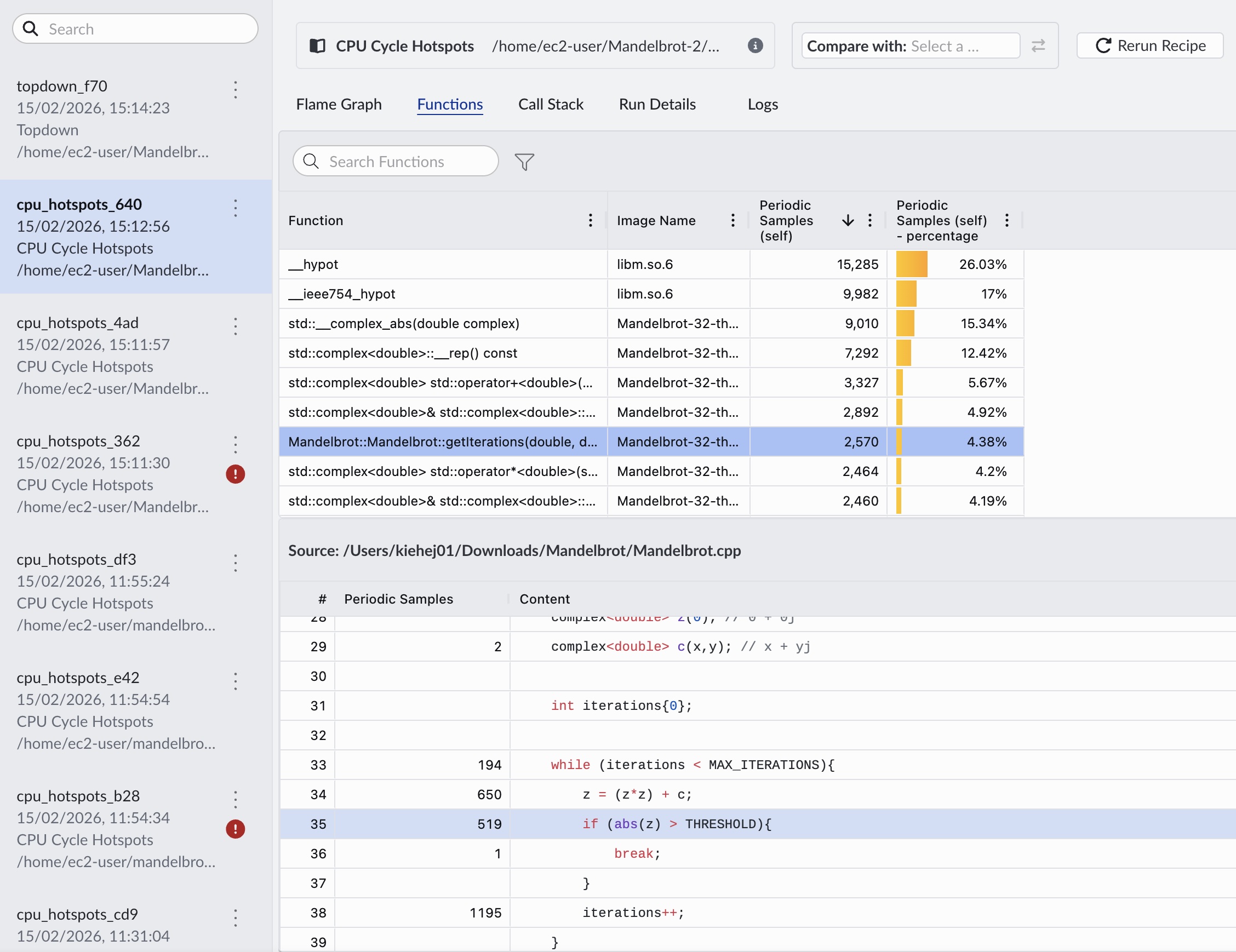 Flame graph with source code view
Finally, check your images directory for the generated bitmap fractal green.bmp. This confirms the application ran successfully and produced the expected Mandelbrot set visualization.
 Mandelbrot fractal output from single-threaded build