Run CircleCI Arm Native Workflows on a SUSE Arm GCP VM
Introduction
Get started with CircleCI on Google Axion C4A
Create a Google Axion C4A Arm virtual machine on GCP
Install CircleCI
Create a resource class
Install CircleCI Machine Runner on SUSE Arm
Build and test an Arm64 Node.js app using CircleCI
Next Steps
Run CircleCI Arm Native Workflows on a SUSE Arm GCP VM
Overview
This section explains how to create a resource class in the CircleCI web dashboard for a self-hosted runner.
What is a resource class?
A resource class is a unique identifier that links your self-hosted runner to your CircleCI organization (namespace). It defines the machine type that CircleCI jobs can target, ensuring that only authorized jobs run on your managed infrastructure, which in this case is your SUSE Linux Arm64 VM on Google Cloud C4A (Axion).
Create a resource class for a self-hosted Arm runner
To create a resource class for a self-hosted Arm runner in CircleCI, use the web dashboard and follow these steps:
- Go to the CircleCI dashboard and sign in, or create a new account if you don’t have one.
- In the left navigation menu, select Self-Hosted Runners.
- If prompted, review and accept the Terms of Use by checking Yes, I agree to the terms. This enables runner functionality for your organization.
- After accepting, select Self-Hosted Runners again to continue setup.
If you don’t see the Self-Hosted Runners option, make sure your account has the required permissions or check that your organization is selected in the dashboard.
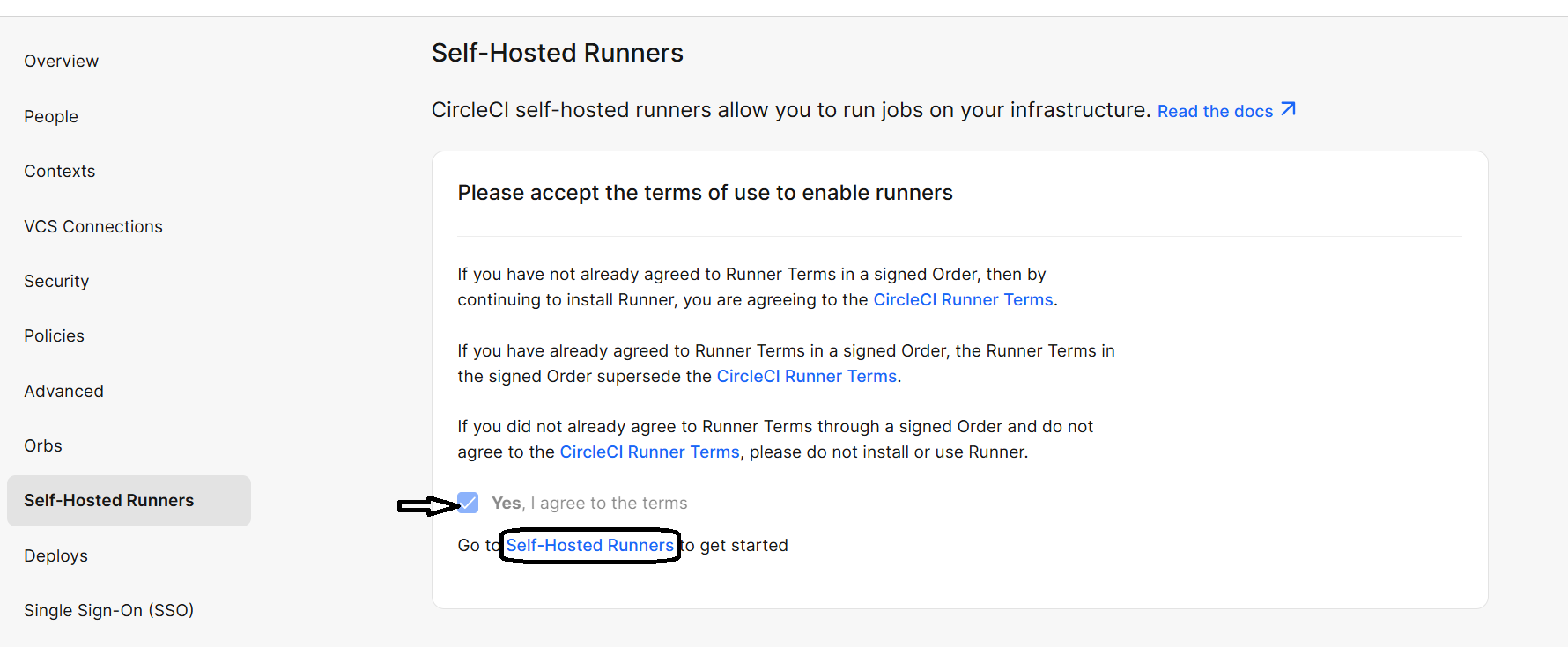 Self-Hosted Runners
Create a new resource class
On the CircleCI dashboard, select Create Resource Class.
Enter the following information:
- Namespace: Enter your CircleCI organization or username, for example,
circleci. - Resource Class Name: Provide a clear, descriptive name for your runner, such as
arm64.
After entering the details, select Create Resource Class to generate the resource class.
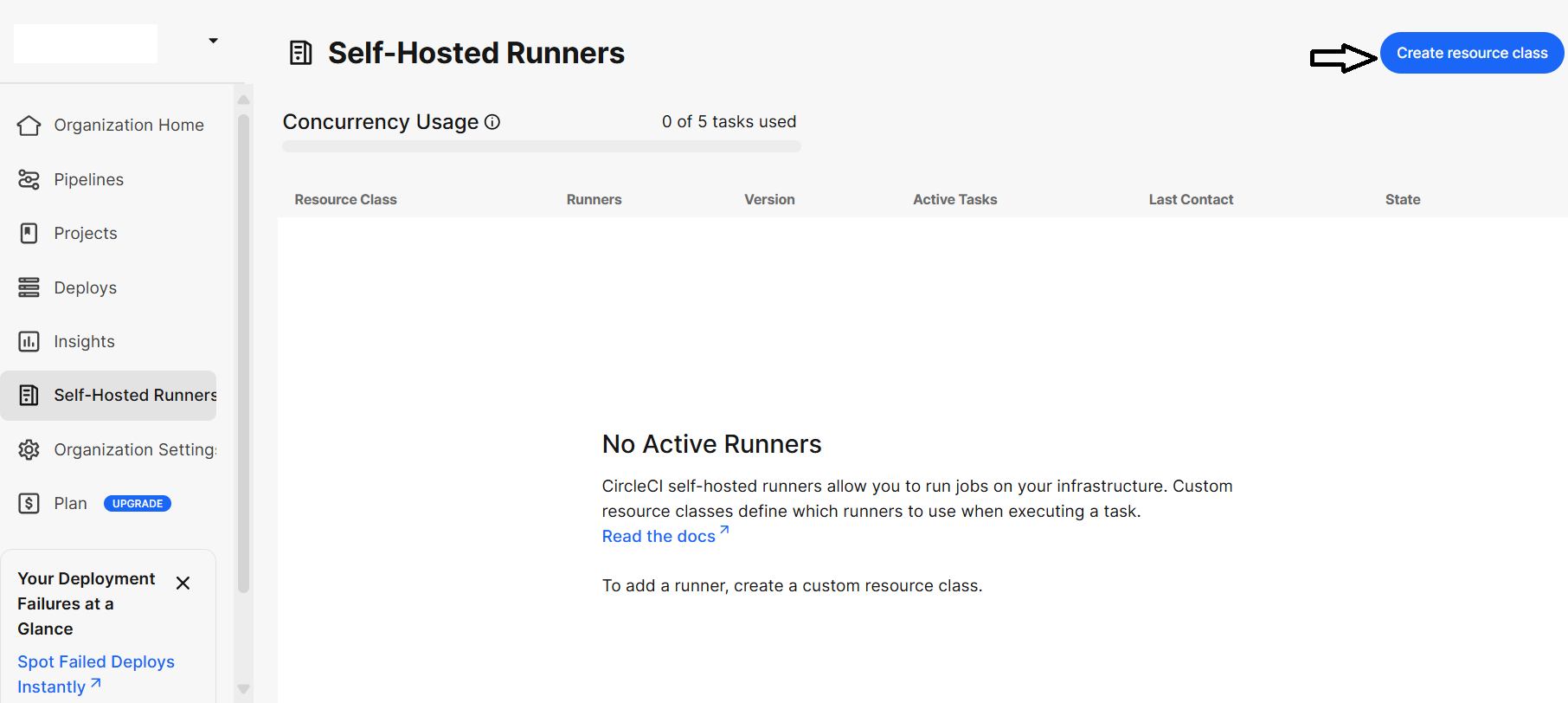 Create Resource Class
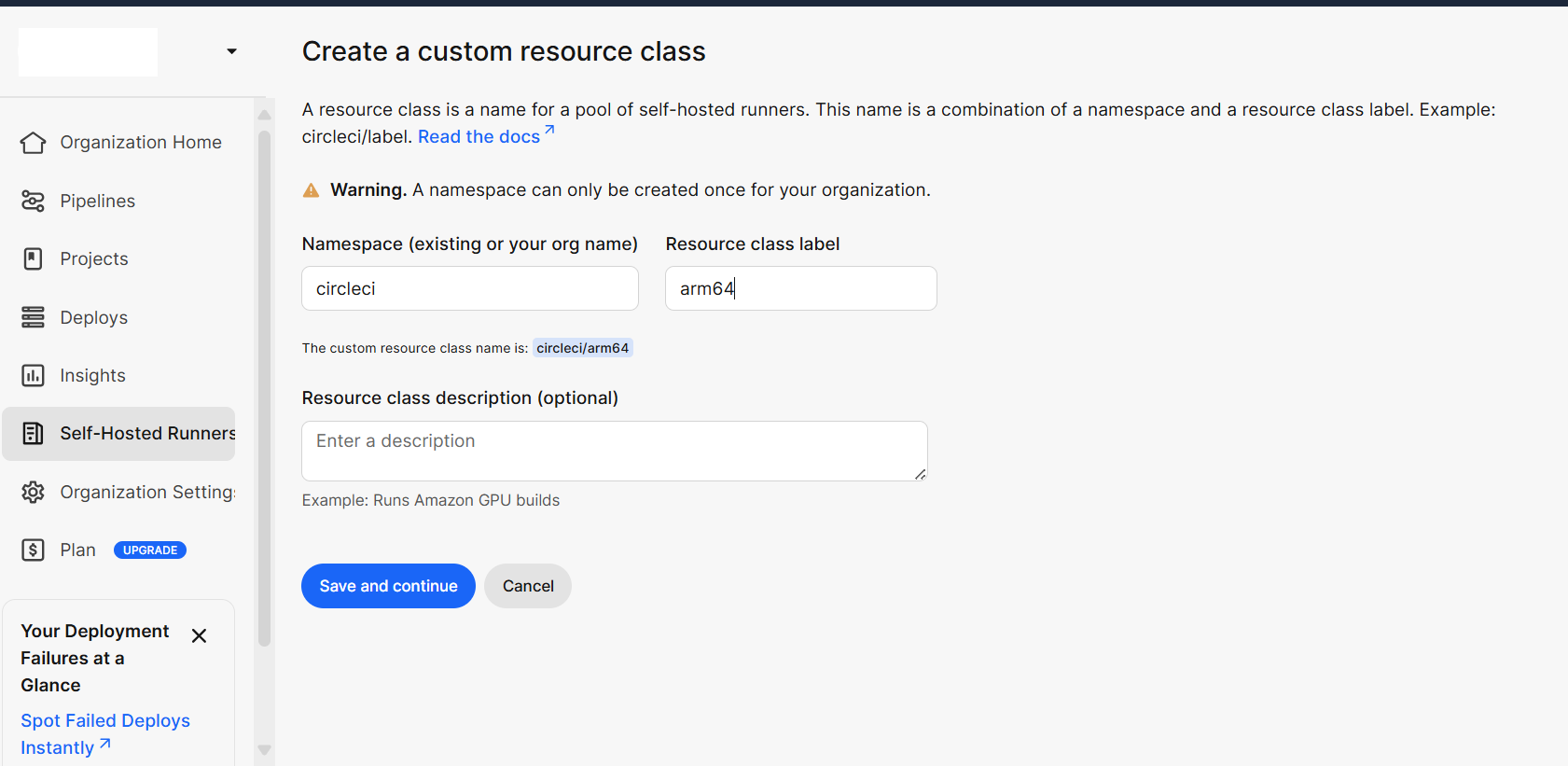 Details Resource Class & Namespace
Save and copy the token
After creating the resource class, CircleCI automatically generates a Resource Class Token, a secure authentication key used to register your runner. Copy this token immediately and store it in a secure location. You’ll need this token in the next step to connect your SUSE Arm64 runner on the Google Cloud C4A (Axion) VM to CircleCI.
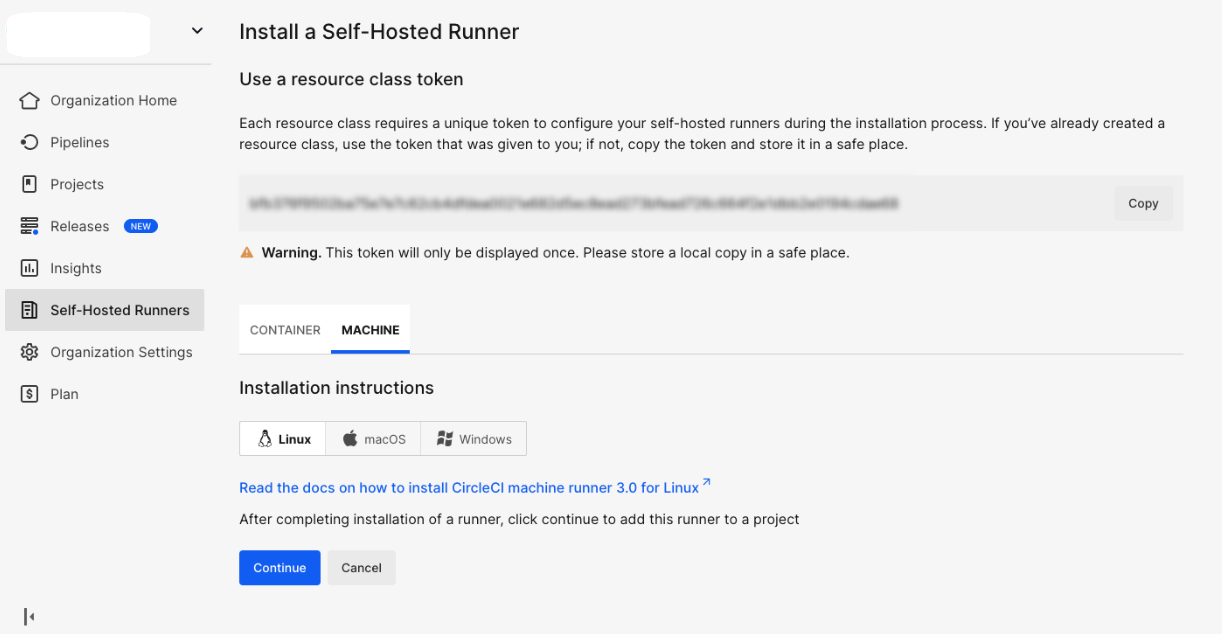 Resource class token
What you’ve accomplished and what’s next
Great job! You’ve successfully created a resource class and secured your token. You’re making solid progress. Next, you’ll set up the CircleCI self-hosted runner to connect your SUSE Arm64 VM on Google Cloud.