Deploy containers on Arm-based compute using Amazon ECS and the AWS CDK
Introduction
Create a sample AWS CDK application
Synthesize and deploy the sample AWS CDK application
Next Steps
Deploy containers on Arm-based compute using Amazon ECS and the AWS CDK
Synthesize the AWS CDK application
Before you can deploy an application using the AWS CDK, you need to synthesize it. During synthesis, the AWS CDK checks for errors in the application code and then translates the code into an AWS CloudFormation template.
Within the project directory, synthesize the application:
cdk synth
You can find the generated JSON template at cdk.out/ArmCdkAppStack.template.json.
Bootstrap the AWS CDK application environment
After synthesizing your application, you need to bootstrap the environment. In this step, the AWS CDK creates resources such as AWS Identity and Access Management (IAM) roles.
Within the project directory, bootstrap the environment:
cdk bootstrap
Deploy the AWS CDK application
After bootstrapping the environment, you’re ready to deploy the application. AWS CDK deploys the application using the AWS CloudFormation stack generated during synthesis and IAM roles created during bootstrap.
Deploy the application:
cdk deploy
By default, the AWS CDK CLI will prompt you to approve IAM-related changes during deployment.
If you want the AWS CDK CLI to deploy the application without the need for approval, set the --require-approval flag to never during deployment:
cdk deploy --require-approval never
The deployment can take a few minutes to complete.
When the deployment completes, the final lines of the output will include a URL to the web server and the load balancer’s DNS name:
        Outputs:
ArmCdkAppStack.MyWebServerLoadBalancerDNSXXXXXXX = Hello-MyWeb-ZZZZZZZZZZZZZ-ZZZZZZZZZZ.us-east-1.elb.amazonaws.com
ArmCdkAppStack.MyWebServerServiceURLYYYYYYYY = http://Hello-MyWeb-ZZZZZZZZZZZZZ-ZZZZZZZZZZ.us-east-1.elb.amazonaws.com
Verify application deployment
Open the service URL (ArmCdkAppStack.MyWebServerServiceURL...) from the deployment output in a web browser of your choice.
You’ll see the following welcome message:
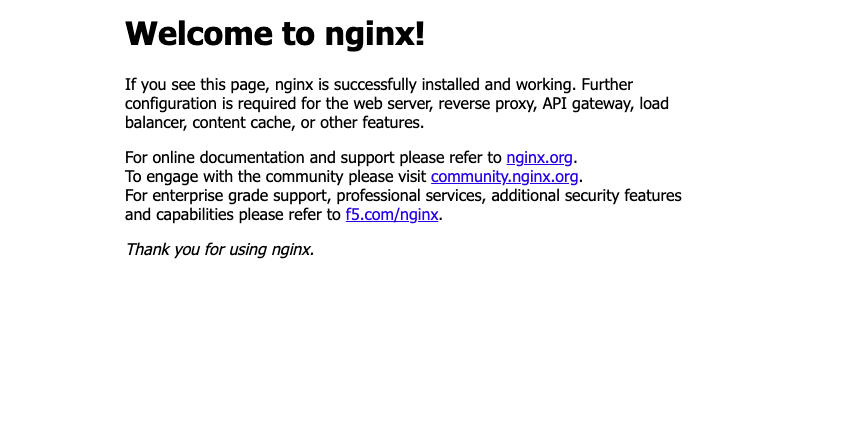 NGINX welcome page indicating successful deployment
Clean up AWS resources
After you’ve validated the deployment, clean up the AWS resources that you created with AWS CDK to avoid incurring costs:
cdk destroy
By default, the AWS CDK CLI will prompt you to approve the deletion of ArmCDKAppStack.
If you want the AWS CDK CLI to clean up resources without the need for approval, use the --force or -f flag:
cdk destroy -f
The cleanup process can take a couple minutes to complete.
What you’ve accomplished
You’ve now synthesized and deployed a sample containerized application on Arm-based compute using Amazon ECS and the AWS CDK. After verifying that the deployment was successful, you cleaned up resources.
You can use this workflow to programmatically deploy and manage containerized applications on Arm-based compute powered by AWS Graviton processors.