Deploy applications on Arm-based GKE using GitOps with Argo CD
Introduction
Get started with Argo CD on Google Axion C4A (Arm-based)
Create a Google Axion C4A virtual machine on Google Cloud
Prepare a GKE cluster for Argo CD deployments
Install and access Argo CD on Arm64 GKE
Deploy applications using GitOps with Argo CD
Next Steps
Deploy applications on Arm-based GKE using GitOps with Argo CD
Overview
In this section, you install Argo CD on an Arm64-based Google Kubernetes Engine (GKE) cluster and make it accessible through both a web browser and the Argo CD CLI.
By the end of this section, you’ll have:
- Argo CD installed using official upstream manifests
- External browser access to the Argo CD UI
- Admin credentials retrieved securely
- The Argo CD CLI installed and authenticated
Install Argo CD
This step installs all Argo CD components into a dedicated Kubernetes namespace using the official manifests maintained by the Argo project.
Create a namespace for Argo CD:
kubectl create namespace argocd
This creates an isolated Kubernetes namespace named argocd, keeping Argo CD components logically separated from application workloads.
Install Argo CD using official manifests:
kubectl apply -n argocd \
  -f https://raw.githubusercontent.com/argoproj/argo-cd/stable/manifests/install.yaml
This downloads the latest stable Argo CD installation manifest and deploys all required components into the argocd namespace, including Deployments, StatefulSets, Services, ConfigMaps, Secrets, and RBAC objects.
Key components installed:
argocd-server– Web UI and API serverargocd-repo-server– Handles Git repository interactionsargocd-application-controller– Continuously reconciles desired vs live stateargocd-dex-server– Identity and authentication serviceargocd-redis– Internal cache and state store
All images used support linux/arm64, making them compatible with Arm-based GKE nodes.
Wait for Argo CD pods to become ready
kubectl get pods -n argocd -w
This lists all pods in the argocd namespace. The -w flag watches for changes and continuously updates the output as pod states change.
The output is similar to:
        NAME                                               READY   STATUS    RESTARTS   AGE
argocd-application-controller-0                    1/1     Running   0          3h20m
argocd-applicationset-controller-944684d77-p8vcv   1/1     Running   0          3h20m
argocd-dex-server-6944b95798-hzp2j                 1/1     Running   0          3h20m
argocd-notifications-controller-7f5b87f55b-8v4zh   1/1     Running   0          3h20m
argocd-redis-c98d5794d-ckczm                       1/1     Running   0          3h20m
argocd-repo-server-7f86545bc4-gcqcv                1/1     Running   0          3h20m
argocd-server-685f5fb66f-24w8m                     1/1     Running   0          3h20m
Once all pods are running, Argo CD is successfully installed. Press Ctrl-C to exit.
Expose Argo CD for external browser access
By default, Argo CD is only accessible inside the cluster. This step exposes the Argo CD server externally using a Kubernetes LoadBalancer service.
Patch the Argo CD server service:
kubectl patch svc argocd-server -n argocd \
  -p '{"spec": {"type": "LoadBalancer"}}'
This modifies the existing argocd-server Service, changing the type from ClusterIP to LoadBalancer. This instructs GKE to provision a cloud load balancer with a public IP.
Retrieve the external IP address
Retrieve the external IP address assigned by GKE:
kubectl get svc argocd-server -n argocd -w
This displays service details for argocd-server and waits until GKE assigns an external IP address.
The output is similar to:
        NAME            TYPE           CLUSTER-IP      EXTERNAL-IP   PORT(S)                      AGE
argocd-server   LoadBalancer   34.118.228.71   34.xx.xx.xx   80:30166/TCP,443:30920/TCP   3h22m
The value under EXTERNAL-IP is used to access the UI and CLI. Press Ctrl-C to exit when you’ve copied the IP address.
Retrieve the admin password
Argo CD generates an initial admin password and stores it securely as a Kubernetes Secret.
Retrieve the password:
kubectl -n argocd get secret argocd-initial-admin-secret \
  -o jsonpath="{.data.password}" | base64 -d && echo
This fetches the argocd-initial-admin-secret Secret, extracts the base64-encoded password field, and decodes it into human-readable form.
Save this password — it’s required for both UI and CLI login.
Access the Argo CD UI
Open your browser and navigate to:
https://<ARGOCD_EXTERNAL_IP>
Login with:
- Username:
admin - Password: from the previous step
You’ll see a TLS warning because Argo CD uses a self-signed certificate by default. This is expected for lab and learning environments.
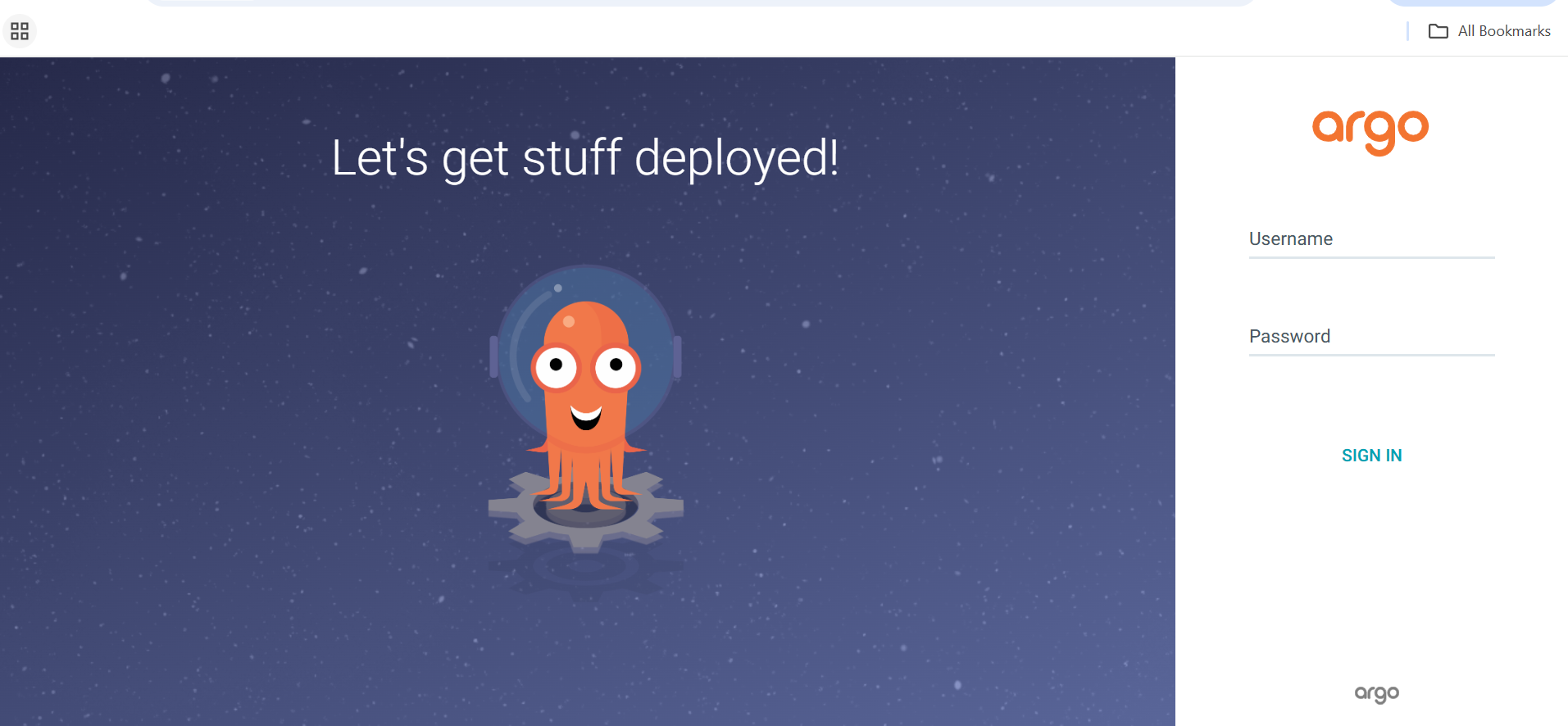 Argo CD UI
Install the Argo CD CLI (Arm64)
The Argo CD CLI allows you to manage applications, sync states, and automate GitOps workflows from the terminal.
Download and install the Argo CD CLI:
curl -LO https://github.com/argoproj/argo-cd/releases/latest/download/argocd-linux-arm64
chmod +x argocd-linux-arm64
sudo mv argocd-linux-arm64 /usr/local/bin/argocd
This downloads the latest Argo CD CLI binary for linux/arm64, makes it executable, and moves it into /usr/local/bin so it’s available system-wide.
Verify CLI installation
argocd version --server <ARGOCD_EXTERNAL_IP> --insecure
The output is similar to:
        argocd: v3.2.5+c56f440
  BuildDate: 2026-01-14T16:38:17Z
  GitCommit: c56f4400f22c7e9fe9c5c12b85576b74369fb6b8
  GitTreeState: clean
  GoVersion: go1.25.5
  Compiler: gc
  Platform: linux/arm64
argocd-server: v3.2.5+c56f440
This confirms version compatibility between the CLI and server.
Log in via CLI
Authenticate the CLI with the Argo CD server:
argocd login <ARGOCD_EXTERNAL_IP> \
  --username admin \
  --password <PASTE_PASSWORD> \
  --insecure
This connects the CLI to the Argo CD API server and authenticates using admin credentials. The --insecure flag bypasses TLS verification for the self-signed certificate.
The output is similar to:
        'admin:login' logged in successfully
Context '35.232.56.107' updated
Verify CLI connectivity
Query Argo CD for registered applications to confirm CLI authentication and API connectivity:
argocd app list
The output is similar to:
NAME CLUSTER NAMESPACE PROJECT STATUS HEALTH SYNCPOLICY CONDITIONS REPO PATH TARGET
What you’ve accomplished and what’s next
You’ve successfully installed Argo CD on an Arm64 GKE cluster, exposed the Argo CD server securely via a LoadBalancer, accessed the Argo CD web UI, and installed and authenticated the Argo CD CLI. Your environment is now ready for GitOps-based application deployment and continuous delivery using Argo CD.
In the next section, you’ll deploy a production-ready NGINX application using pure GitOps workflows with Argo CD.