Deploy applications on Arm-based GKE using GitOps with Argo CD
Introduction
Get started with Argo CD on Google Axion C4A (Arm-based)
Create a Google Axion C4A virtual machine on Google Cloud
Prepare a GKE cluster for Argo CD deployments
Install and access Argo CD on Arm64 GKE
Deploy applications using GitOps with Argo CD
Next Steps
Deploy applications on Arm-based GKE using GitOps with Argo CD
Overview
In this section, you deploy a production-ready NGINX application on an Arm64-based GKE cluster using GitOps with Argo CD.
All Kubernetes resources are declared in Git and continuously reconciled by Argo CD, ensuring the cluster always matches the desired state stored in the repository.
Prerequisite
Ensure the following prerequisites are met before proceeding:
- Arm64 GKE cluster is running
- Argo CD is installed and accessible (UI and CLI)
kubectlis configured for the cluster- A GitHub repository to store GitOps manifests (an empty repo is sufficient)
Create a GitOps repository
Create a local Git repository that acts as the single source of truth for application configuration:
mkdir -p argocd-arm-gitops/apps/nginx
cd argocd-arm-gitops
git init
This creates a GitOps-compliant directory structure for managing Kubernetes applications and initializes a local Git repository that you push to GitHub. This establishes Git as the only place where application state is defined (no manual kubectl apply).
Repository structure:
argocd-arm-gitops/
└── apps/
    └── nginx/
        ├── namespace.yaml
        ├── deployment.yaml
        └── service.yaml
Create Kubernetes manifests
Create declarative Kubernetes manifests that define the desired state of the application.
Create a namespace manifest (apps/nginx/namespace.yaml):
apiVersion: v1
kind: Namespace
metadata:
  name: prod
Create a deployment manifest (apps/nginx/deployment.yaml) that deploys an NGINX application with two replicas for high availability:
apiVersion: apps/v1
kind: Deployment
metadata:
  name: nginx
  namespace: prod
spec:
  replicas: 2
  selector:
    matchLabels:
      app: nginx
  template:
    metadata:
      labels:
        app: nginx
    spec:
      containers:
      - name: nginx
        image: nginx:1.25
        ports:
        - containerPort: 80
Create a service manifest (apps/nginx/service.yaml) that exposes NGINX publicly using a LoadBalancer service:
apiVersion: v1
kind: Service
metadata:
  name: nginx
  namespace: prod
spec:
  type: LoadBalancer
  selector:
    app: nginx
  ports:
  - port: 80
    targetPort: 80
Create a GitHub repository for the application
Go to https://github.com/<YOUR_GITHUB_USERNAME> and create a repository called argocd-arm-gitops.
Commit and push
Push the application manifests to GitHub so Argo CD can continuously track and apply changes:
git add .
git config --global user.email "you@example.com"
git config --global user.name "Your Name"
git commit -m "Initial Arm GitOps app"
git branch -M main
git remote add origin https://github.com/<YOUR_GITHUB_USERNAME>/argocd-arm-gitops.git
git push -u origin main
Replace <YOUR_GITHUB_USERNAME> with your GitHub username or organization name. These commits define the desired cluster state, and any future Git change automatically triggers reconciliation.
Register the application in Argo CD
Create an Argo CD Application resource to link GitHub manifests with the GKE cluster.
Create argo-app.yaml and replace <YOUR_GITHUB_USERNAME> with your GitHub username or organization:
apiVersion: argoproj.io/v1alpha1
kind: Application
metadata:
  name: nginx-prod
  namespace: argocd
spec:
  project: default
  source:
    repoURL: https://github.com/<YOUR_GITHUB_USERNAME>/argocd-arm-gitops.git
    targetRevision: main
    path: apps/nginx
  destination:
    server: https://kubernetes.default.svc
    namespace: prod
  syncPolicy:
    automated:
      prune: true
      selfHeal: true
Key settings:
automatedsync keeps the cluster aligned with Gitpruneremoves deleted resourcesselfHealrestores manual drift
Ensure the repoURL points to your GitHub repository.
Apply the application:
kubectl apply -f argo-app.yaml
Verify the GitOps deployment
Confirm that Argo CD has successfully synchronized and deployed the application:
kubectl get pods -n prod
kubectl get svc -n prod
The output is similar to:
        NAME                     READY   STATUS    RESTARTS   AGE
nginx-55d67f7b54-glhj5   1/1     Running   0          5s
nginx-55d67f7b54-sdh9h   1/1     Running   0          5s

> kubectl get svc -n prod
NAME    TYPE           CLUSTER-IP      EXTERNAL-IP   PORT(S)        AGE
nginx   LoadBalancer   34.118.225.71   34.30.xx.xx   80:32019/TCP   2m11s
Access the application
Validate the deployment by accessing the application through the external load balancer:
http://<NGINX_EXTERNAL_IP>
You should see the NGINX welcome page:
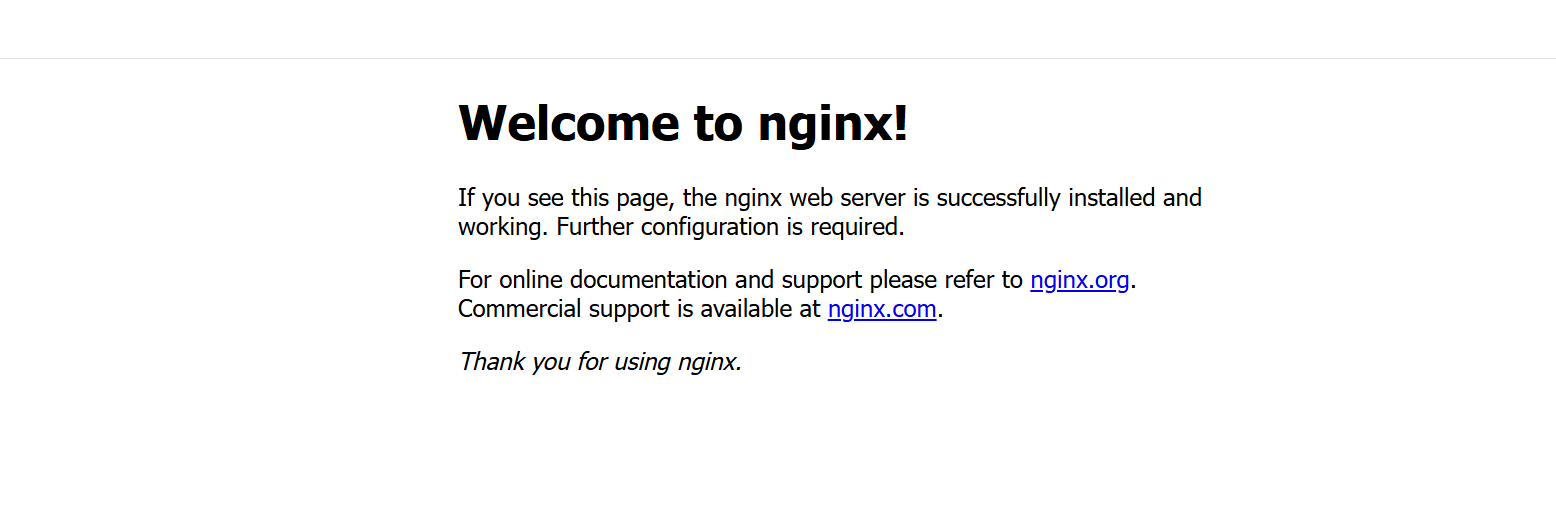 NGINX Application Output
This confirms the application is successfully deployed via GitOps.
View application status in the Argo CD UI
Return to the Argo CD UI:
https://<ARGOCD_EXTERNAL_IP>
The Argo CD UI provides real-time visibility into application health, sync status, repository source, and deployment history.
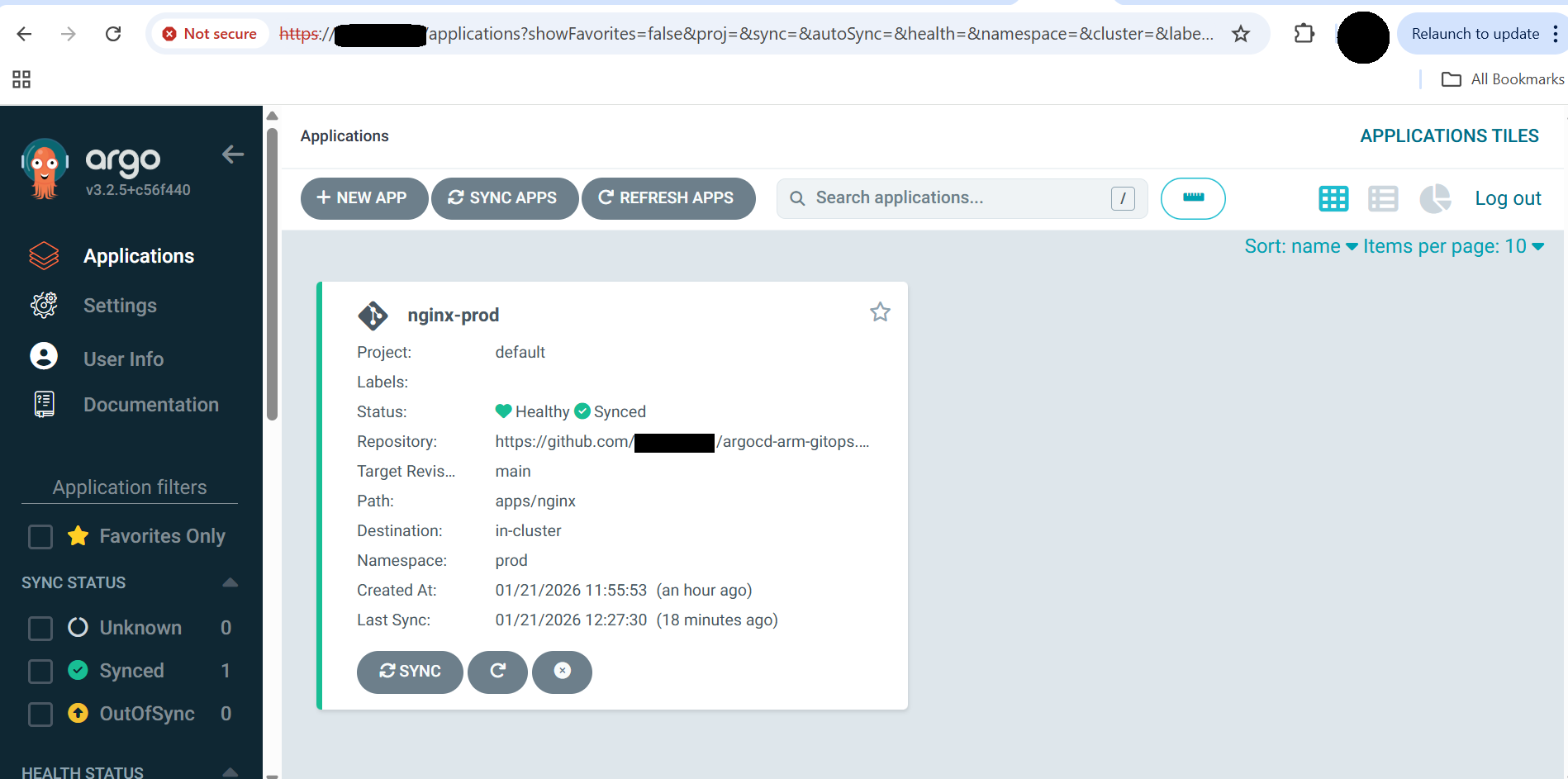 Argo CD Application Status
Key indicators:
- Status: Healthy & Synced
- Source: GitHub repository
- Path:
apps/nginx - Namespace:
prod
Test self-healing
Validate Argo CD’s self-healing capability by manually changing the cluster state:
kubectl scale deployment nginx -n prod --replicas=1
Argo CD automatically restores the deployment back to two replicas, matching the Git-defined desired state.
What you’ve accomplished and what’s next
You’ve successfully implemented a production-grade GitOps workflow on Arm infrastructure:
- Deployed applications on an Arm64-based GKE cluster
- Configured declarative GitOps deployment
- Enabled Argo CD automated sync and pruning
- Validated continuous reconciliation and self-healing
- Exposed the application externally via LoadBalancer
You can now explore additional Argo CD features or apply these GitOps patterns to your own applications.