Deploy High-Performance Analytics with Apache Arrow and Arrow Flight on Google Cloud C4A Axion processors
Introduction
Get started with Apache Arrow and Arrow Flight on Google Axion C4A
Create firewall rules on GCP for Apache Arrow, MinIO, and Arrow Flight
Create a Google Axion C4A arm64 virtual machine on GCP
Set up Apache Arrow and MinIO on arm64
Analyze columnar data with Apache Arrow on arm64
Run high-speed analytics with Apache Arrow Flight on arm64
Next Steps
Deploy High-Performance Analytics with Apache Arrow and Arrow Flight on Google Cloud C4A Axion processors
Introduction
Get started with Apache Arrow and Arrow Flight on Google Axion C4A
Create firewall rules on GCP for Apache Arrow, MinIO, and Arrow Flight
Create a Google Axion C4A arm64 virtual machine on GCP
Set up Apache Arrow and MinIO on arm64
Analyze columnar data with Apache Arrow on arm64
Run high-speed analytics with Apache Arrow Flight on arm64
Next Steps
Set up Apache Arrow environment and MinIO
In this section, you prepare a SUSE Linux Enterprise Server (SLES) arm64 virtual machine and install the core components for high-performance analytics using Apache Arrow. You also deploy MinIO, an S3-compatible object storage service, to store analytical datasets in later sections.
This foundation ensures all analytics libraries are natively optimized for arm64 (Axion).
Architecture overview
This architecture represents a single-node analytics environment that mirrors how modern cloud analytics stacks operate: compute and memory-local processing with object storage–backed datasets.
SUSE Linux Enterprise Server (arm64)
        |
        v
Python 3.11 Virtual Environment
        |
        v
Apache Arrow Libraries
        |
        v
MinIO (S3-Compatible Object Storage)
Install system dependencies on SUSE
Install Python, build tools, and system libraries required by Apache Arrow and its ecosystem.
sudo zypper refresh ; \
sudo zypper install -y \
  python311 python311-devel python311-pip \
  gcc gcc-c++ make \
  libopenssl-devel \
  libuuid-devel \
  curl git
Verify Python installation
python3.11 --version
The output is similar to:
Python 3.11.10
Why this matters:
- Python 3.11 provides better performance and memory efficiency
- Apache Arrow wheels are fully supported on arm64 for Python 3.11
- Ensures compatibility with modern analytics libraries
Create a Python virtual environment
Create an isolated Python environment for Arrow and analytics libraries.
python3.11 -m venv arrow-venv
source arrow-venv/bin/activate
Upgrade core packaging tools
pip install --upgrade pip setuptools wheel
Why this matters:
- Avoids conflicts with the system Python
- Ensures reproducible analytics environments
- Recommended for production-grade data workloads
Install Apache Arrow and required libraries
Install Apache Arrow and supporting analytics libraries.
pip install \
  pyarrow \
  pandas \
  numpy \
  s3fs \
  grpcio \
  grpcio-tools \
  fastparquet \
  pyorc
Verify Arrow installation
python - <<EOF
import pyarrow as pa
print(pa.__version__)
EOF
The output is similar to:
23.0.1
This confirms Apache Arrow is correctly installed on arm64.
Install and start MinIO (S3-compatible storage)
MinIO provides high-performance, S3-compatible object storage, which is widely used in modern analytics architectures.
Download MinIO for arm64:
curl -LO https://dl.min.io/server/minio/release/linux-arm64/minio
chmod +x minio
sudo mv minio /usr/local/bin/
Start MinIO server
mkdir -p ~/minio-data

export MINIO_ROOT_USER=minioadmin
export MINIO_ROOT_PASSWORD=minioadmin

minio server ~/minio-data --console-address :9001
MinIO endpoints:
- S3 API: Port 9000
- Web Console: Port 9001
Leave this process running.
The output is similar to:
        MinIO Object Storage Server
API: http://127.0.0.1:9000
WebUI: http://127.0.0.1:9001
Create a MinIO bucket
Once logged in to the MinIO console, create a bucket that will store analytics datasets.
Open this URL in your browser:
http://<VM-IP>:9001
Login credentials:
- Username: minioadmin
- Password: minioadmin
 MinIO Web UI displaying buckets and stored Parquet/ORC objects
Create a bucket named
arrow-data
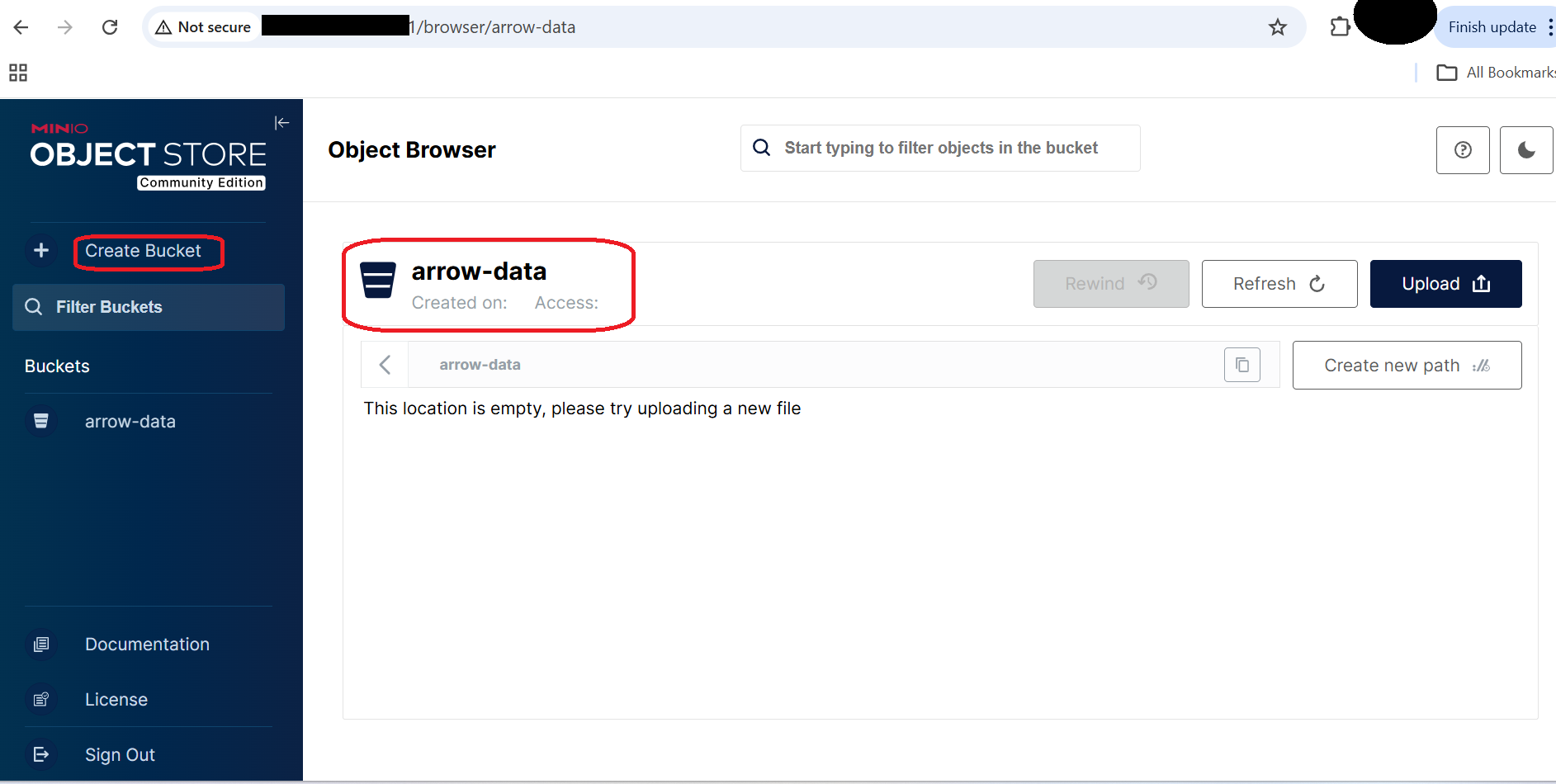 MinIO Web UI displaying the arrow-data bucket
MinIO Bucket View
This bucket will be used to store:
- Parquet datasets
- ORC datasets
- Analytics output files
Configure S3 credentials for Python
In another terminal (same VM, virtual environment active), export S3 credentials so Python libraries can access MinIO.
export AWS_ACCESS_KEY_ID=minioadmin
export AWS_SECRET_ACCESS_KEY=minioadmin
export AWS_DEFAULT_REGION=us-east-1
Verify:
env | grep AWS
The output is similar to:
        AWS_SECRET_ACCESS_KEY=minioadmin
AWS_DEFAULT_REGION=us-east-1
AWS_ACCESS_KEY_ID=minioadmin
What this enables:
- pyarrow
- s3fs
- pandas
- Other S3-compatible analytics libraries
to communicate with MinIO exactly like Amazon S3.
What you’ve learned and what’s next
- Prepared a SUSE arm64 analytics environment
- Installed Apache Arrow and dependencies
- Deployed MinIO as S3-compatible object storage
- Configured secure access for analytics workloads
In the next section, you will use Apache Arrow to write and read Parquet and ORC datasets from MinIO using vectorized analytics APIs.