Deploy Alluxio on Azure Cobalt 100 Arm64 virtual machines for data orchestration and caching
Introduction
Understand Alluxio on Azure Cobalt 100
Create an Azure Cobalt 100 Arm64 virtual machine
Allow access to the Alluxio Web UI on Azure
Deploy Alluxio on Azure Cobalt 100
Integrate Alluxio with Apache Spark and optimize performance
Next Steps
Deploy Alluxio on Azure Cobalt 100 Arm64 virtual machines for data orchestration and caching
Configure external traffic for Alluxio Web UI
To allow external traffic on port 19999 for Alluxio on an Azure virtual machine, open the port in the Network Security Group (NSG). The NSG can be attached to the virtual machine’s network interface or subnet.
For more information about Azure setup, see Getting started with Microsoft Azure Platform .
Add an inbound firewall rule in Azure
To expose the TCP port 19999, create a firewall rule.
- Navigate to the Azure portal , go to Virtual Machines, and select your virtual machine.
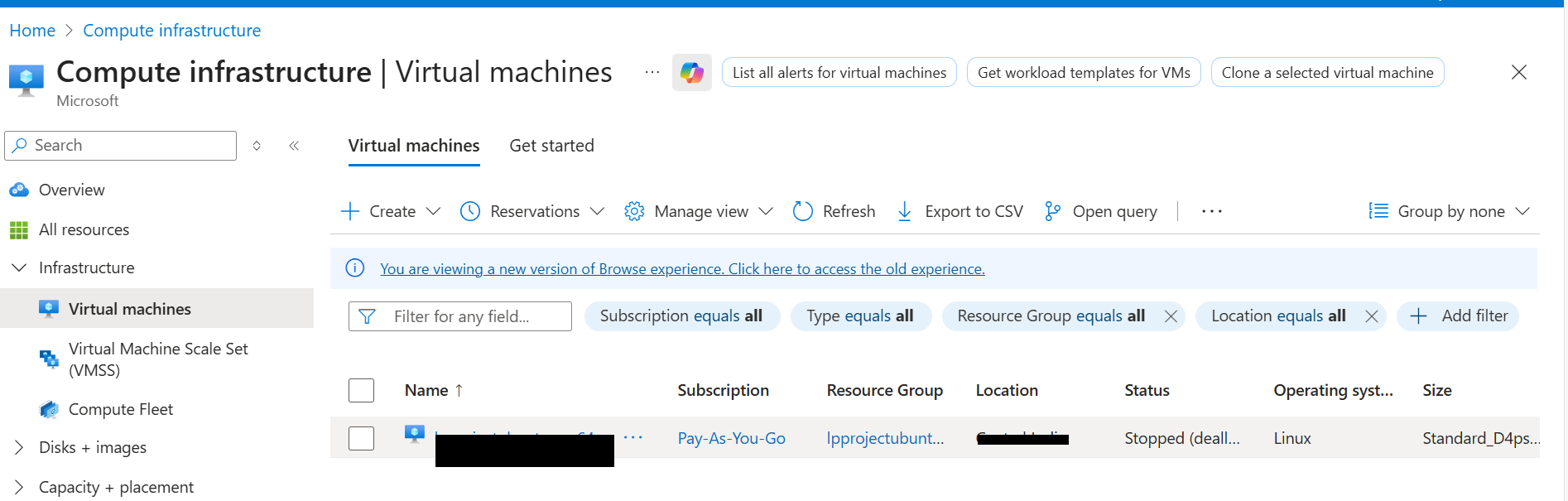 Virtual Machines
- In the left menu, select Networking, then select Network settings.
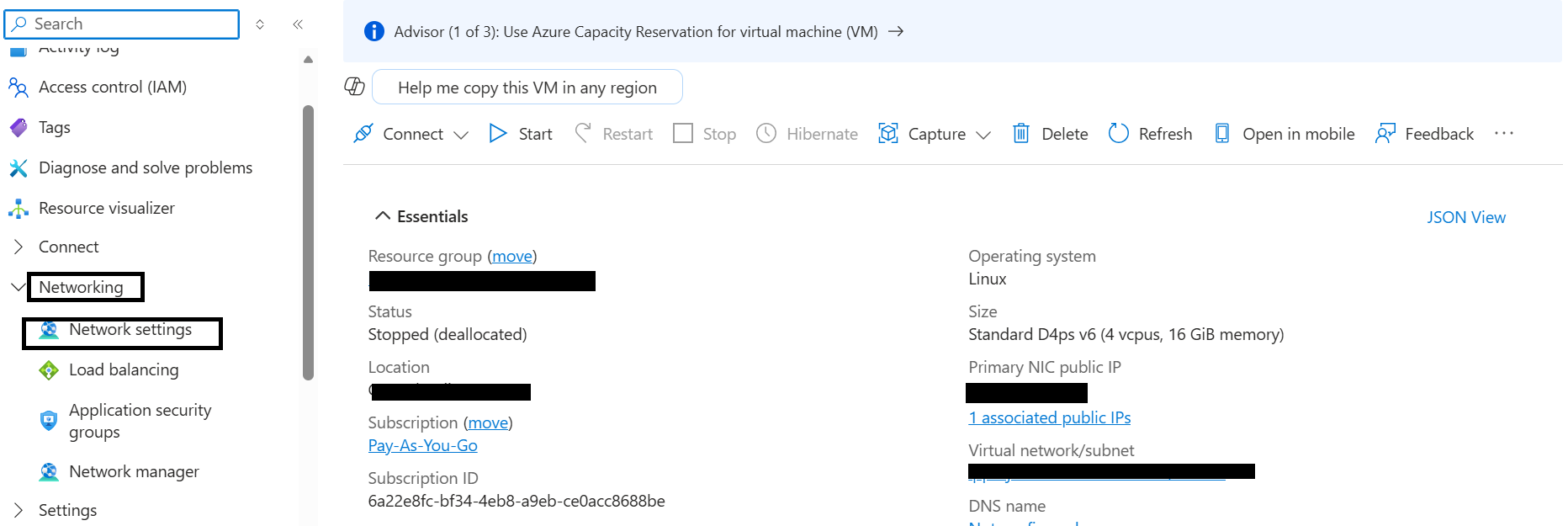 Network settings
- Navigate to Create port rule, and select Inbound port rule.
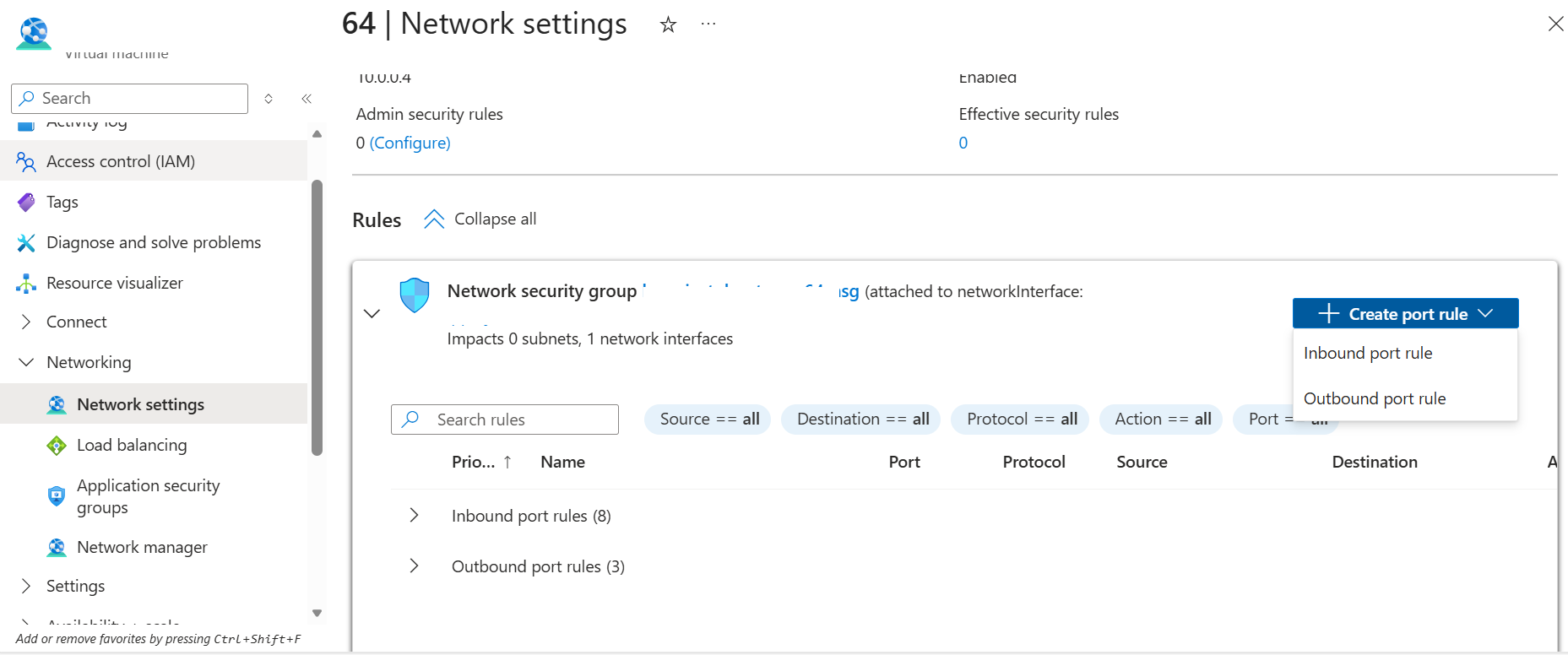 Create rule
- Configure the inbound security rule with the following settings:
- Source: My IP address
- Source IP addresses: (auto-populated with your current public IP)
- Source port ranges: *
- Destination: Any
- Destination port ranges: 19999
- Protocol: TCP
- Action: Allow
- Name: allow-alluxio-port
* because this refers to the client’s ephemeral outbound port, which is always dynamically assigned. If your IP address changes or you need to access the Alluxio Web UI from a different machine, update the source IP in this rule.- After filling in the details, select Add to save the rule.
You can now access the Alluxio Web UI over port 19999.
What you’ve learned and what’s next
You’ve now configured the Azure Network Security Group to allow incoming traffic on port 19999. This firewall rule enables external access to the Alluxio Web UI for monitoring cluster status and storage usage.
Next, you’ll integrate Alluxio with Apache Spark and begin analyzing cached data performance.