Download the NSS plugin
This repository’s release package contains everything you need to set up NSS for Unreal Engine, including the plugin and the VGF model file.
Neural Super Sampling Unreal Engine Plugin → GitHub Repository
Download the latest release .zip and extract it on your Windows machine.
This version is deprecated. Refer to the repository documentation for more information.
Enable NSS for Unreal Engine
- Open Unreal Engine and create a new Third Person template project using the C++ option.
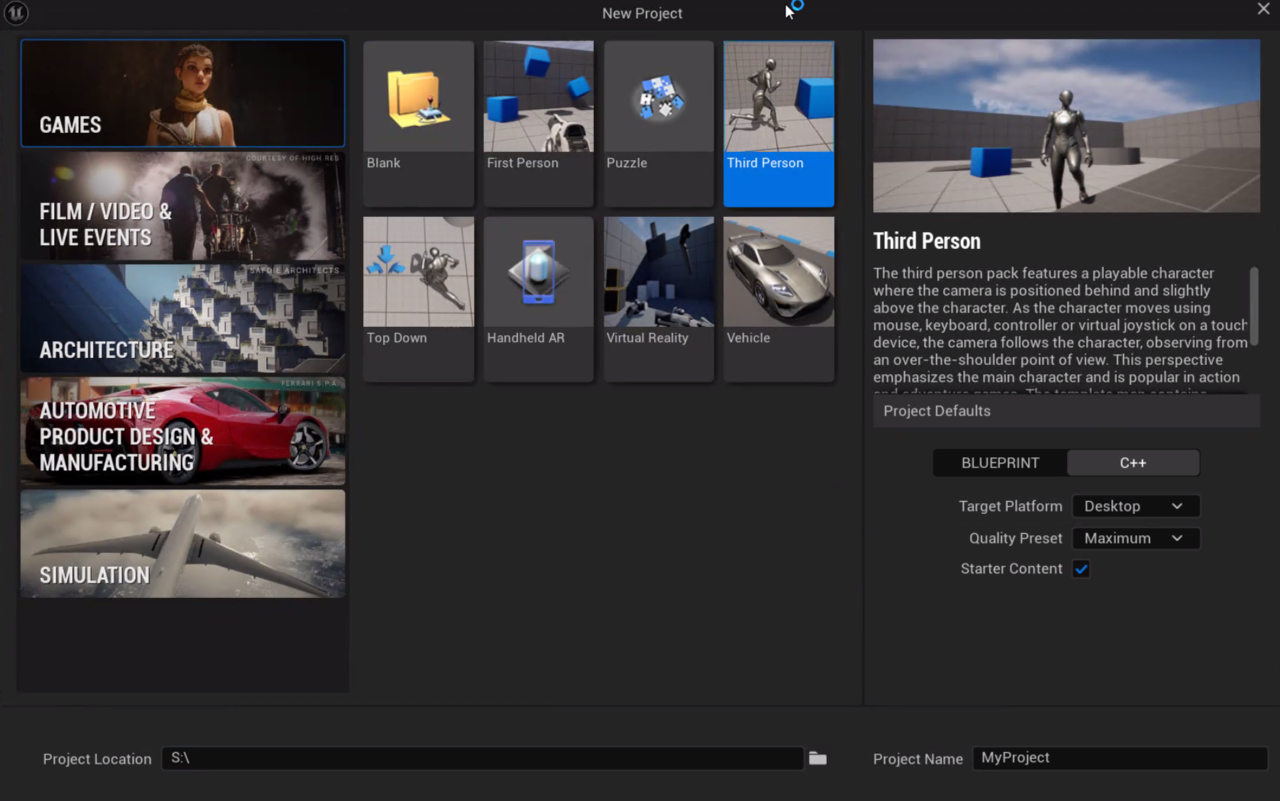 Figure 3: Create a new C++ project in Unreal Engine.
- Open the project in Visual Studio. Build it from source through Build > Build Solution or with
Ctrl+Shift+B.
After the build is finished, open your project in Unreal Engine.
Change Unreal’s Rendering Interface to Vulkan
By default, Unreal uses DirectX. Instead, you need to choose Vulkan as the default RHI:
- Go to:
Project Settings > Platform > Windows > Targeted RHIs > Default RHI - Select Vulkan.
- Restart Unreal Engine to apply the change.
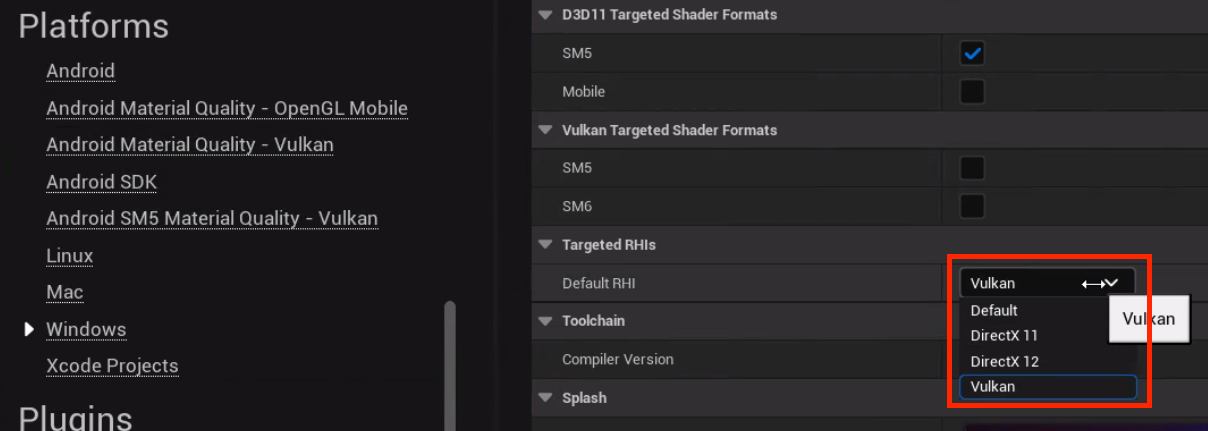 Figure 4: Set Vulkan as the default RHI.
Create the Plugins directory
Open your project directory in Windows explorer, and create a new folder called Plugins.
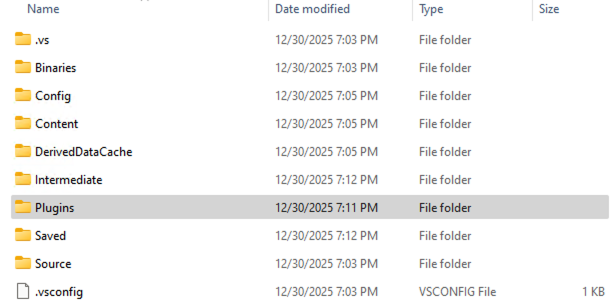 Figure 5: The new Plugins directory
Enable the plugin
The plugin is included in the release package you downloaded in the previous section. The package contains a separate folder for each supported Unreal Engine version. Make sure you use the folder that matches your engine version (for example, UE5.4 for Unreal Engine 5.4).
- Copy the appropriate engine-version folder from the extracted .zip archive into your project’s Plugins directory.
- Reopen Unreal Engine. When prompted, confirm that you want to enable the plugin.
- Rebuild your project from source in Visual Studio.
- Verify the installation by opening Edit → Plugins in Unreal Engine and confirming that the NSS plugin is enabled. Restart Unreal Engine if prompted.
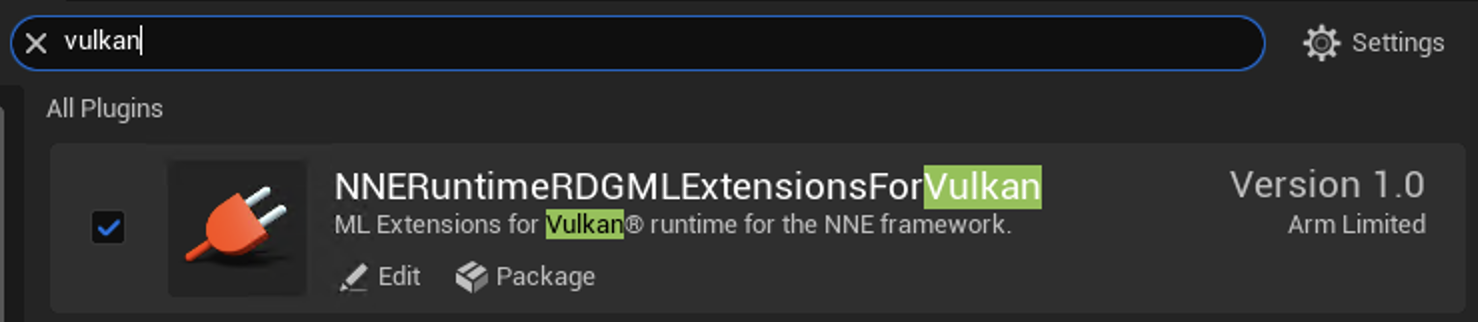 Figure 5: Verify plugin installation in Unreal Engine.
With the emulation layers and plugins configured, you’re ready to run Neural Super Sampling in Unreal Engine. Continue to the next section to test the integration.