Enable hardware ray tracing on Lumen for Android devices
Introduction
What is Lumen?
What is Global Illumination?
How to Enable Lumen
How to Enable Hardware Ray Tracing on Lumen
Next Steps
Enable hardware ray tracing on Lumen for Android devices
To enable Lumen in your Unreal project, open the Project Settings window, select Engine - Rendering and then select Lumen in the Global Illumination section, as shown below.
Next, select Lumen as the reflection method in the Reflections section, as shown below.
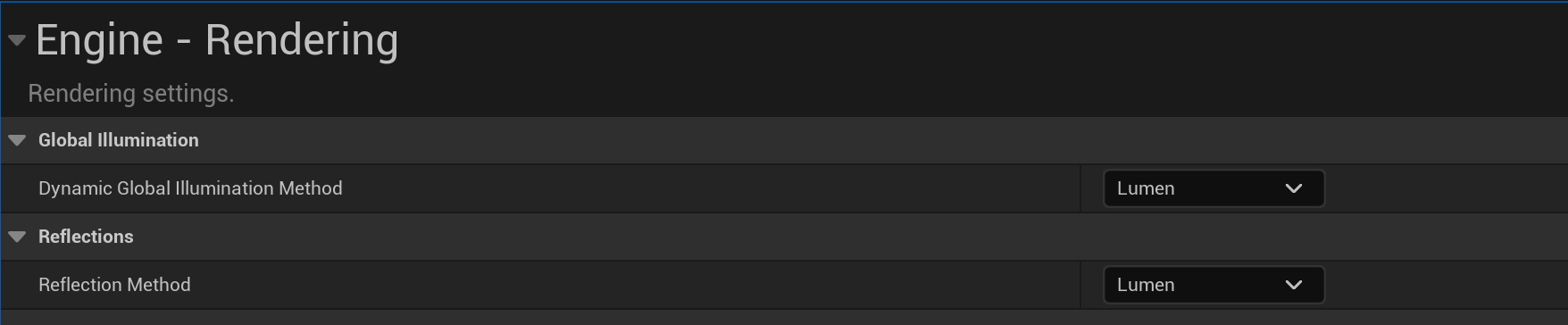 Figure 1. Select Lumen as Global Illumination and Reflections method.
Alternatively, another way to enable Lumen is by creating a Post Process Volume actor in the scene and selecting Lumen in the Global Illumination sections in the Post Process Volume details panel, as shown in the following image. You can also select Lumen as the reflection method here as well.
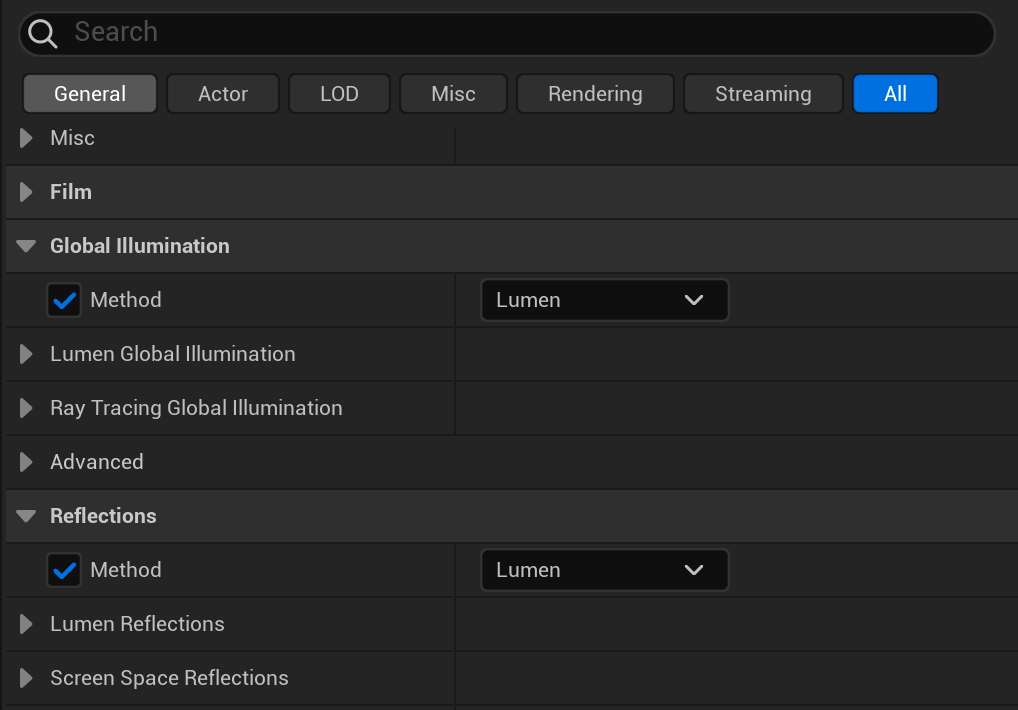 Figure 2. Select Lumen as Global Illumination and Reflections method in Post Process Volume details panel.