Optimize hardware ray tracing with Lumen on Android devices
Introduction
Lumen and Ray Tracing
Acceleration Structure
Only Add Important Objects into Ray Tracing
Take Full Advantage of Instancing
Optimize Acceleration Structure
Reduce Acceleration Structure Run-time Update Cost
Lumen General Setting Optimizations
Next Steps
Optimize hardware ray tracing with Lumen on Android devices
The next optimization is around instanced actors. Instanced actors can share the same geometry data in the BLAS of the acceleration structure, thereby saving memory usage and increasing cache hits. To achieve the best performance and memory efficiency when using hardware ray tracing, you should use object instancing as much as possible.
Here are the steps for checking the instancing status in Unreal Editor:
- Use command
r.RayTracing.Debug.PickerDomain 1to select the instance mode for picker:

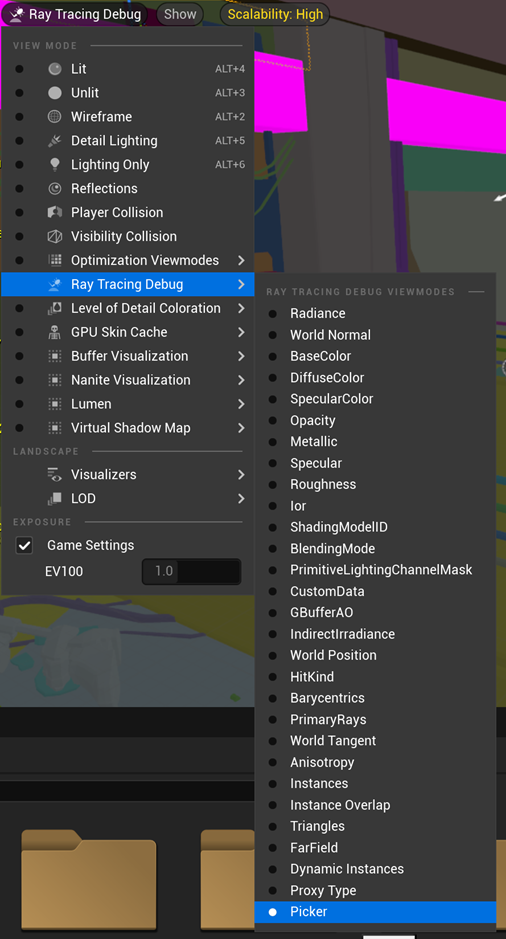
- In the Unreal editor, under Ray Tracing Debug, select Picker:
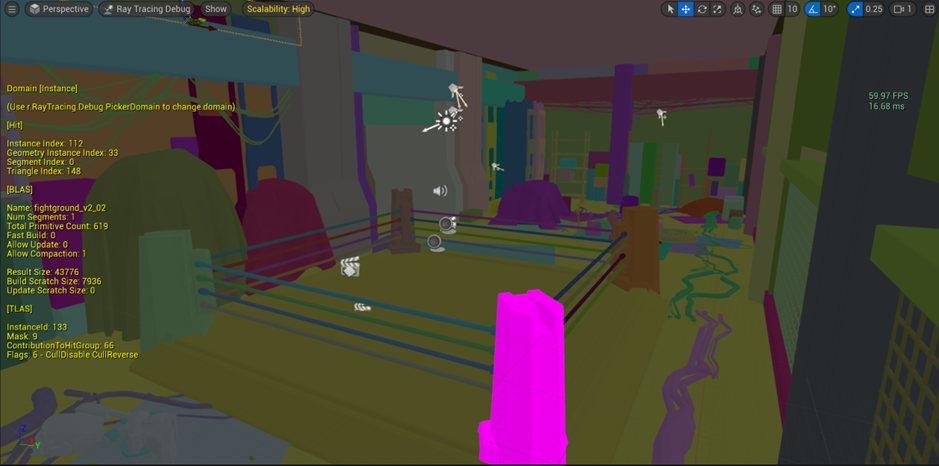
- Use the mouse cursor to select the instance you want to check. The acceleration structure information for this instance will be displayed on the screen. Use the detailed information under [BLAS] to verify if two instances share the same BLAS data: