Optimize hardware ray tracing with Lumen on Android devices
Introduction
Lumen and Ray Tracing
Acceleration Structure
Only Add Important Objects into Ray Tracing
Take Full Advantage of Instancing
Optimize Acceleration Structure
Reduce Acceleration Structure Run-time Update Cost
Lumen General Setting Optimizations
Next Steps
Optimize hardware ray tracing with Lumen on Android devices
As explained in the previous section, the acceleration structure stores all geometry data for ray traversal. This means that ray traversal can be faster if there is less geometry data in the acceleration structure. The first optimization is to remove unnecessary geometry data from the acceleration structure.
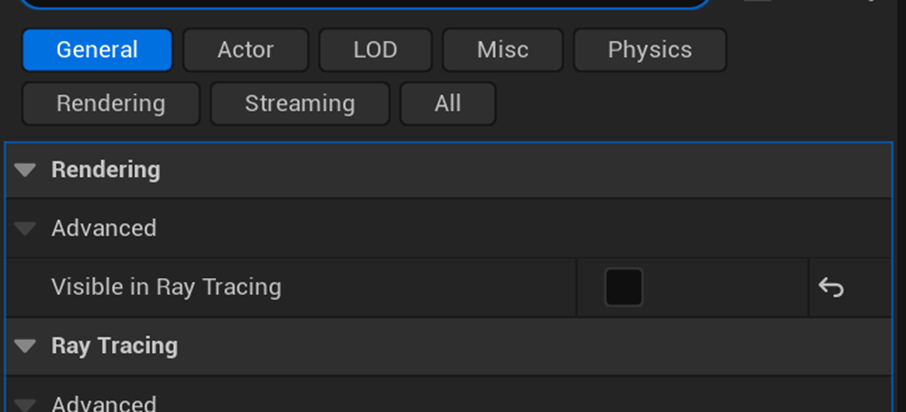
It’s important to exclude actors that do not contribute to lighting from ray tracing. Additionally, exclude small actors from ray tracing since they contribute very little to the final lighting and may cause noise in indirect lighting. To do this, in the actor details panel, uncheck Visible in Ray Tracing to exclude these actors from ray tracing.