Integrate AWS Lambda with DynamoDB for IoT applications running Windows on Arm
Introduction
Background
Create the AWS Lambda Function
Implement the AWS Lambda Function
Test Lambda Function
Next Steps
Integrate AWS Lambda with DynamoDB for IoT applications running Windows on Arm
Objective
You will now implement the AWS Lambda function to scan the records from the DynamoDB. We have assumed that the records have already been written to the table as demonstrated in Use Amazon DynamoDB for your IoT applications running on Arm64 .
Create and configure an AWS Lambda function
Go the AWS Lambda console. Then, create the function as shown below:
- Click the Create function button:

- This opens a Create function wizard, in which you:
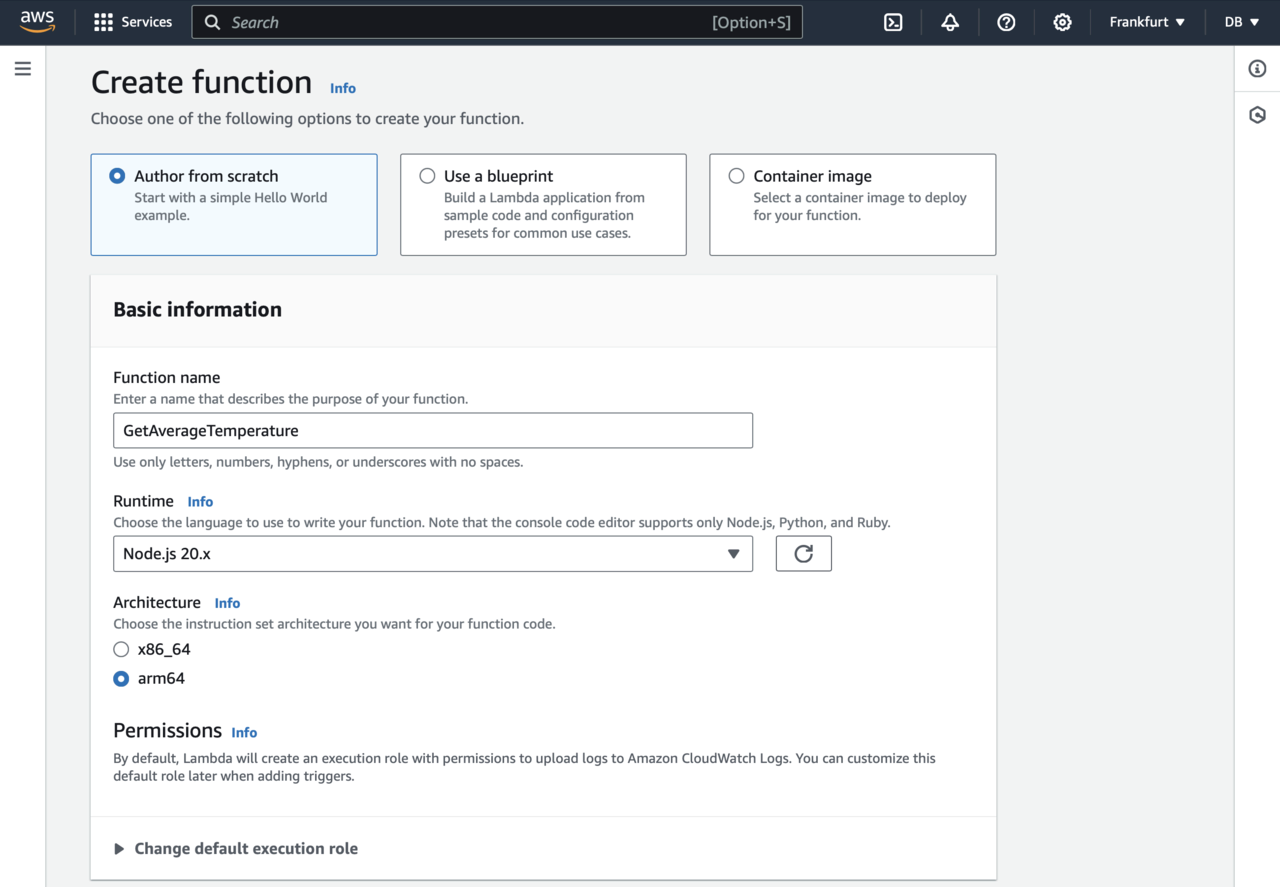
- Select Author from scratch.
- Type GetAverageTemperature for the Function name.
- Select Node.js 20.x as the Runtime.
- Select arm64 under Architecture.
At this point your wizard should look as per the image below:
Next, in the Create function wizard expand Change default execution role, and proceed as follows:
- Select Create a new role from AWS policy templates.
- Type role-lambda-to-dynamodb under the Role name.
- Under Policy templates - optional select Simple microservice permissions.
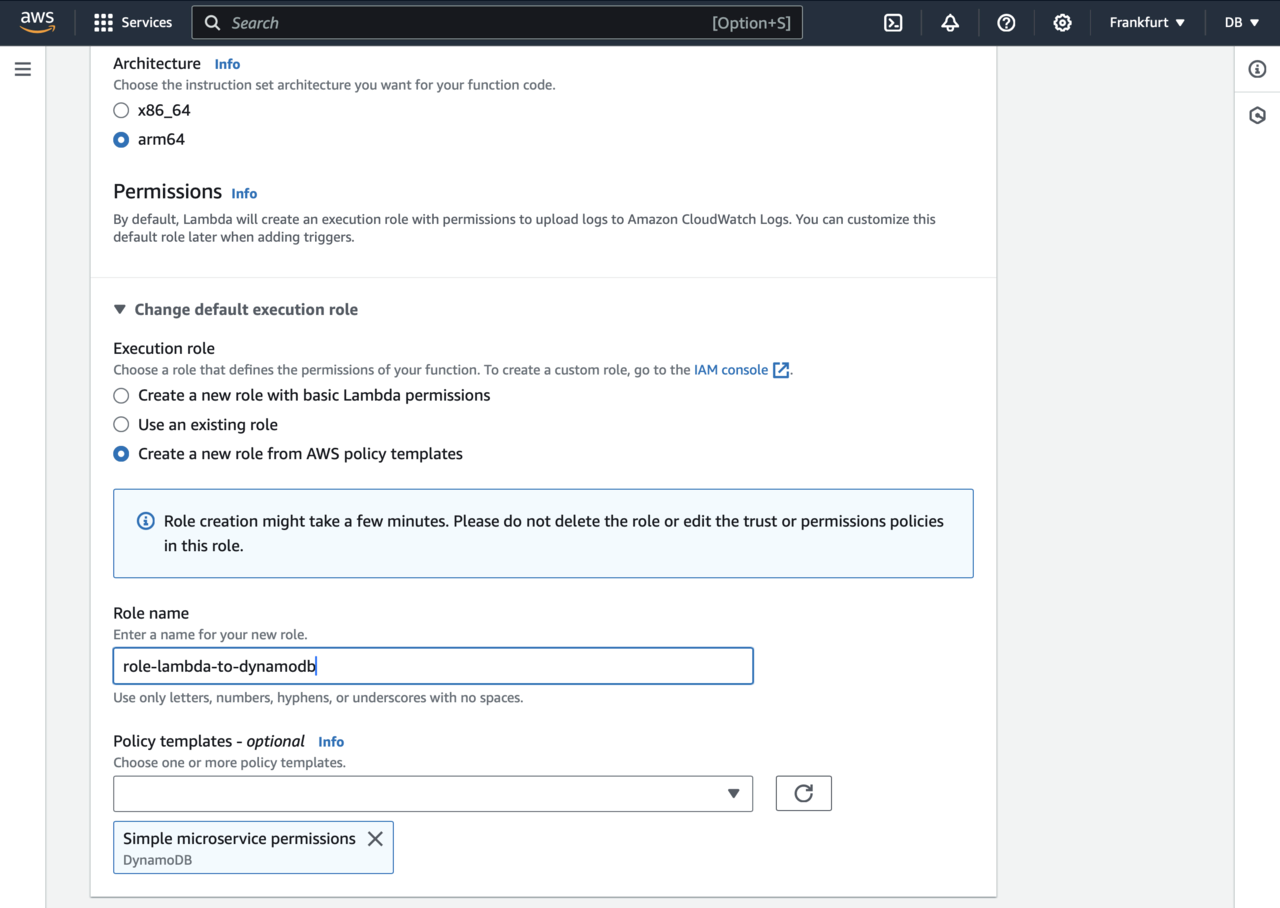
This ensures that your AWS Lambda function has all the necessary permissions to access the items in the DynamoDB table.
Finally, scroll down and click the Create function button. This will take you to the GetAverageTemperature function dashboard:
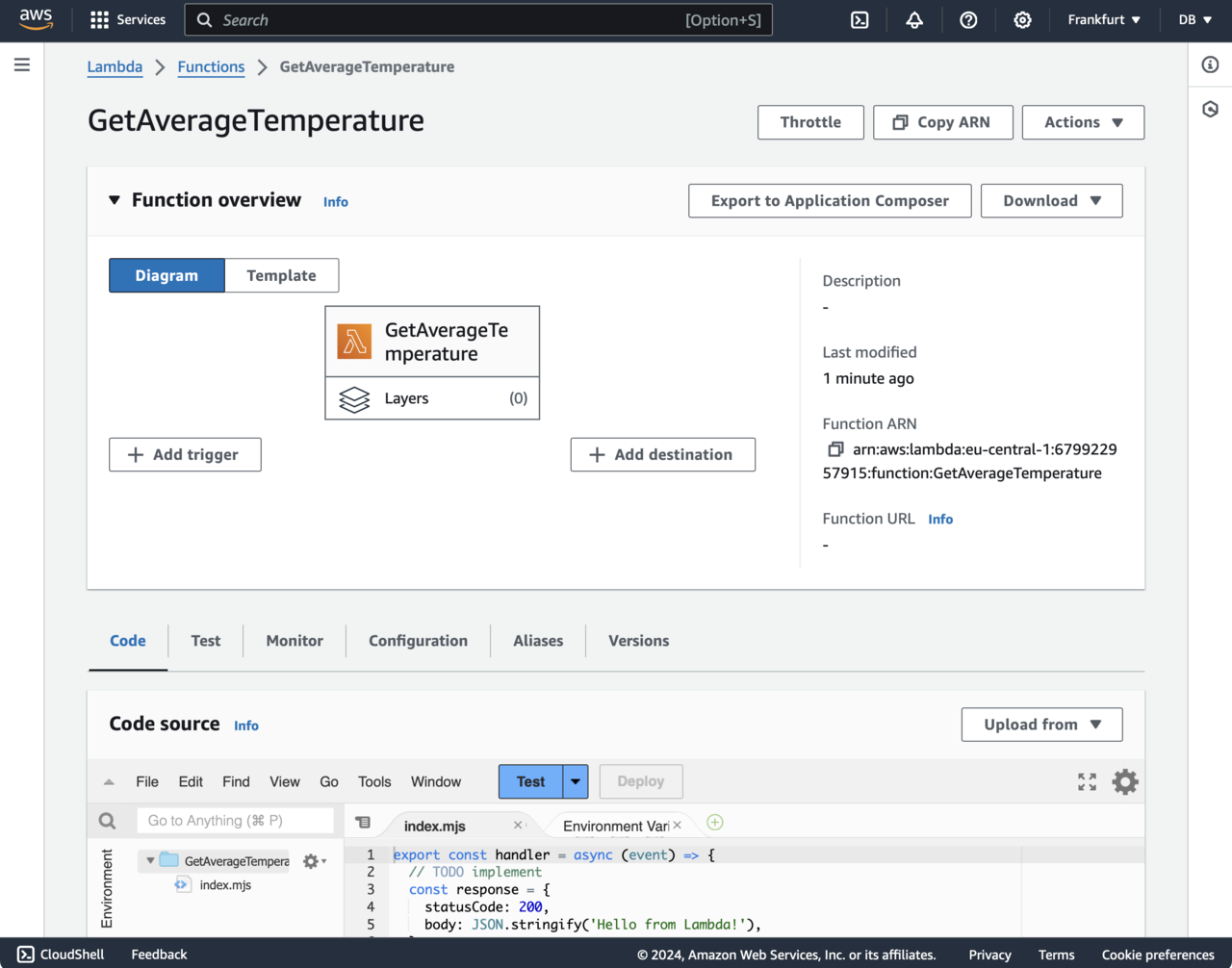
In the next step, you will use this dashboard to modify the function code.