Advance robotics reinforcement learning with Isaac Lab on DGX Spark
Introduction
Manipulate objects with a Franka 7-DOF robot arm
Train contact-rich manipulation policies with Isaac Lab on DGX Spark
Train multiple agents to coordinate two Shadow Hands in one simulation
Reproduce natural motion with Adversarial Motion Priors
Choose a reinforcement learning library for your task
Next Steps
Advance robotics reinforcement learning with Isaac Lab on DGX Spark
Introduction
Manipulate objects with a Franka 7-DOF robot arm
Train contact-rich manipulation policies with Isaac Lab on DGX Spark
Train multiple agents to coordinate two Shadow Hands in one simulation
Reproduce natural motion with Adversarial Motion Priors
Choose a reinforcement learning library for your task
Next Steps
Move from grasping to constrained motion
You’ll now use the same Isaac Sim and Isaac Lab setup for constrained, contact-rich tasks.
In industrial environments, a robot does more than pick up free objects. Drawers move along rails, pegs fit into tight sockets, and nuts must align with bolts. These tasks add contact, constrained motion, and failure modes caused by small errors.
For example, peg insertion requires stable alignment before insertion, while nut threading adds even more demanding pose control and rotational behavior. These tasks are usually much more sensitive to small errors than reach, lift, or drawer interaction.
Start with an articulated drawer, then move to a factory peg-insertion environment.
Train the Franka arm to open a drawer
In this task, you’ll train the same Franka 7-DOF arm to reach the drawer handle, grasp it, and pull the drawer open along its rail.
Unlike the lift task, a drawer is an articulated object: it’s made of linked parts connected by a joint, so it can move only along a defined path (the rail). A drawer doesn’t move freely in any direction.
The policy must handle stable contact, constrained motion, and contact forces throughout the interaction.
Run the training command
From the Isaac Lab directory, run the Robotic Systems Lab Reinforcement Learning (RSL-RL) training command:
cd ~/IsaacLab
./isaaclab.sh -p scripts/reinforcement_learning/rsl_rl/train.py \
    --task=Isaac-Open-Drawer-Franka-v0 \
    --headless \
    --num_envs=2048
./isaaclab.sh train \
    --rl_library rsl_rl \
    --task=Isaac-Open-Drawer-Franka-v0 \
    --viz none \
    --num_envs=2048
The Open-Drawer PPO configuration uses [256, 128, 64] actor and critic networks and collects 96 steps per environment per iteration. The reach task, by contrast, collects 24.
Training will take approximately 25 minutes on a DGX Spark.
Verify that the arm opens the drawer
After training, confirm the following:
- The robotic arm approaches and aligns with the handle instead of stopping in front of the drawer.
- After contact is established, the drawer moves along the rail direction.
- The opening motion remains stable without slipping, shaking, or applying force in the wrong direction.
Set --checkpoint to the model file that you want to evaluate:
./isaaclab.sh -p scripts/reinforcement_learning/rsl_rl/play.py \
    --task=Isaac-Open-Drawer-Franka-v0 \
    --num_envs=1 \
    --checkpoint=<path_to_checkpoint>
./isaaclab.sh play \
    --rl_library rsl_rl \
    --task=Isaac-Open-Drawer-Franka-v0 \
    --num_envs=1 \
    --checkpoint=<path_to_checkpoint>
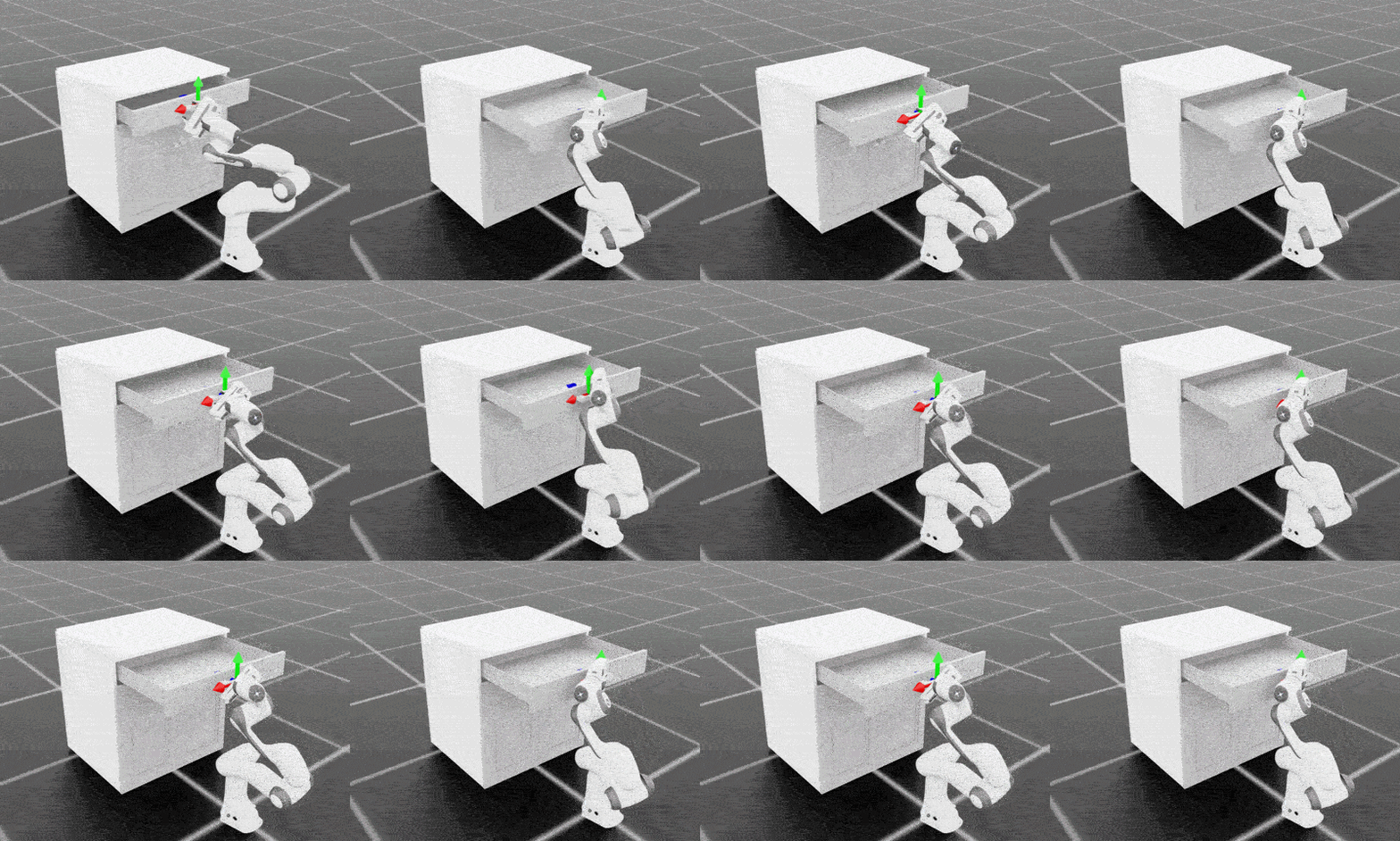 Drawer-opening policy progression shown side by side. The left panel shows early training (iteration 50) with slow and unstable drawer motion. The right panel shows converged policy (iteration 399) with reliable contact and smooth opening along the rail
Perform peg insertion to simulate a factory environment
Isaac Lab’s factory environments cover peg insertion, gear meshing, and nut threading. You’ll train peg insertion with RL Games. The task uses tight-clearance geometry and contact simulation, so small pose errors can prevent insertion.
Run the peg insertion task
Run one of the following commands to train the arm to perform the peg insertion task:
./isaaclab.sh -p scripts/reinforcement_learning/rl_games/train.py \
    --task=Isaac-Factory-PegInsert-Direct-v0 \
    --headless
./isaaclab.sh train \
    --rl_library rl_games \
    --task=Isaac-Factory-PegInsert-Direct-v0 \
    --viz none
Training runs for the max_epochs value in source/isaaclab_tasks/isaaclab_tasks/direct/factory/agents/rl_games_ppo_cfg.yaml.
The output is similar to:
        fps step: 408 fps step and policy inference: 401 fps total: 332 epoch: 33/200 frames: 524288
saving next best rewards: [300.05377]
=> saving checkpoint '<checkpoint_path>'
fps total reports overall throughput, epoch shows training progress, and frames counts environment transitions processed.
When tested, this task took up to one hour on a DGX Spark.
To try a published checkpoint, add --use_pretrained_checkpoint to the play command instead of training first.
A checkpoint might not be available for every task and Isaac Lab version.
Verify the peg insertion task
Set --checkpoint to a local checkpoint, or replace it with --use_pretrained_checkpoint. The additional environment parameters make the peg insertion quicker to observe:
./isaaclab.sh -p scripts/reinforcement_learning/rl_games/play.py \
  --task=Isaac-Factory-PegInsert-Direct-v0 \
  --checkpoint=<path_to_checkpoint> \
  --num_envs=1 \
  --real-time \
  --seed=-1 \
  env.episode_length_s=4.0 \
  env.task.fixed_asset_init_pos_noise=[0.08,0.08,0.02] \
  env.task.hand_init_pos_noise=[0.03,0.03,0.02]
./isaaclab.sh play \
  --rl_library rl_games \
  --task=Isaac-Factory-PegInsert-Direct-v0 \
  --checkpoint=<path_to_checkpoint> \
  --num_envs=1 \
  --real-time \
  --seed=-1 \
  env.episode_length_s=4.0 \
  env.task.fixed_asset_init_pos_noise=[0.08,0.08,0.02] \
  env.task.hand_init_pos_noise=[0.03,0.03,0.02]
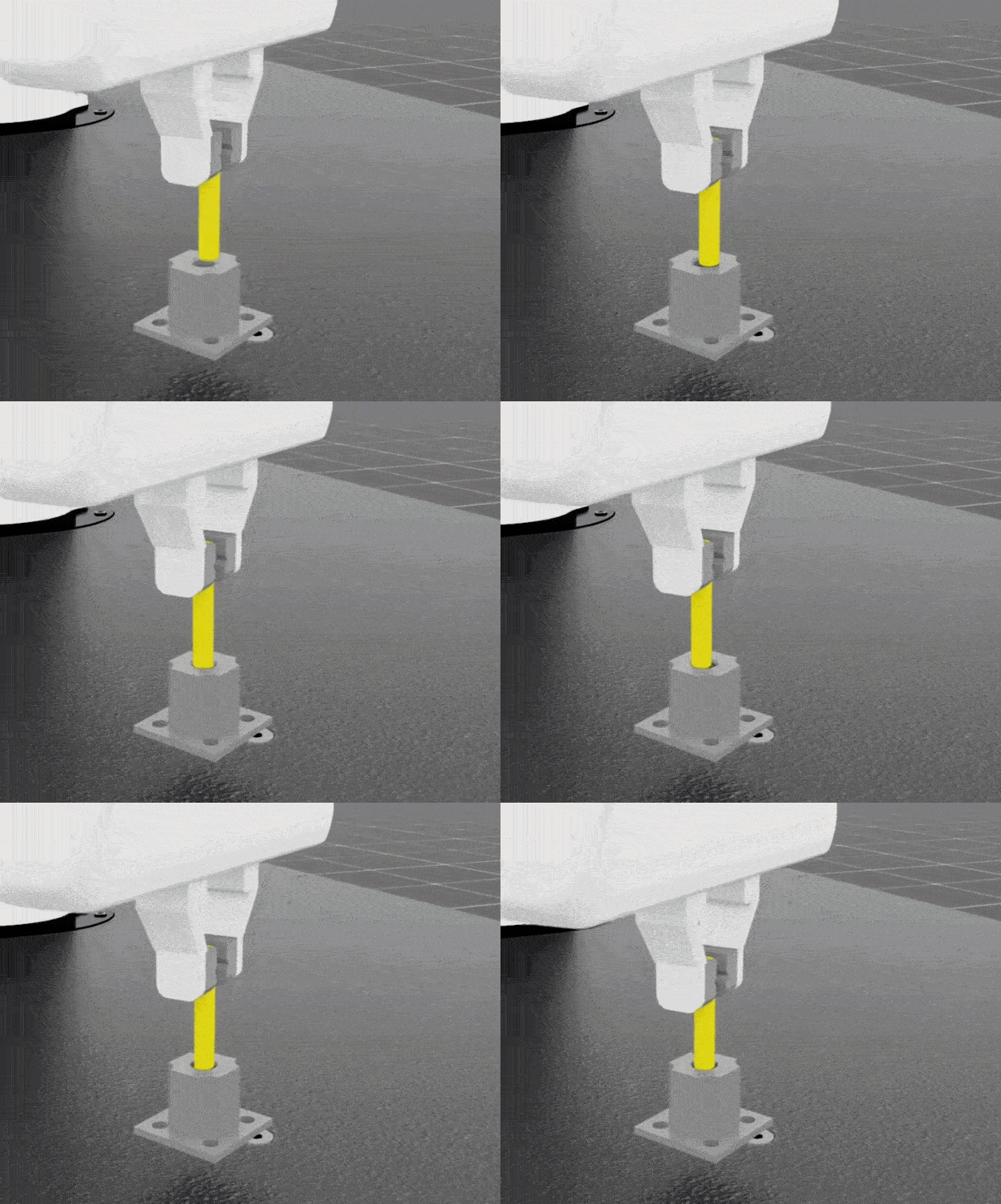 Peg insertion after 50 PPO training epochs
What you’ve accomplished and what’s next
You’ve compared constrained drawer motion with tight-clearance peg insertion. A single robotic arm can already complete more precise interactions, but more complex automation scenarios often require multiple agents working together.
Next, you’ll move beyond single-robot operation and explore how multiple robotic agents can cooperate to complete a task.