Run MNIST on an Alif E8 Ensemble DevKit using ExecuTorch and Ethos-U85
Introduction
Learn about MNIST and the Alif Ensemble E8 DevKit
Set up the Alif Ensemble E8 DevKit
(Optional) Set up a Docker development environment
(Optional) Export PyTorch model to ExecuTorch format
Prepare the ExecuTorch model and static libraries for the Alif E8 CMSIS project
Create the Alif E8 CMSIS project
Process and copy a sample image into the Alif E8 CMSIS project
Flash and run the project on the Alif Ensemble E8 DevKit
Next Steps
Run MNIST on an Alif E8 Ensemble DevKit using ExecuTorch and Ethos-U85
Introduction
Learn about MNIST and the Alif Ensemble E8 DevKit
Set up the Alif Ensemble E8 DevKit
(Optional) Set up a Docker development environment
(Optional) Export PyTorch model to ExecuTorch format
Prepare the ExecuTorch model and static libraries for the Alif E8 CMSIS project
Create the Alif E8 CMSIS project
Process and copy a sample image into the Alif E8 CMSIS project
Flash and run the project on the Alif Ensemble E8 DevKit
Next Steps
What MNIST is
MNIST , widely classified as the “Hello World” of machine learning, is a dataset containing 70,000 28 × 28 pixel grayscale images of handwritten digits 0 to 9. The dataset is commonly used for training image processing systems.
What the Alif Ensemble E8 DevKit is
The Alif Ensemble E8 DevKit features two dual-core Arm processors (Cortex-A32 and Cortex-M55) and three neural processing units (NPUs): two Ethos-U55s and one Ethos-U85.
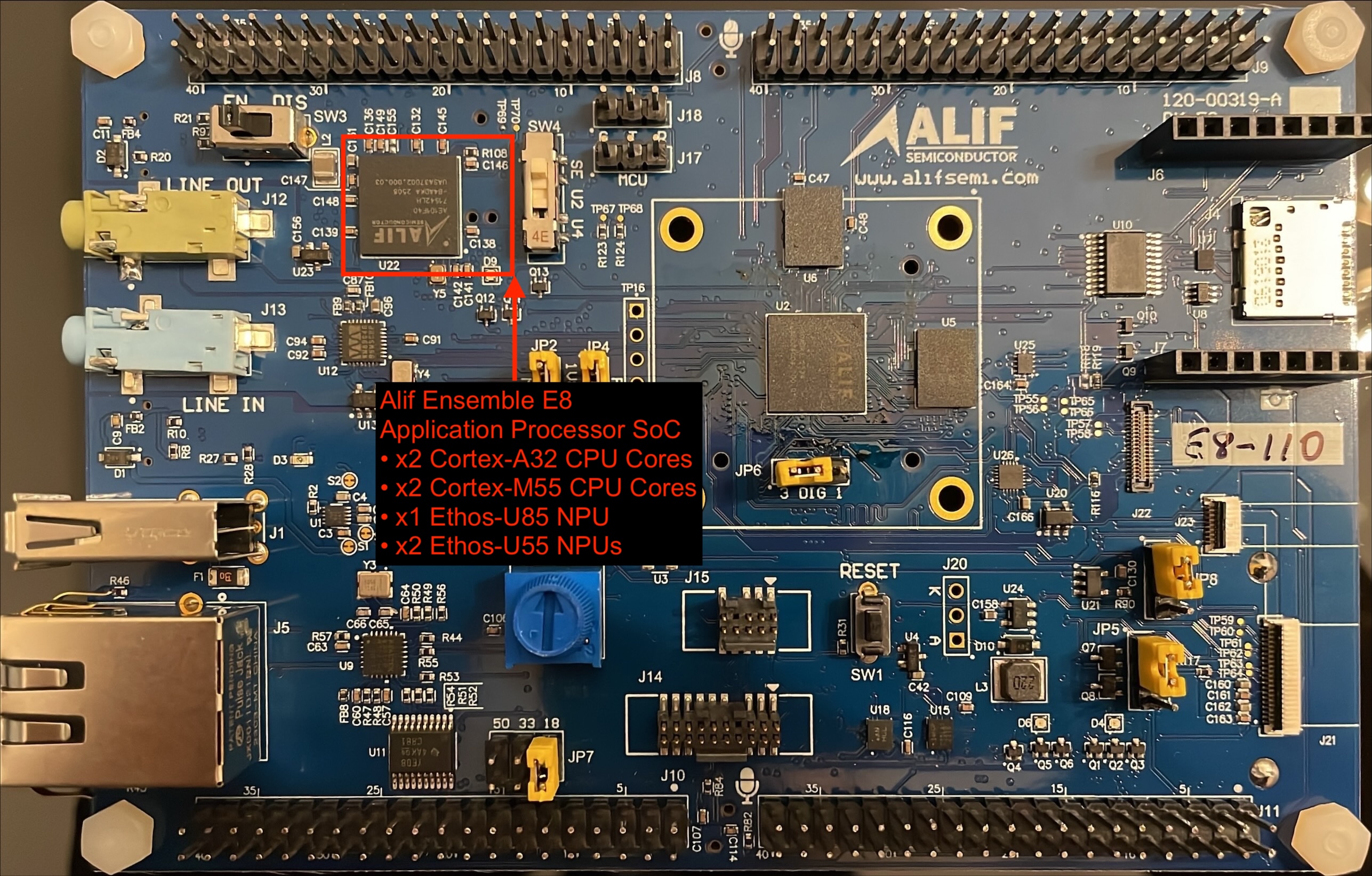 Alif Ensemble E8 application processor SoC and integrated Arm cores and NPUs
You’ll run an MNIST digit-classification model on the Arm Ethos-U85 NPU. You can either use the provided .pte model or follow optional steps to train and export your own MNIST model.
What you’ve learned and what’s next
You’ve now learned what MNIST is and what the Alif Ensemble E8 DevKit includes.
Next, you’ll connect to the DevKit and install dependencies.