Build a ROS 2 and Zenoh simulation environment on an Arm server
Introduction
Start the ROS 2 development containers
Configure Zenoh for ROS 2
Observe Zenoh router discovery behavior
Start the robot simulation and Navigation2
Visualize and navigate the robot with RViz
Control the Neobotix ROX robot with ROS 2
Observe ROS 2 simulation resource usage on an Arm server
Enable Zenoh shared-memory transport
Next Steps
Build a ROS 2 and Zenoh simulation environment on an Arm server
Introduction
Start the ROS 2 development containers
Configure Zenoh for ROS 2
Observe Zenoh router discovery behavior
Start the robot simulation and Navigation2
Visualize and navigate the robot with RViz
Control the Neobotix ROX robot with ROS 2
Observe ROS 2 simulation resource usage on an Arm server
Enable Zenoh shared-memory transport
Next Steps
Understand the simulation stack
After observing router discovery behavior, start the robot simulation.
The running robot uses two components:
rox_simuloads the Neobotix ROX model into Gazebo, simulates its sensors and motors, and publishes laser scan, camera, and odometry datarox_nav2runs Navigation2 for localization, path planning, and velocity control
The simulation and navigation stack run as separate processes so you can start, stop, and observe each component independently.
Stop the talker and listener from the router experiment. Keep the router running.
Open two new bash shells in the robot container and source the environment in each one:
source ~/workshop_env.bash
Start the headless Gazebo simulation
In the first shell, start the simulation:
just rox_simu no_gui
The no_gui argument disables the Gazebo 3D viewer, not the simulation. Gazebo continues to simulate the robot and publish sensor data while using less CPU.
Start Navigation2
In the second shell, start the navigation stack:
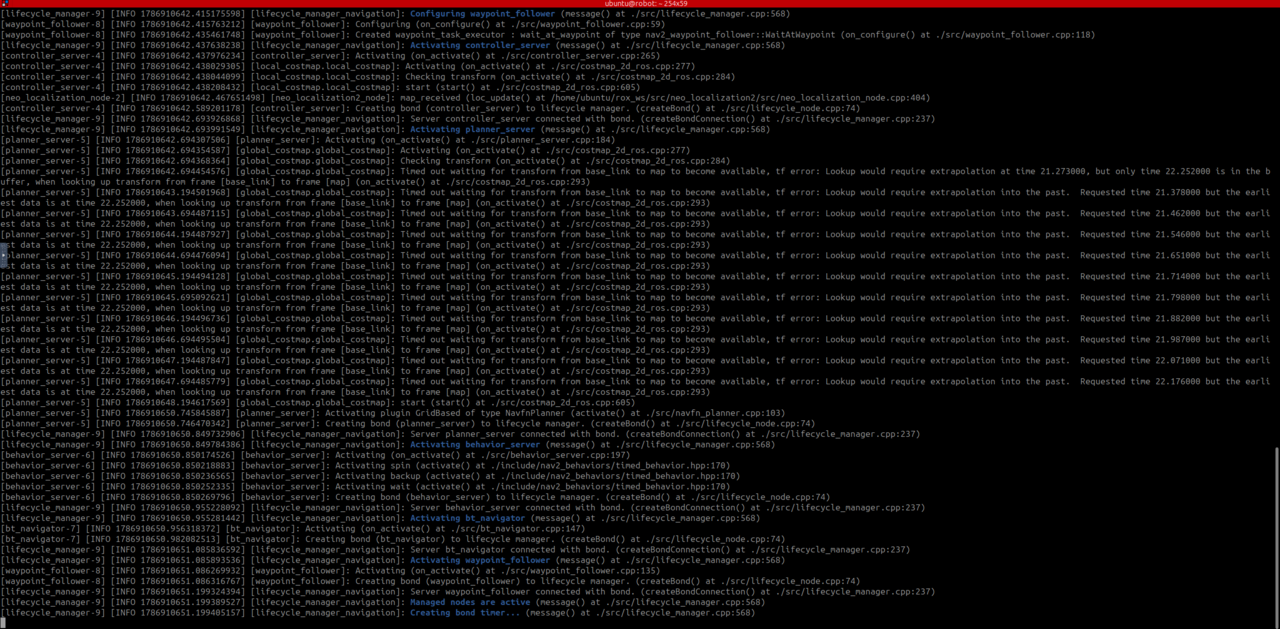
just rox_nav2
Wait for Navigation2 to activate its managed nodes.
It’s normal for output to stop after it’s active. Navigation2 remains idle until it receives a navigation goal.
Verify the simulated sensors
In a third sourced bash shell, check the laser scan frequency:
ros2 topic hz /scan
The /scan topic should arrive at approximately 8 Hz. This rate is an expected operating observation, so small variations are normal. Press Ctrl+C in this shell to stop the scan.
Next, list the camera topics to confirm that they are present:
ros2 topic list | grep camera
The output should include /camera/image_raw, /camera/points, and /camera/depth/image_raw.
What you’ve accomplished and what’s next
You’ve started the headless Gazebo simulation, activated Navigation2, and verified that laser and camera sensor data is available.
Next, you’ll use RViz to inspect the navigation data and send the robot a goal.