Build a CI/CD pipeline using GitLab-hosted Arm runners
Introduction
Build and use GitLab-hosted Arm runners for CI/CD
Create a GitLab project
Build and configure your Arm64 CI/CD pipeline
Run pipeline and verify results
Next Steps
Build a CI/CD pipeline using GitLab-hosted Arm runners
Validate and test your Arm64 CI/CD pipeline
This section explains how to run, verify, and test your pipeline and container images on Arm64 infrastructure.
Run the pipeline
Navigate to Build > Pipelines and select Run pipeline:
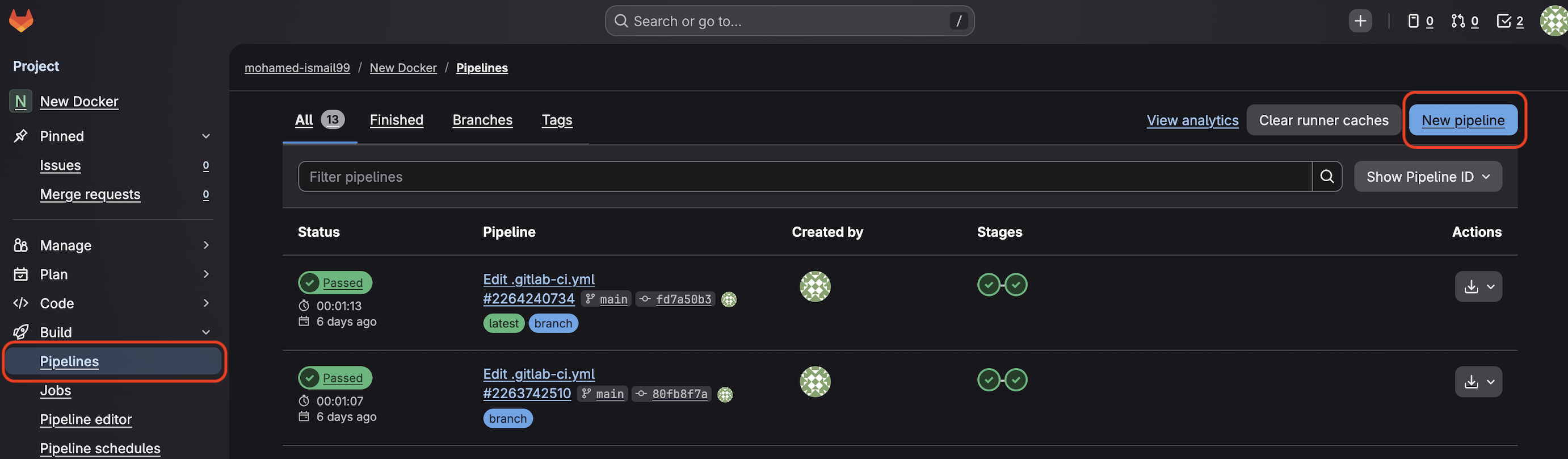 GitLab Run pipeline interface
Select individual jobs to view their output and status:
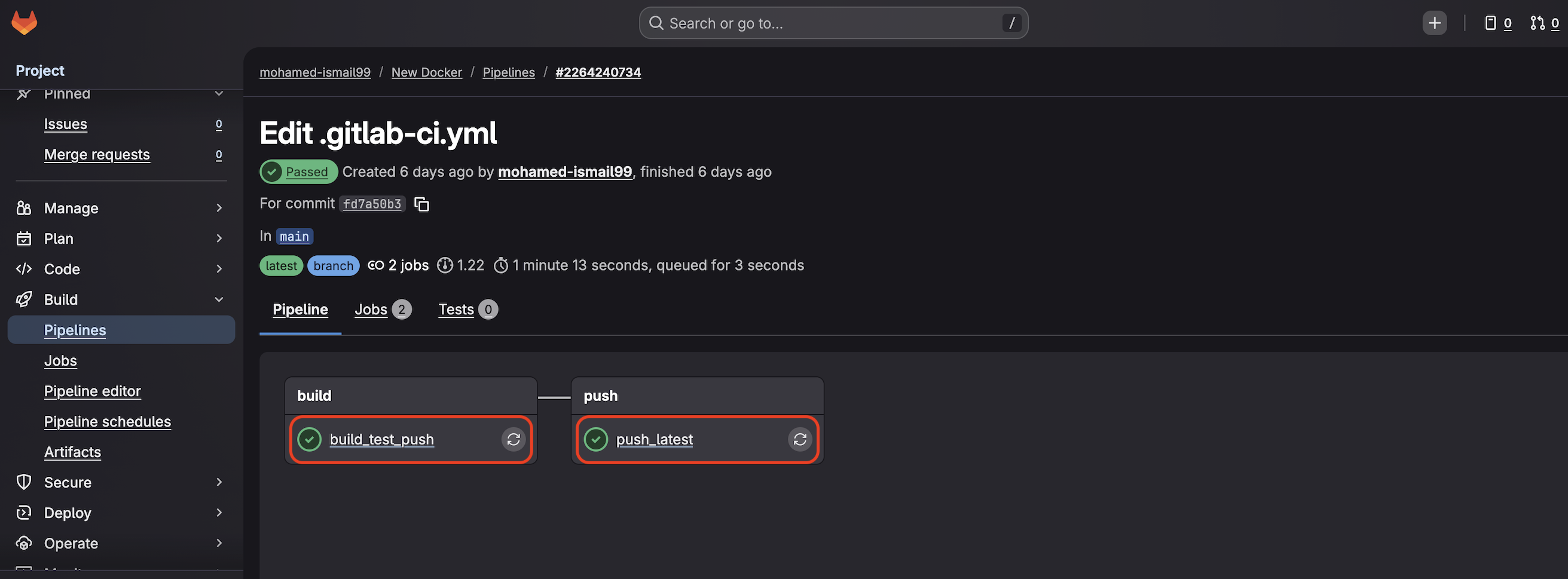 GitLab pipeline execution screen
Verify Arm64 architecture
The lscpu command output confirms you’re building on Arm64 architecture:
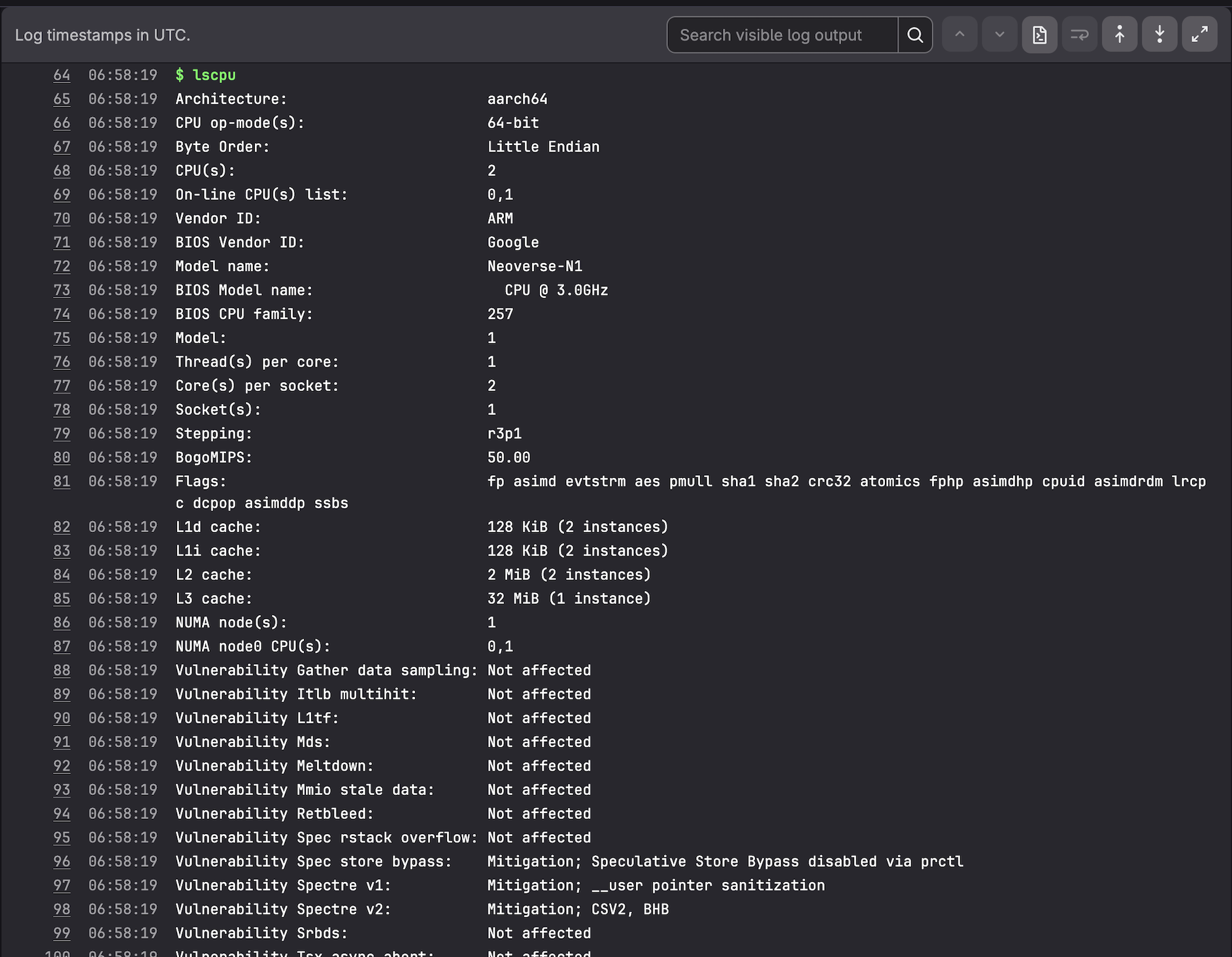 lscpu output confirming Arm64 architecture
Key information from lscpu output:
- Architecture: aarch64 (Arm 64-bit)
- CPU: Neoverse-N1
- Vendor ID: ARM
This confirms your application compiles natively on Arm64 architecture, producing binaries optimized for Arm processors.
Test the container image
Your built image is stored in GitLab Container Registry. Navigate to Deploy > Container Registry to find your image with tags including latest and the commit SHA.
To test the image on an Arm64 system:
docker login registry.gitlab.com
docker pull registry.gitlab.com/<namespace>/<project>:latest
docker run --rm registry.gitlab.com/<namespace>/<project>:latest
Replace <namespace> and <project> with your GitLab username and project name.
The expected output is:
Hello from an Arm64 Docker image built on GitLab hosted Arm runners!
This image runs only on Arm64 systems because it contains an Arm64 binary. To run on x86-64 systems, you need to rebuild using an x86-64 runner or use multi-architecture builds.
Pipeline editor tools
The pipeline editor provides helpful features:
- Visualize: View your pipeline as a graph showing stage dependencies
- Validate: Check pipeline syntax before committing changes
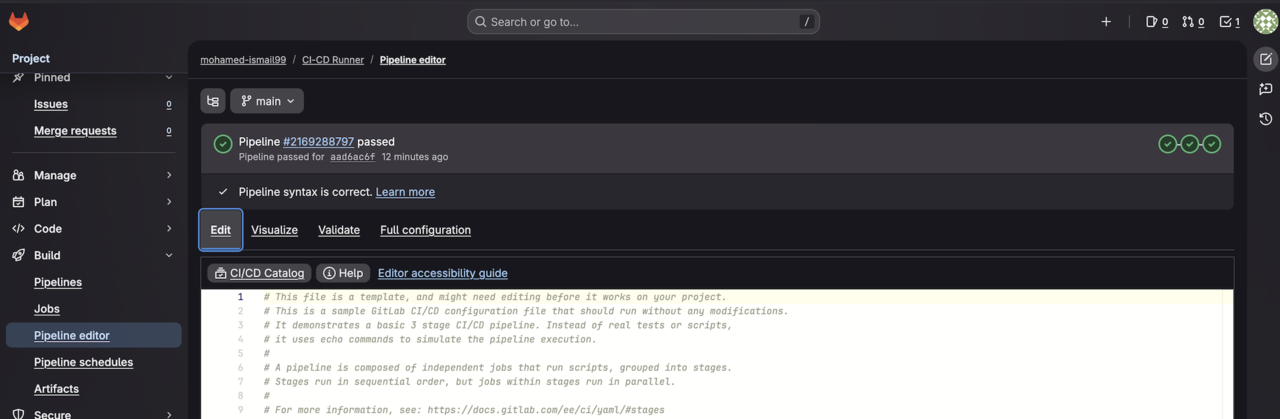 GitLab visual pipeline editor with graph and validation tools
What you’ve accomplished and what’s next
You have:
- Configured a GitLab project with CI/CD pipeline
- Built a containerized application on Arm64 runners
- Verified native Arm64 compilation
- Published container images to GitLab Container Registry
You can now extend this pipeline for your own applications. GitLab’s Arm64 runners eliminate cross-compilation overhead when building for Arm-based deployment targets, including cloud servers, edge infrastructure, and embedded systems.