Distribute a ROS 2 robotic system across Arm devices with Zenoh
Introduction
Understand the distributed ROS 2 topology
Connect the ROS 2 control container with Zenoh
Connect the Raspberry Pi
Verify cross-device ROS 2 communication
Isolate multiple ROS 2 robots that share a Zenoh router
Next Steps
Distribute a ROS 2 robotic system across Arm devices with Zenoh
Verify the ROS 2 graph on the Raspberry Pi
After configuring the Raspberry Pi as a client of the Zenoh router, verify cross-device communication.
In the bash shell for the container running on the Raspberry Pi, list the topics received through the Zenoh client session:
ros2 daemon stop
ros2 topic list
The command lists roughly 80 topics, including the following:
        /camera/image_raw
/cmd_vel
/map
/scan
This output confirms graph discovery. It doesn’t yet prove that message data is arriving.
Verify sensor data from the server to the Raspberry Pi
Open a bash shell in the robot container running on your Arm server and measure the source rate:
source ~/workshop_env.bash
ros2 topic hz /scan
Let the command collect several samples, record the approximate average, and press Ctrl+C.
Now, run the same command in the container shell on your Raspberry Pi:
ros2 topic hz /scan
The remote result should be stable and reasonably close to the source rate.
Keep the shells for the robot container and the container running on the Raspberry Pi open for the next few steps.
Verify messages from the Raspberry Pi to the server
In the Raspberry Pi container shell, start a ROS 2 talker:
ros2 run demo_nodes_cpp talker
In the robot container shell, load the original prerequisite Learning Path environment and start a ROS 2 listener:
source ~/workshop_env.bash
ros2 run demo_nodes_cpp listener
The listener running in the robot container should receive messages published by the talker running in the Raspberry Pi container. The output is similar to:
        [INFO] [listener]: I heard: [Hello World: 1]
[INFO] [listener]: I heard: [Hello World: 2]
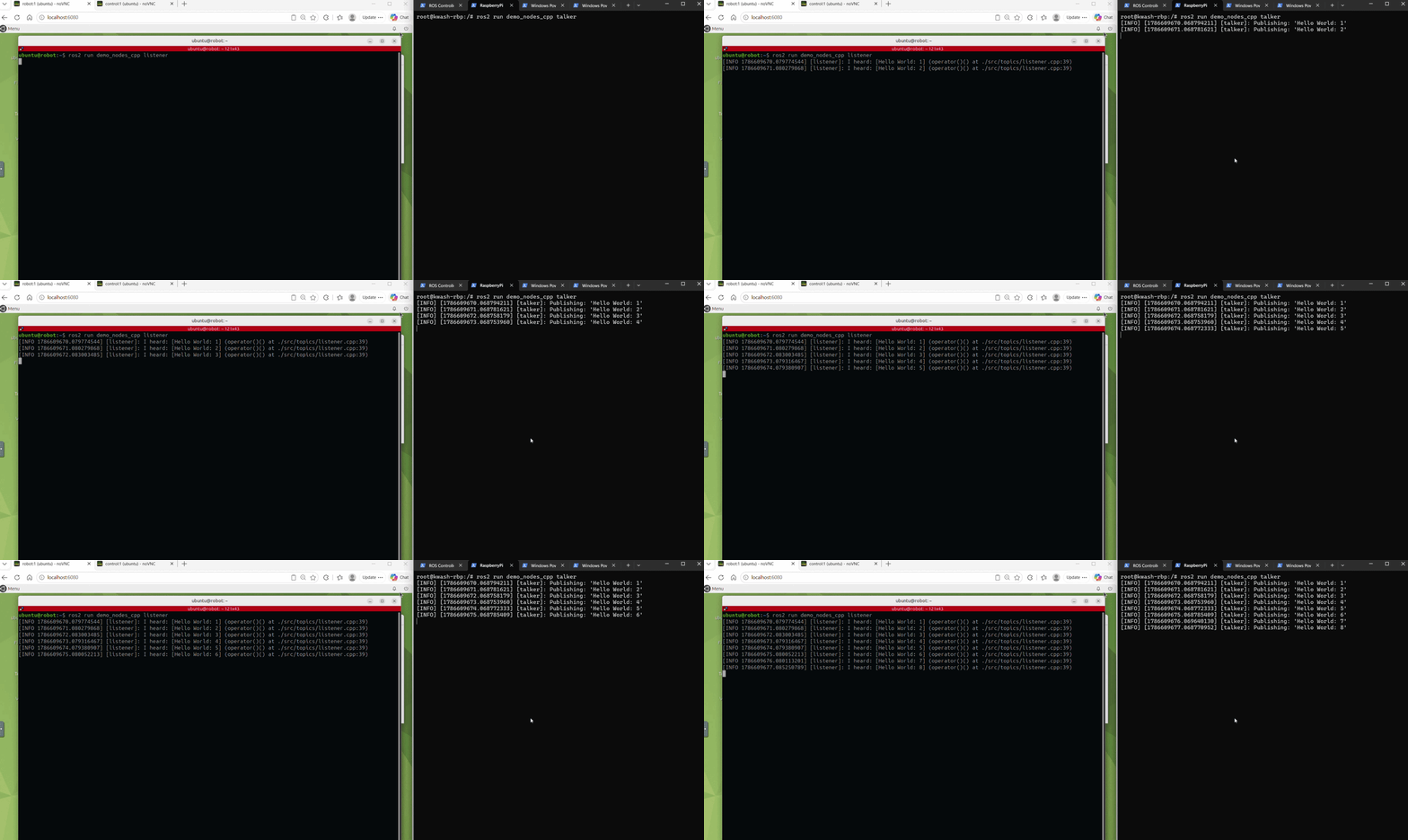
This proves the uplink path. The same client connection can carry other ROS 2 traffic, including /cmd_vel messages, service calls, and Navigation2 actions.
Troubleshoot communication failures
The following table summarizes common failures and how you can fix them:
| Symptom | Cause |
|---|---|
Connection refused | Packets reach the host but nothing listens on the port — the router isn’t running on the server. After docker compose up, restart the router, simulation, and Nav2. |
Name or service not known | You didn’t replace <your_arm_server_ip> with the IP address of your Arm server. Replace the placeholder and try again. |
| Timeout or no route to host | A network-layer problem occurred. Check that both devices are on the same subnet and that port 7447 isn’t blocked. |
ros2 topic list shows only 2 topics | The client configuration isn’t in effect. Recheck the three environment lines and run ros2 daemon stop. |
libzenohc.so can’t be opened | This applies only to the manual setup — the shell was opened before the packages were installed. Run source /opt/ros/jazzy/setup.bash again. |
docker exec reports the container isn’t running | The shell started with docker start -ai was closed, stopping the container. Use docker start followed by docker exec. |
What you’ve accomplished and what’s next
You’ve verified ROS 2 graph discovery, sensor data from the Arm server to the Raspberry Pi, and messages from the Raspberry Pi to the server.
Next, you’ll learn why isolating robots that share the same Zenoh router is necessary. You’ll optionally resolve collisions with a second edge device.