Deploy an AWS IoT Greengrass custom component to Arm devices and verify PAC/BTI support
Introduction
Understand AWS IoT Greengrass and Armv9 PAC/BTI security features
Set up a Raspberry Pi 5 as an AWS IoT Greengrass core device
Set up a Jetson Thor as an AWS IoT Greengrass core device
Create an AWS IoT Greengrass custom component
Deploy the AWS IoT Greengrass custom component
Verify PAC/BTI support on your devices using MQTT
Next Steps
Deploy an AWS IoT Greengrass custom component to Arm devices and verify PAC/BTI support
Introduction
Understand AWS IoT Greengrass and Armv9 PAC/BTI security features
Set up a Raspberry Pi 5 as an AWS IoT Greengrass core device
Set up a Jetson Thor as an AWS IoT Greengrass core device
Create an AWS IoT Greengrass custom component
Deploy the AWS IoT Greengrass custom component
Verify PAC/BTI support on your devices using MQTT
Next Steps
Configure a Jetson Thor as a positive comparison platform
In this section, you’ll prepare a Jetson Thor device to become an AWS IoT Greengrass core device. Jetson Thor uses the Arm Neoverse V3AE processor, which is Armv9-A. Because PAC and BTI are mandatory in Armv9-A, the Jetson Thor fully supports both features. The device serves as the positive comparison platform in this test.
Install JetPack
Install NVIDIA JetPack 7.1 on Jetson Thor. For instructions on getting started with a Jetson Thor device, see Quick Start .
Install Java
Open a terminal on your Jetson Thor and run:
sudo apt update
sudo apt -y dist-upgrade
sudo apt install -y default-jdk
Confirm that Java is available:
java --version
The output is similar to:
        openjdk 25.0.2 2026-01-20
OpenJDK Runtime Environment (build 25.0.2+10-Ubuntu-124.04)
OpenJDK 64-Bit Server VM (build 25.0.2+10-Ubuntu-124.04, mixed mode, sharing)
Install AWS IoT Greengrass
Use the same AWS account and its credentials that you used for the Raspberry Pi 5 in the previous section. To install AWS IoT Greengrass on the Jetson Thor device:
Open the AWS Console and go to IoT Core > Greengrass devices > Core devices.
Select Set up core device > Set up one core device.
Enter a core device name that is different from your RPi5 device.
For Thing group, select Select an existing group and choose
My_PAC_BTI_Test_Devices.For Greengrass Core software runtime, select Greengrass nucleus for installation.
For Operating system, select Linux.
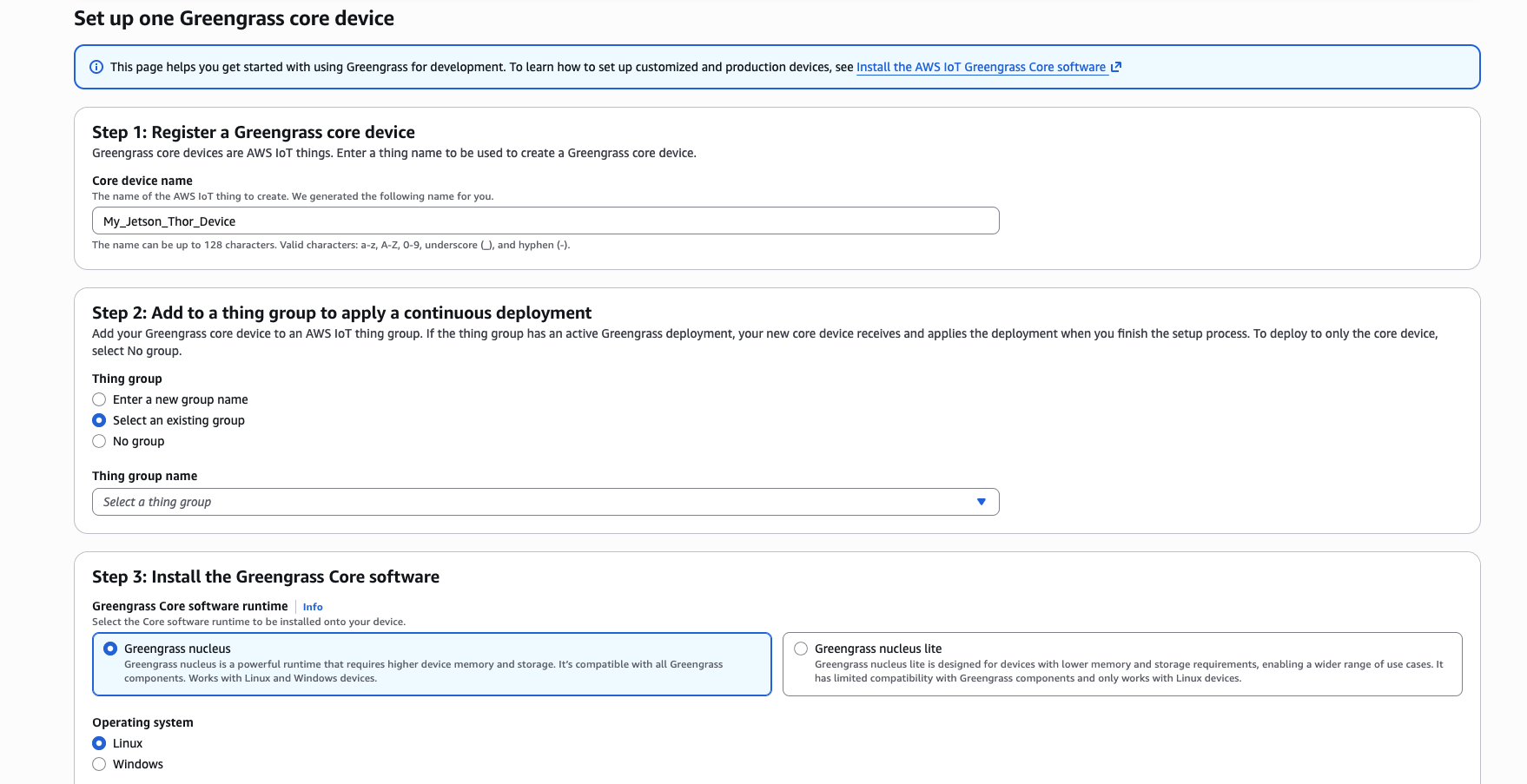 Greengrass core device setup — selecting the existing thing group
For Device setup method, select Set up a device by downloading and running an installer locally on device.
Follow the generated installer instructions on the Jetson Thor and authenticate with your AWS credentials.
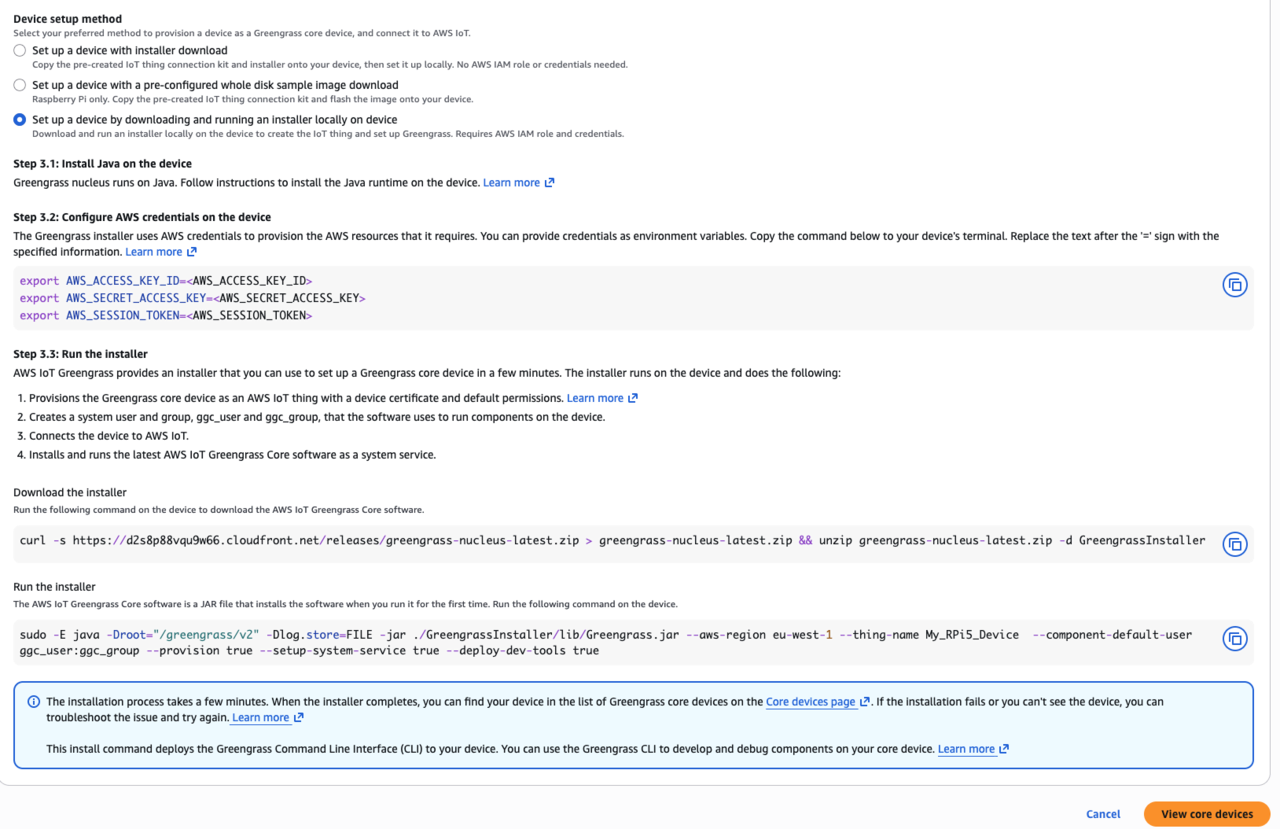 Generated installer commands for the Jetson Thor
Confirm registration by selecting View core devices.
You should see the Jetson Thor listed with recent activity.
What you’ve accomplished and what’s next
You’ve now set up your Jetson Thor as an AWS IoT Greengrass core device as the positive comparison platform for PAC/BTI tests.
Next, you’ll create the custom component used to test PAC/BTI on both devices.