Deploy an AWS IoT Greengrass custom component to Arm devices and verify PAC/BTI support
Introduction
Understand AWS IoT Greengrass and Armv9 PAC/BTI security features
Set up a Raspberry Pi 5 as an AWS IoT Greengrass core device
Set up a Jetson Thor as an AWS IoT Greengrass core device
Create an AWS IoT Greengrass custom component
Deploy the AWS IoT Greengrass custom component
Verify PAC/BTI support on your devices using MQTT
Next Steps
Deploy an AWS IoT Greengrass custom component to Arm devices and verify PAC/BTI support
Introduction
Understand AWS IoT Greengrass and Armv9 PAC/BTI security features
Set up a Raspberry Pi 5 as an AWS IoT Greengrass core device
Set up a Jetson Thor as an AWS IoT Greengrass core device
Create an AWS IoT Greengrass custom component
Deploy the AWS IoT Greengrass custom component
Verify PAC/BTI support on your devices using MQTT
Next Steps
Use MQTT to test PAC/BTI support
In this section, you’ll run a test through the AWS IoT Core MQTT test client to check PAC/BTI availability on each platform.
Run the PAC/BTI test on the Thor device
Test the Thor device to see whether the exploit is successful on a device with PAC/BTI capabilities.
- In the AWS Console, go to IoT Core > Greengrass devices > Core devices and record both core device names.
 Greengrass Core devices list
In the AWS Console, open IoT Core > MQTT test client and select Subscribe to a topic.
For Topic filter, enter the following topic:
arm/demo/+/security/pacbti/attack/result
- Select Subscribe.
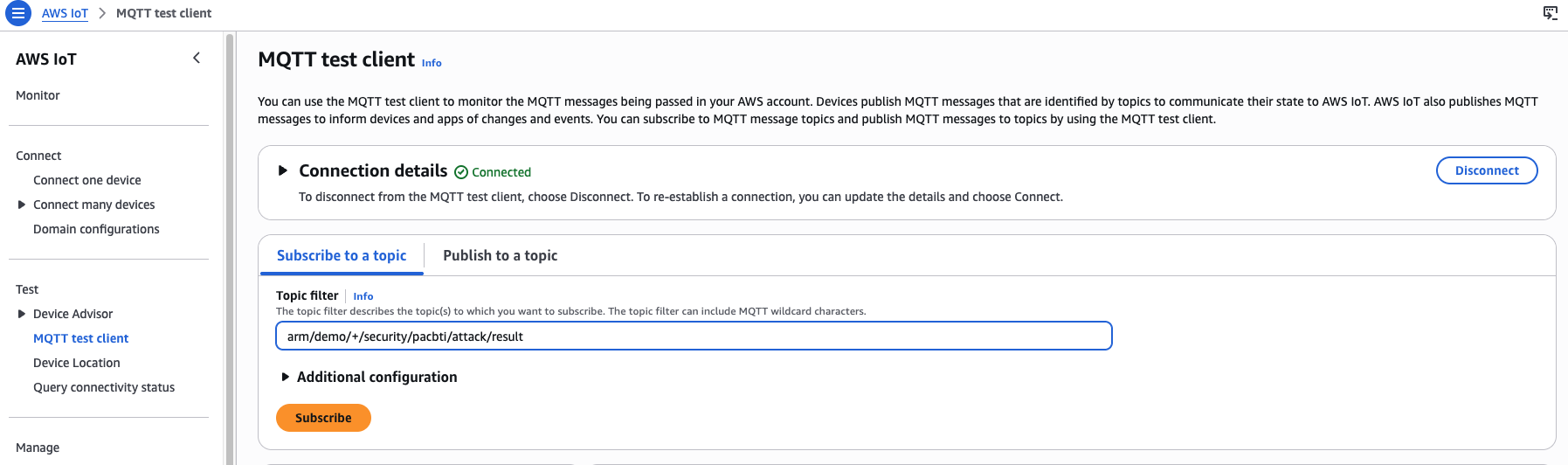 MQTT test client subscribed to the PAC/BTI result topic
On the same page, select the Publish to a topic tab.
For Topic name, enter the following, replacing YOUR_CORE_DEVICE_NAME with the name of your Jetson Thor device:
arm/demo/YOUR_CORE_DEVICE_NAME/security/pacbti/attack/trigger
- Set the Message payload:
{
  "action": "run_attack",
  "request_id": "demo-001"
}
- Select Publish.
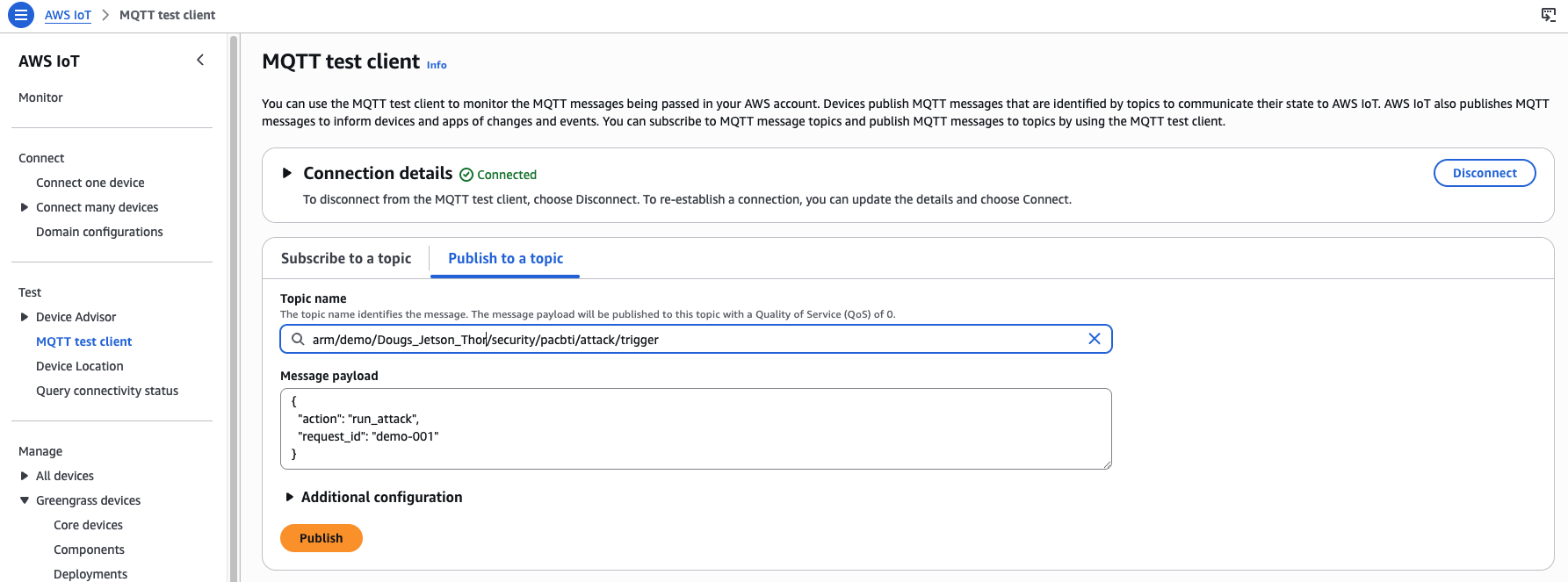 MQTT publish to Thor device trigger topic
Review the result for the Thor device
In the subscriptions area of the MQTT test client window, you should see results similar to the following for your Thor device. The exploit fails as expected due to the presence of PAC/BTI capabilities:
        {
  "binary": "/greengrass/v2/work/arm-com.arm.demo.PacBtiDemo/build/armv9-protected/vuln_demo",
  "build_flavor": "armv9-protected",
  "device": "thor",
  "executed_at": "2026-04-30T21:33:18.796870+00:00",
  "exploit_run": {
    "returncode": 252,
    "stderr": "",
    "stdout": ""
  },
  "exploit_succeeded": false,
  "interpretation": "Exploit did not reach malicious_success(); on PAC/BTI builds a crash or early termination is expected.",
  "machine": "aarch64",
  "marker_found": false,
  "normal_run": {
    "returncode": 0,
    "stderr": "",
    "stdout": "Usage: vuln_demo <hex_payload>\n"
  },
  "protections": {
    "has_autiasp": true,
    "has_bti": true,
    "has_paciasp": true,
    "has_retaa": true
  },
  "trigger": {
    "payload": {
      "action": "run_attack",
      "request_id": "demo-001"
    },
    "source_topic": "arm/demo/YOUR_THOR_DEVICE_NAME/security/pacbti/attack/trigger"
  }
}
This result indicates that the Thor device (Armv9) reports PAC and BTI capabilities.
Run the PAC/BTI test on the Raspberry Pi 5 device
Now test the RPi5 to see whether the exploit is successful on a device without PAC/BTI capabilities.
- Under Publish to a topic, set the Topic name as follows. Replace YOUR_CORE_DEVICE_NAME with your RPi5 core device name:
arm/demo/YOUR_CORE_DEVICE_NAME/security/pacbti/attack/trigger
- Set the Message payload:
{
  "action": "run_attack",
  "request_id": "demo-001"
}
- Select Publish.
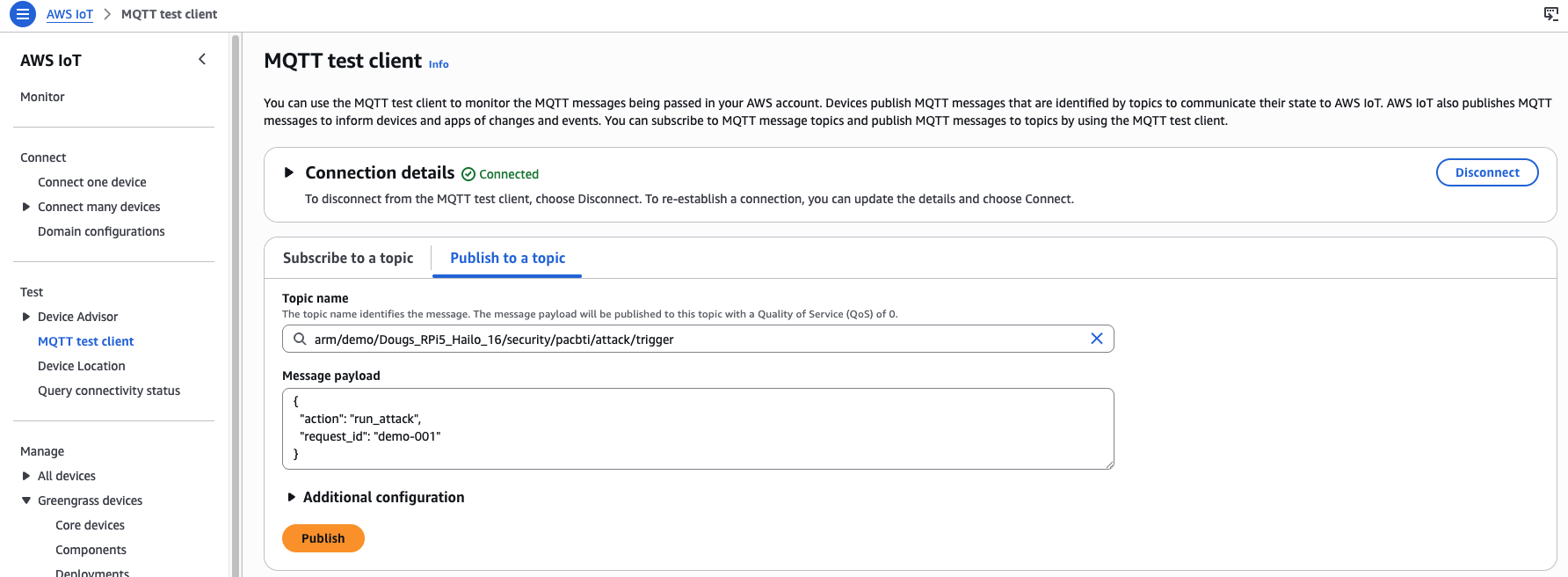 MQTT publish to RPi5 device trigger topic
Review the result for the Raspberry Pi 5 device
Your output should be similar to the following, indicating a successful exploit as expected:
        {
  "binary": "/greengrass/v2/work/arm-com.arm.demo.PacBtiDemo/build/armv8-unprotected/vuln_demo",
  "build_flavor": "armv8-unprotected",
  "device": "rpi5-desktop-16",
  "executed_at": "2026-04-30T21:33:53.526756+00:00",
  "exploit_run": {
    "returncode": 0,
    "stderr": "",
    "stdout": ""
  },
  "exploit_succeeded": true,
  "interpretation": "Exploit reached malicious_success()",
  "machine": "aarch64",
  "marker_found": true,
  "normal_run": {
    "returncode": 0,
    "stderr": "",
    "stdout": "Usage: vuln_demo <hex_payload>\n"
  },
  "protections": {
    "has_autiasp": false,
    "has_bti": false,
    "has_paciasp": false,
    "has_retaa": false
  },
  "trigger": {
    "payload": {
      "action": "run_attack",
      "request_id": "demo-001"
    },
    "source_topic": "arm/demo/YOUR_RPI5_DEVICE_NAME/security/pacbti/attack/trigger"
  }
}
This result indicates the RPi5 device (Armv8) does not report PAC and BTI capabilities. The device is potentially vulnerable to control-flow attacks that PAC/BTI inhibits on Armv9.
What you’ve accomplished
You’ve now used AWS IoT Greengrass to deploy and trigger a custom PAC/BTI validation component across two Arm devices. The Jetson Thor (Armv9) reported PAC and BTI protections active and blocked the exploit. The RPi5 (Armv8) reported no PAC or BTI support and the exploit succeeded, confirming the architectural difference between the two platforms.