Use the model in an application
The benchmark tested one sample image. This step places the INT8 .pte artifact inside a small application so that you can easily use the model for additional images.
Run on the Raspberry Pi:
module-2-cnn-inference-with-quantization/scripts/pi/serve_image_classifier.py \
  --runtime executorch \
  --spec ~/executorch_on_arm/module-2-cnn-inference-with-quantization/artifacts/mobilenetv2/model_spec.json \
  --pte ~/executorch_on_arm/module-2-cnn-inference-with-quantization/artifacts/mobilenetv2/mobilenetv2_int8_xnnpack.pte \
  --host 127.0.0.1 \
  --port 8092
Open on the development machine:
http://localhost:8092
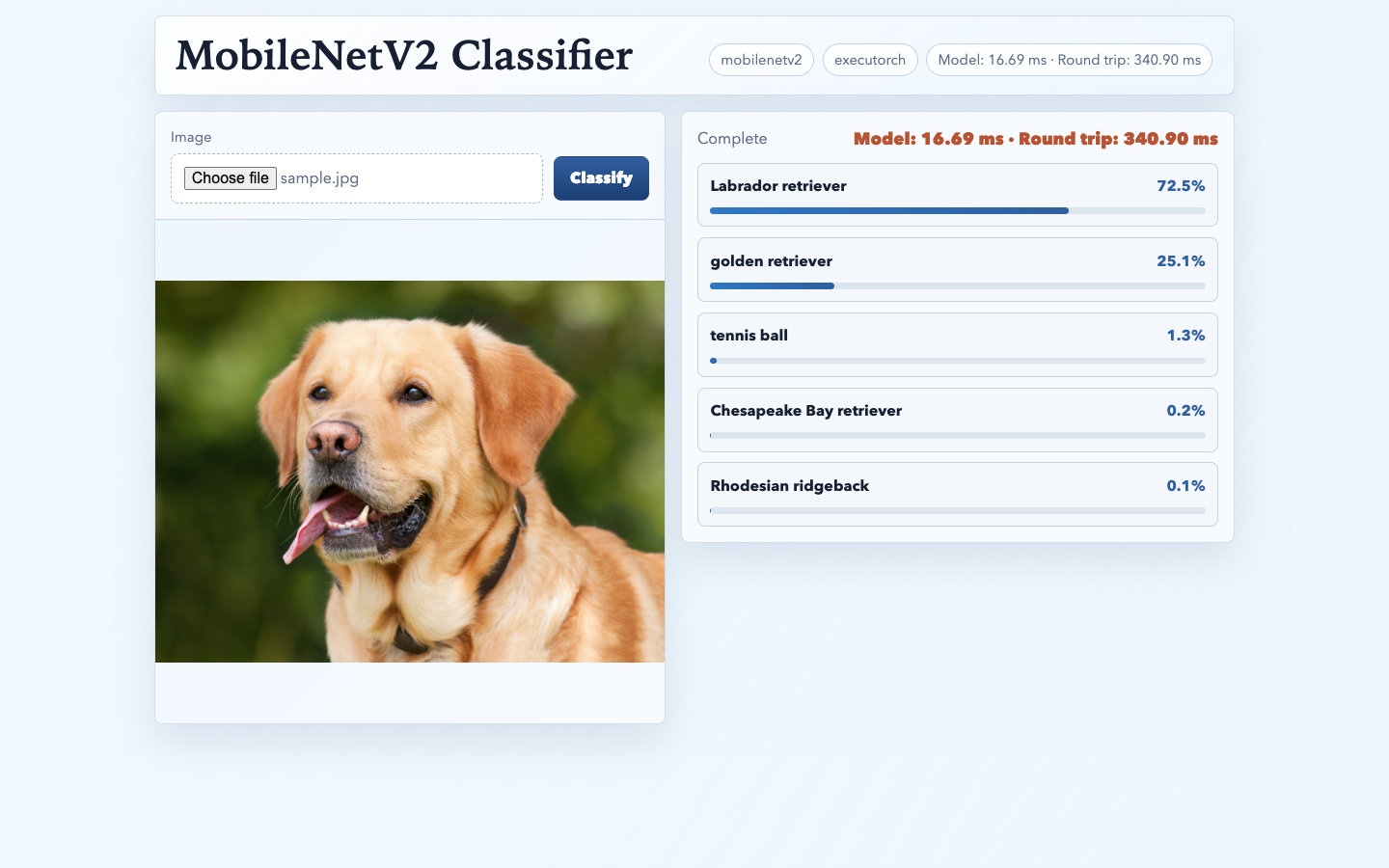
Upload JPEG or PNG images and review the top-5 predictions and model latency.
The application uses the same inference sequence as the benchmark:
input_tensor = self._preprocess(image_bytes)
output = self.model.forward((input_tensor,))[0]

probabilities = torch.nn.functional.softmax(output[0], dim=0)
scores, indices = torch.topk(probabilities, topk)
The Python binding passes method inputs as a tuple, even when the model has
only one input. model.forward((input_tensor,)) returns the method outputs as
a sequence, so [0] selects MobileNetV2’s classification tensor. Softmax and
top-k selection are application postprocessing rather than part of the
ExecuTorch program.
The uploaded image is converted to the normalized tensor described by
model_spec.json. The ExecuTorch program returns logits; softmax and top-k
selection convert them to labels and confidence scores.
This follows the same application pattern as in Module 1: load a .pte
artifact, convert user input to the expected tensor representation, run
inference, and translate the raw output into application behavior.
The demo displays the uploaded image, the top-5 predictions, and latency for the INT8 ExecuTorch with XNNPACK artifact:
Course complete
Nice work
You completed Optimize and deploy AI inference with ExecuTorch on Arm.