Inspect GPT-2 delegation with Model Explorer
Google’s Model Explorer
is an open-source, web-based tool for inspecting machine learning model graphs. It can load several model formats either by default or through adapters, including .pte, TOSA, LiteRT, ONNX, and PyTorch exported programs.
The tool presents the model as a hierarchical graph. Operators can be expanded, collapsed, searched, and grouped, which makes it easier to follow the model structure, tensor flow, and backend transformations.
In this module, you use it to compare the exported PyTorch graph before lowering with two lowered ExecuTorch versions: portable and XNNPACK. This makes the delegation summary easier to understand, because you can see what changes when the graph is packaged for the default ExecuTorch path versus when supported regions are delegated to XNNPACK.
With .cpu_aot_venv active, install Model Explorer and the Arm .pte adapter:
python -m pip install -r module-1-transformer-inference-with-xnnpack/requirements-model-explorer.txt
The PTE adapter is needed for ExecuTorch .pte artifacts. The exported PyTorch program, gpt2_exported.pt2, can be opened by Model Explorer’s built-in PyTorch exported program support.
Start Model Explorer with the PTE adapter enabled:
model-explorer \
  --port 8081 \
  --extensions=pte_adapter_model_explorer
Model Explorer runs a local server and keeps this terminal session busy. You force it to use port 8081, so this module keeps the Raspberry Pi result dashboard and application demos on different ports. When you are finished inspecting graphs, return to the terminal and press Ctrl+C to stop it.
In the browser UI, select these three files from your machine and open them:
module-1-transformer-inference-with-xnnpack/artifacts/gpt2/gpt2_exported.pt2module-1-transformer-inference-with-xnnpack/artifacts/gpt2/gpt2_portable.ptemodule-1-transformer-inference-with-xnnpack/artifacts/gpt2/gpt2_xnnpack.pte
Transformer graphs are large, so you do not need to follow every connection
from input to output. Press Space to fit the graph to the window. Use the
search panel to locate the nodes named below rather than expanding the entire
graph. See the
Model Explorer user
guide
for graph navigation and search controls.
Use the .pt2 view as the reference graph. It shows the exported PyTorch program before ExecuTorch has packaged it for deployment. You should see the fixed inputs from the preparation step: input_ids and attention_mask, each shaped [1, 128], and an output shaped [1, 50257] for the final-token vocabulary logits.
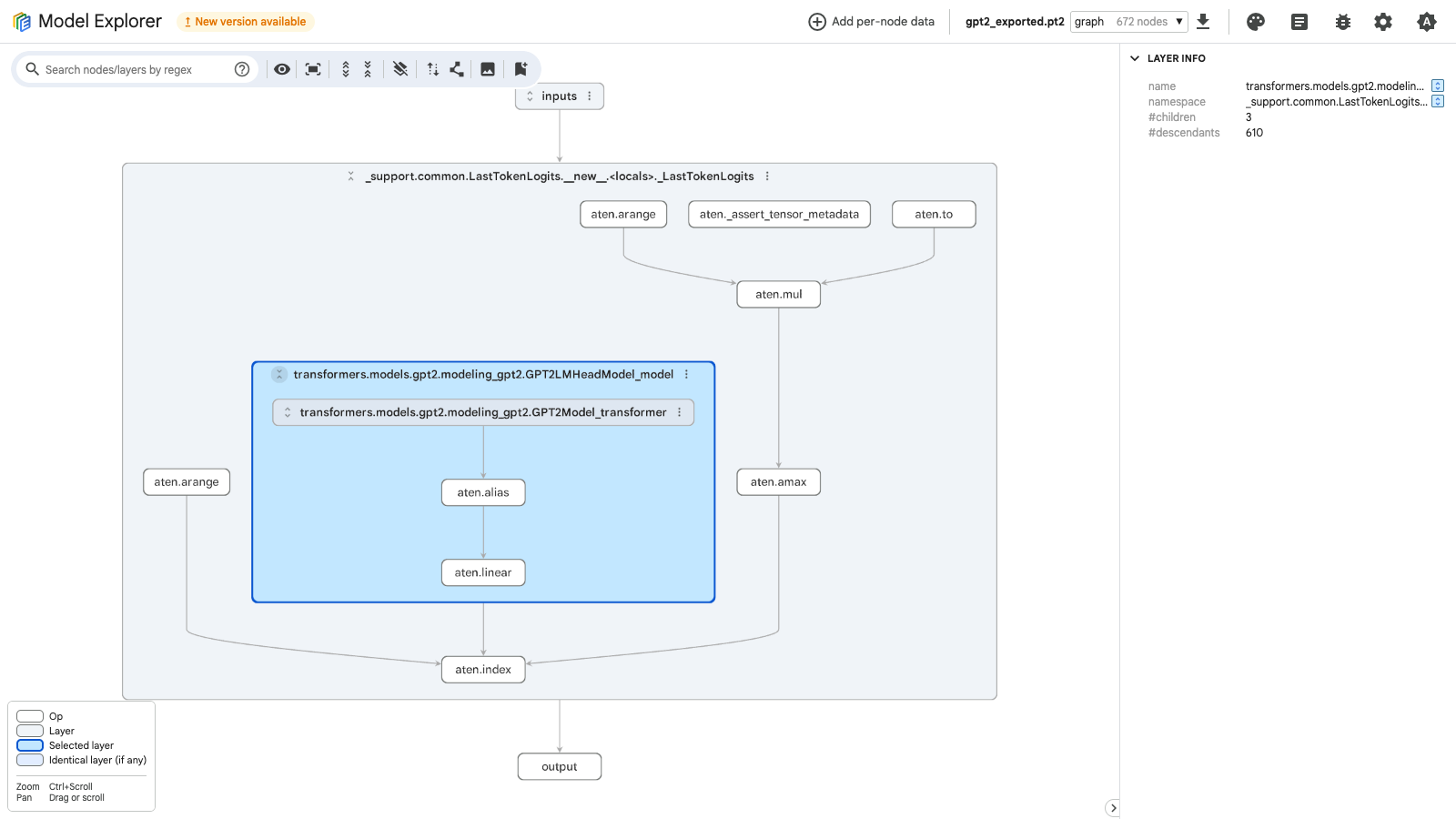
Then open the portable .pte. This is the baseline ExecuTorch program without XNNPACK delegation. It shows how the model looks when the graph runs through the default ExecuTorch portable-kernel path.
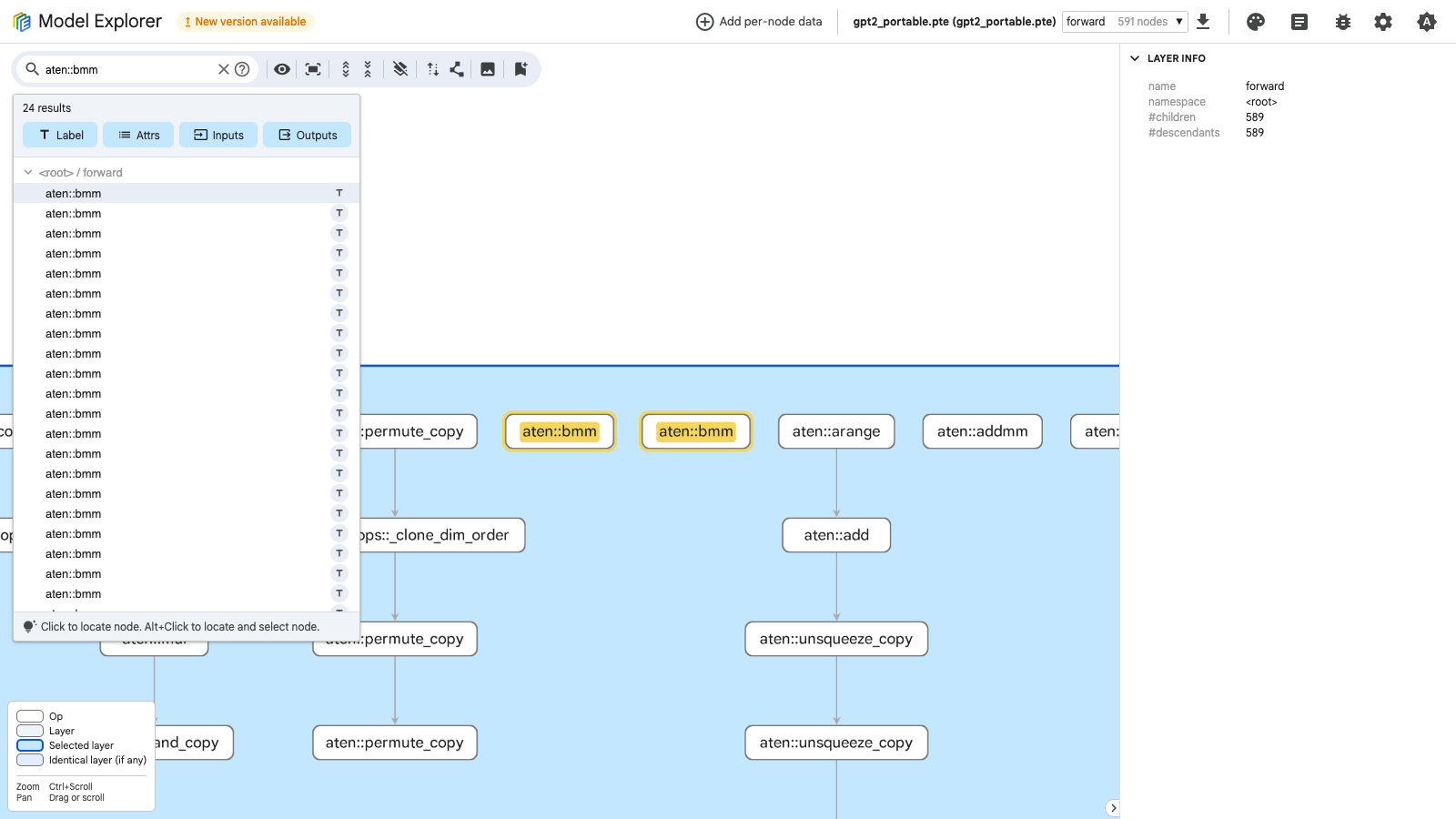
In the portable view, look for:
- regular ExecuTorch
KernelCallnodes - visible
aten::operators, because ATen is PyTorch’s core operator library - repeated transformer patterns such as matrix multiplication, softmax, layer normalization, activation, and residual-add operators
- layout and shape-manipulation operators such as
aten::permute_copy,aten::expand_copy,aten::unsqueeze_copy, and dim-order copies
Shape and layout operators are often cheap compared with the large matrix operations, but they can become boundaries around optimized backend regions.
Now open the ExecuTorch with XNNPACK .pte. Search node labels for
XnnpackBackend.
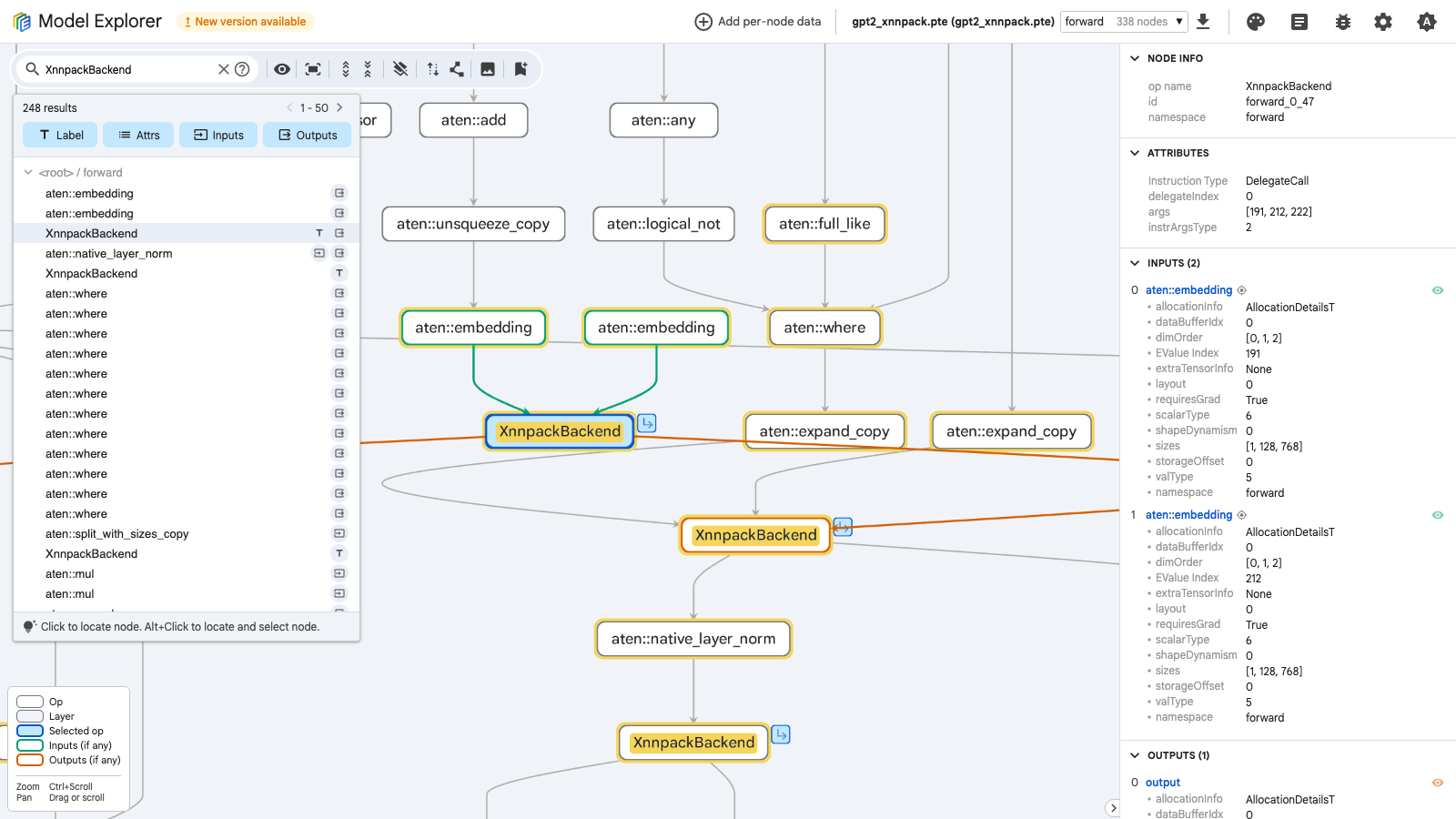
The backend has changed the execution plan. The top-level graph is smaller than the portable graph, and many supported regions have been replaced with XNNPACK delegate nodes. The input and output shapes stay the same: two [1, 128] inputs and one [1, 50257] output.
Open one of the delegated regions and look for the expensive transformer work that was captured by the backend, such as linear and batch-matmul-style operations.
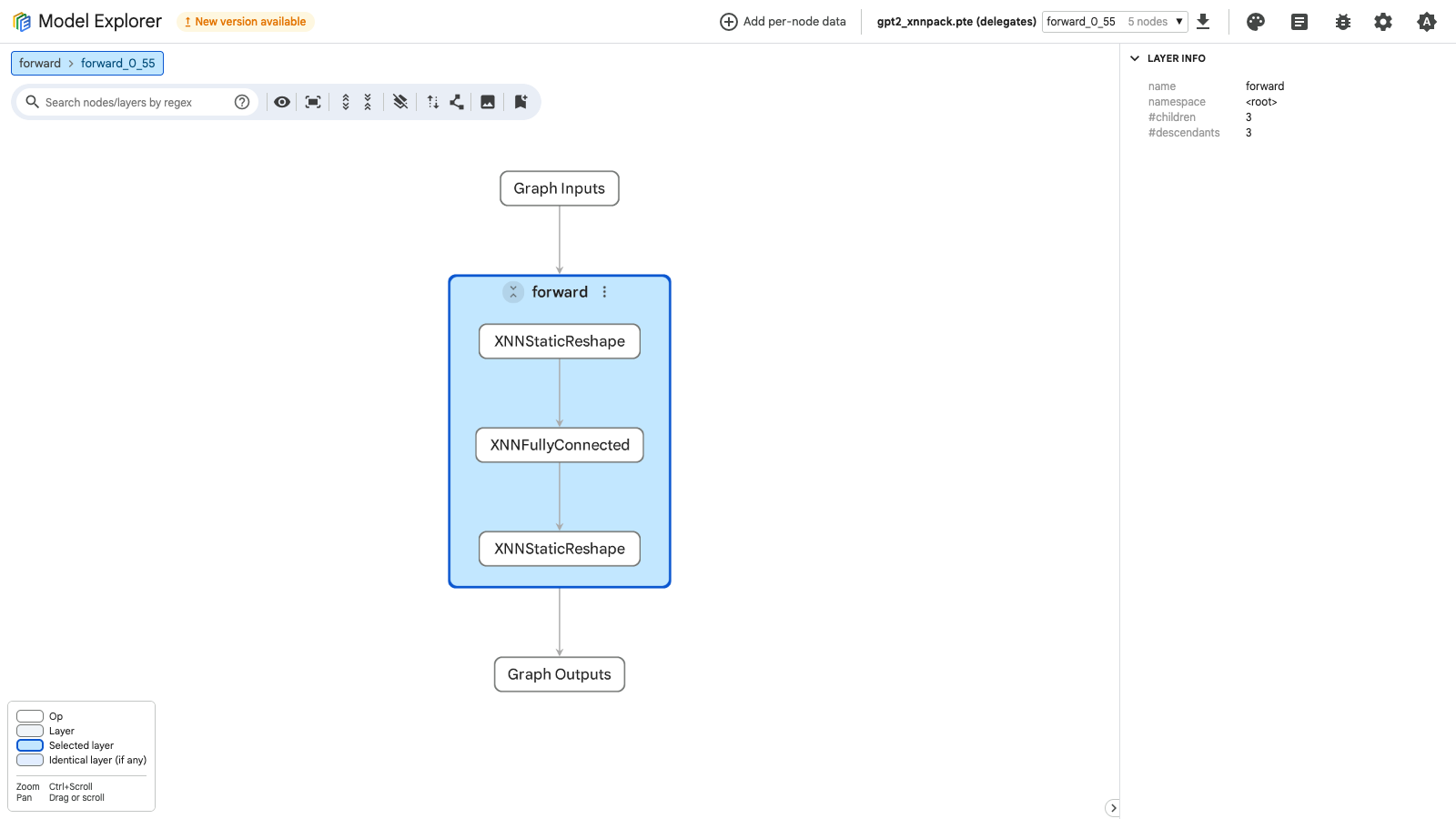
Inside the XNNPACK delegate subgraph, you may see backend-level operators such as XNNFullyConnected, XNNBatchMatrixMultiply, XNNStaticTranspose, XNNAdd, XNNMultiply, and XNNSoftmax.
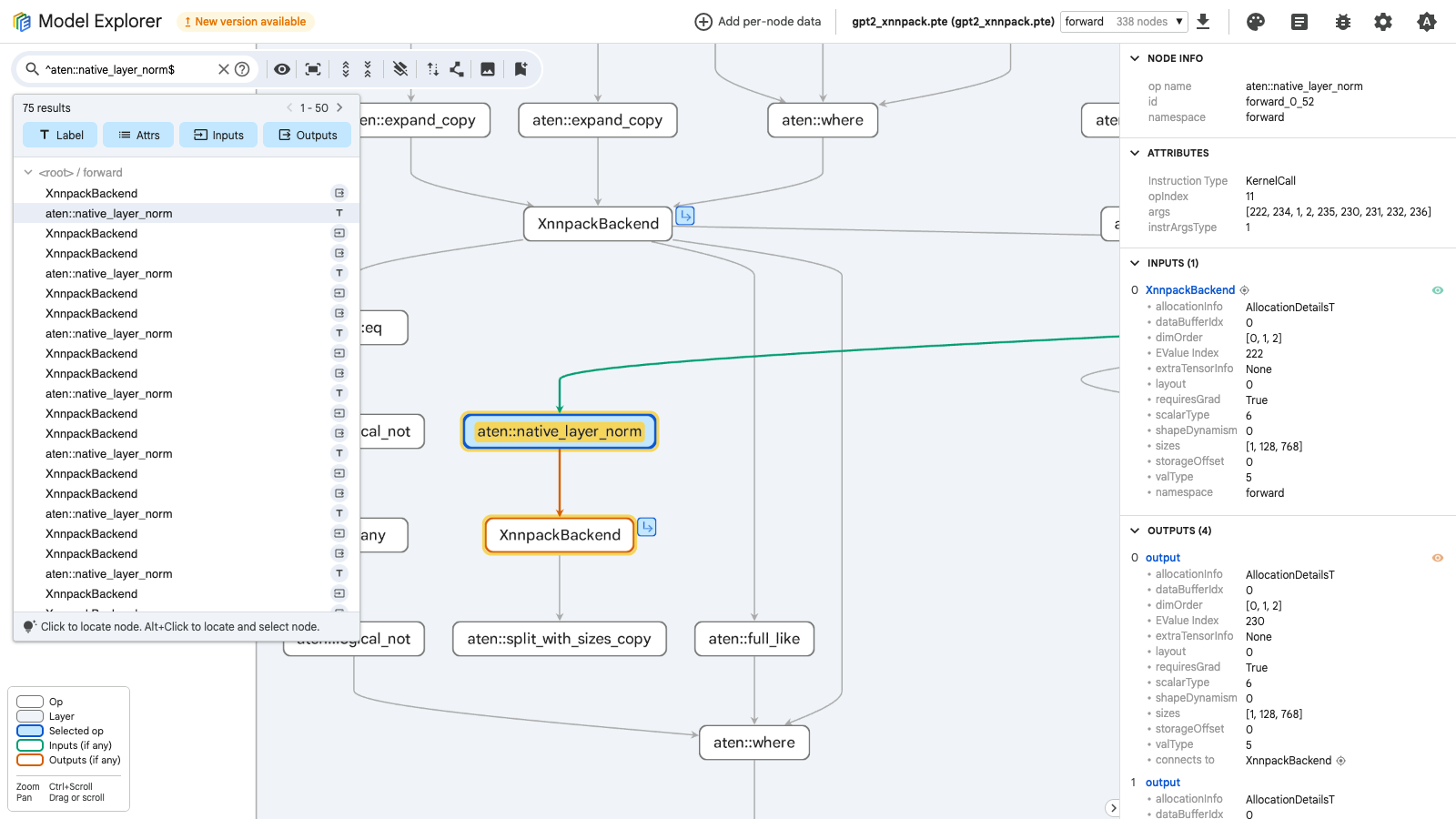
Return to the parent graph. Search for
aten::native_layer_norm to find an operation that remains outside XNNPACK.
The selected aten::native_layer_norm node below is a KernelCall, so it remains on the default ExecuTorch path.
So what changed between the different artifacts?
- the
.pt2graph shows the exported PyTorch program before ExecuTorch lowering - the portable
.pteshows the deployable ExecuTorch graph without backend delegation - the ExecuTorch with XNNPACK
.pteartifact shows which parts of the deployable graph were delegated and which operators still run on the default path
For GPT-2, expect the XNNPACK graph to be mixed rather than one continuous delegated partition. Transformer decoder graphs contain masking, reshapes, layout changes, normalization, and indexing-style operations around the expensive matrix work. Those operators can break the graph into several delegated partitions with default-path operators in between.
Use this comparison to guide your interpretation:
| Question | What to look for |
|---|---|
| Did XNNPACK group expensive work? | Larger delegated regions can indicate that supported transformer operations were grouped for optimized CPU execution. |
| Did the graph fragment? | Multiple small delegate regions can indicate unsupported operators or boundaries between supported regions. |
| What stayed on the default path? | Remaining portable operators may have minimal impact on latency, or could be bottlenecks. |
| Did the artifact size change? | Backend delegation can improve latency but may increase the .pte size. |
Course complete
Nice work
You completed Optimize and deploy AI inference with ExecuTorch on Arm.